
Creating Custom Report On Cloud And Self-Hosted Bitrix24

CRM systems like Bitrix24 play a significant role in retaining a business's customers. One of the ways CRMs do this is through the creation of reports. By creating adequate and accurate reports, businesses can understand their customers' behaviors. They can also rightly channel their resources to improve customer experience and retention.
In summary, the importance of Bitrix24 reporting include:
- You can easily make necessary changes to your data.
- Effortless extraction of data in parts or as a whole.
- Reporting data can be productive sources of business strategies.
- You can track your business operations to enable you to make necessary adjustments.
- With adequate reporting, you can objectively understand the transactions and processes within your business.
Nevertheless, for reporting to benefit a business, it has to be done correctly. Improperly and unethically created reports can have devastating effects on a business. In addition to slowing sales rate and delivering counterproductive information, poor reporting can also rob a business of control over its customer relationship.
As a Bitrix24 user, the version of the CRM you use should not deter you from enjoying the vast benefits of reporting. Our Bitrix24 reporting integration helps you to create custom reports for both the cloud and self-hosted versions of your CRM.
Illustrations of this customization are shown below.
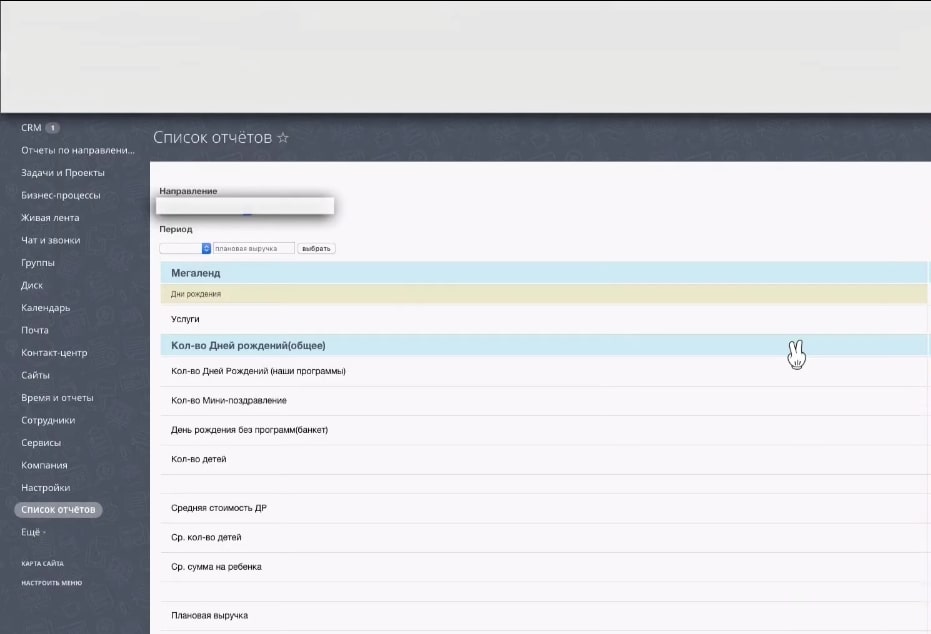
1. This report was generated from the self-hosted version of Bitrix24.
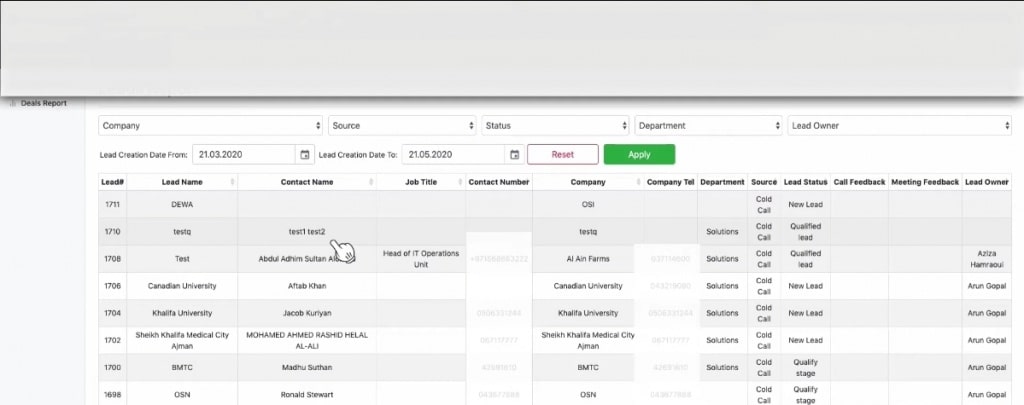
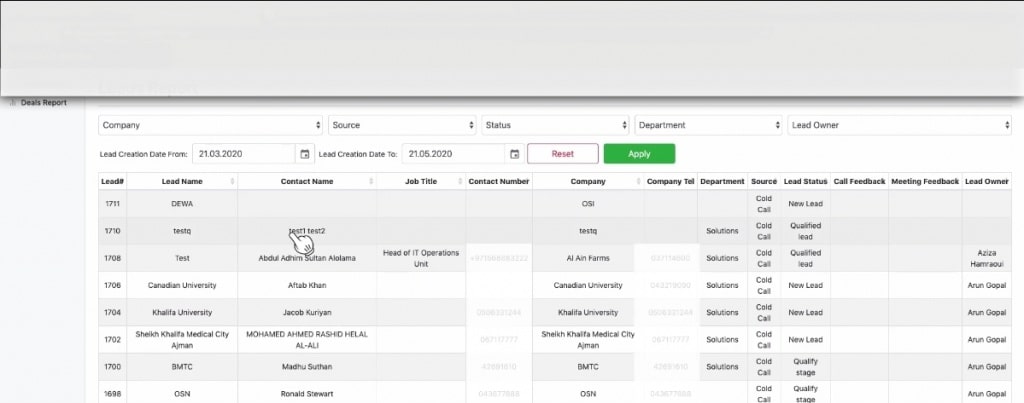
2. This other report was generated for leads on the cloud version.
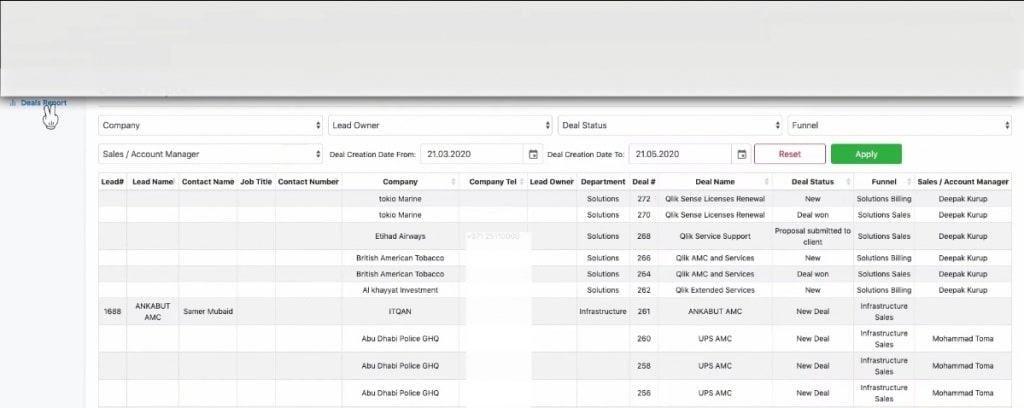
3. This final report was generated from the deals on the cloud version of Bitrix24.
4. To generate a report on self-hosted Bitrix24, we begin by clicking on 'CRM' from the menu on the left side of the Bitrix24 homepage.
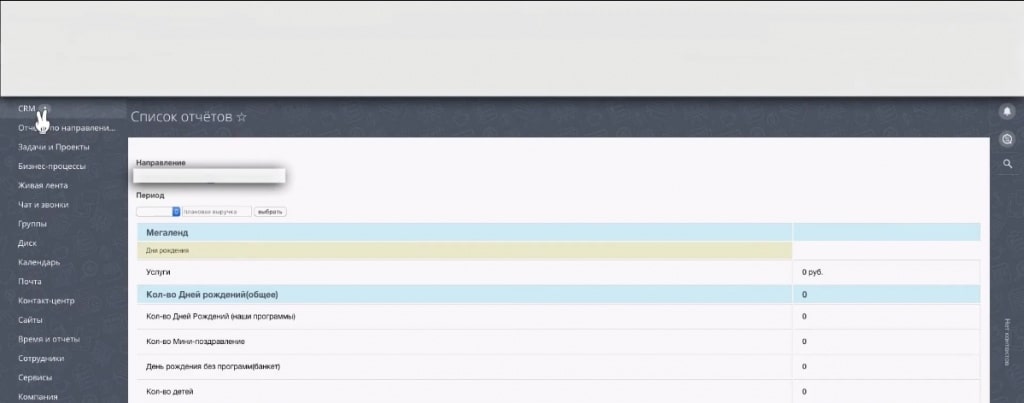
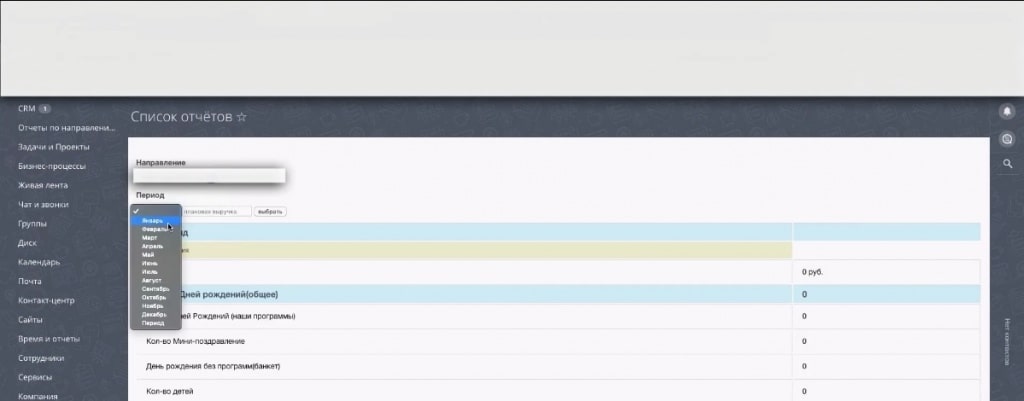
5. On the CRM homepage, we go to 'reports' to see the generated reports.
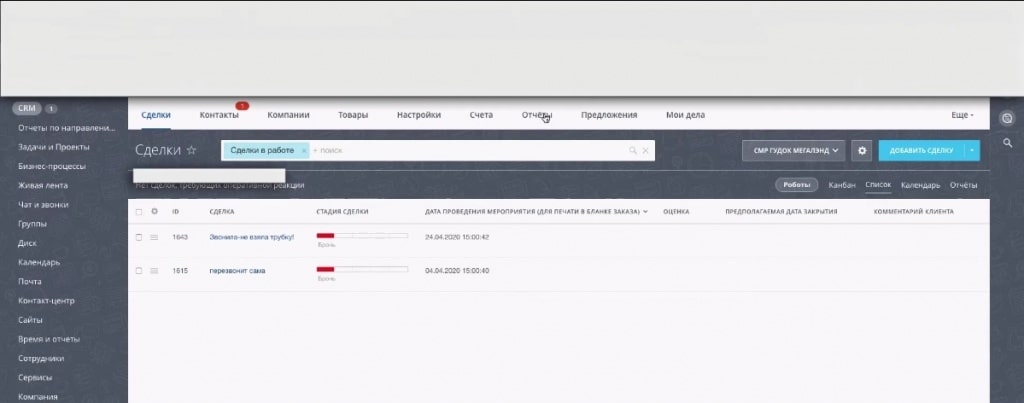
6. We can also fill / select necessary data fields to generate reports.
7. The cloud version of Bitrix24 does not have the report generating function. Hence, we generated reports in this version by creating a web domain and extracting data from Bitrix24 via REST API. We manipulate the data and publish them in the tables shown below.
Are you having issues generating your business reports on Bitrix24? Contact us immediately, we want to help you. And don't forget to check the video below about that development
Play video