
How to Install free app bitrix24 ticketing system

Ticket24 – a ticketing system app
A ticketing system is a software created to organize and distribute the incoming requests for customer support. Such systems are also often referred to as "online tickets management system", "customers support ticket management system", or "ticket-workflow system". There are both separate services as well as those already integrated into other programs for business.
Ticketing system by EMCsoft has found favor among Bitrix24 users. We observed this development in Bitrix24 here. Also, we created a demo version which allows to check adaptability in less than one hour.
Now we present a Ticket24 app, convenient and totally free way to introduce ticketing system in your Bitrix portal. App is available in Bitrix marketplace.
Ticket – a direct communication with client
Ticketing system allows to communicate your client without intermediaries. It’s a universally applicable solution for businesses which work closely with customers and provide diverse support services. The most useful spheres involve standardized services: equipment maintenance, food delivery, babysitting and so on.
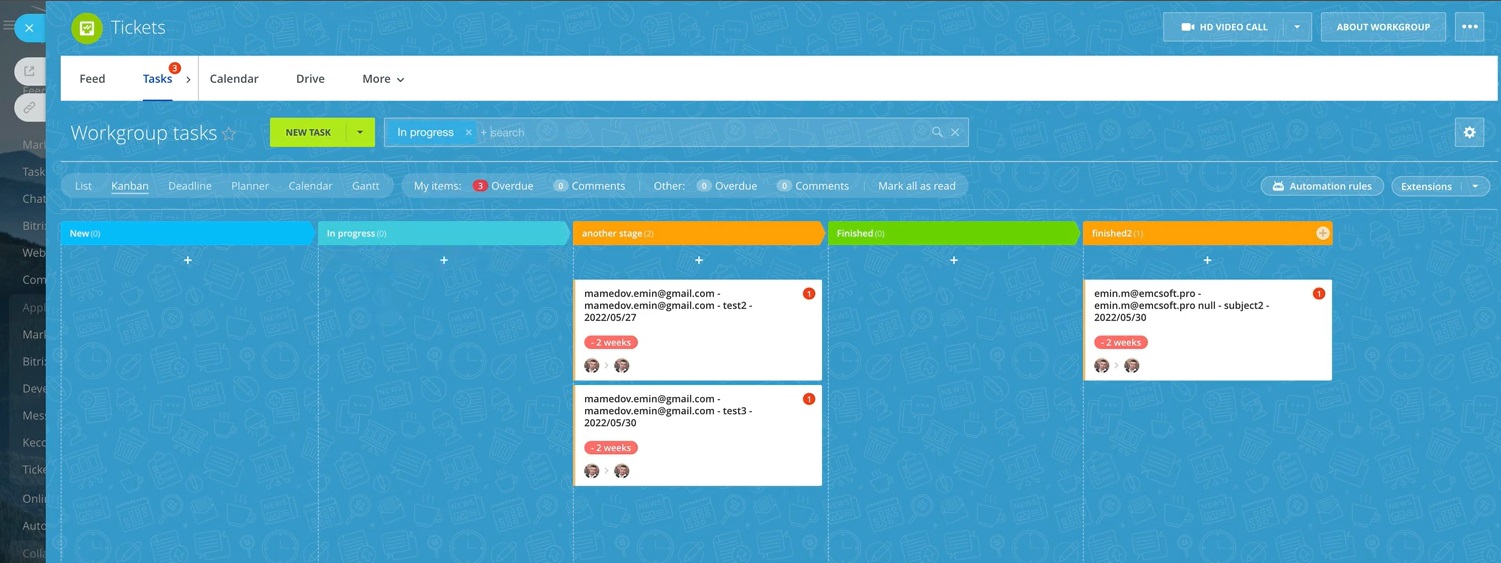
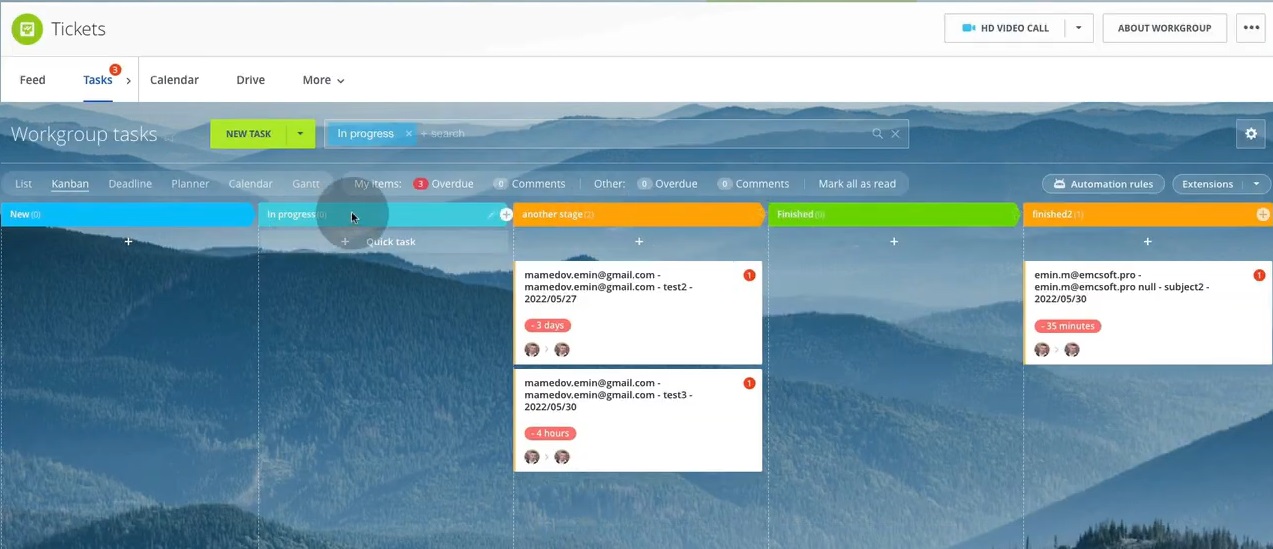
Incoming tickets automatically transform to tasks in client’s contact card. You can assign special stages for tickets and evaluate progress at a glance thanks to the Kanban board. As a manager, these view gives you an overview of your whole team’s work. See the progress of tasks, get notifications when jobs are approaching their deadlines, and streamline your work processes.
By keeping detailed records of all your customers, you can provide them with the best service based on their history. This is also the place where all your email, live chat, and website form information is gathered.
Icing on the cake – integrated chat with client, live and simple. Clients can send messages in one dedicated portal with no need to scour through mailboxes and messengers. We provided a function of attaching files for better communication and understanding.
At the main page your clients will see a list of tickets created with statuses: In progress, Finished etc. This will allow to check the status at a glance.
Furthermore, your conversations are automatically saved in your CRM so your entire team has a record of each user’s conversation.
Ease of installation and use
Ticket24 app can be downloaded in couple of minutes from Bitrix marketplace. As an internal app, Ticket24 will be hassle-free for your managers, thanks to user-friendly interface and familiar functionality.
To sum up, with Ticket24 app you will:
- collect all requests from clients in one place inside Bitrix portal;
- automatize company work on tickets with Bitrix functionality;
- integrate tickets with CRM data for better service;
- be able to chat with client on every request.
Let’s see how to: Install free app bitrix24 ticketing system and use it in Bitrix portal.
1. To download the app, go to Market.
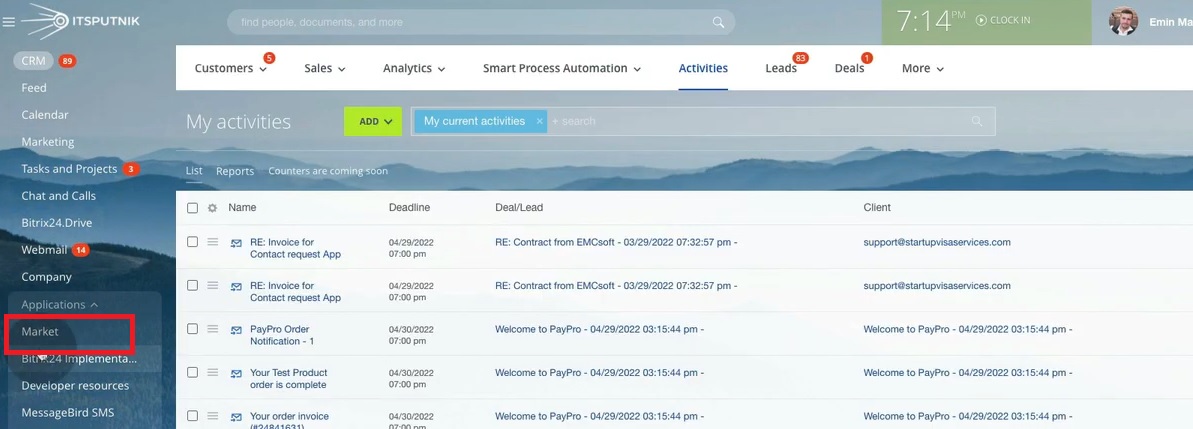
2. In Marketplace you will see new and popular apps.
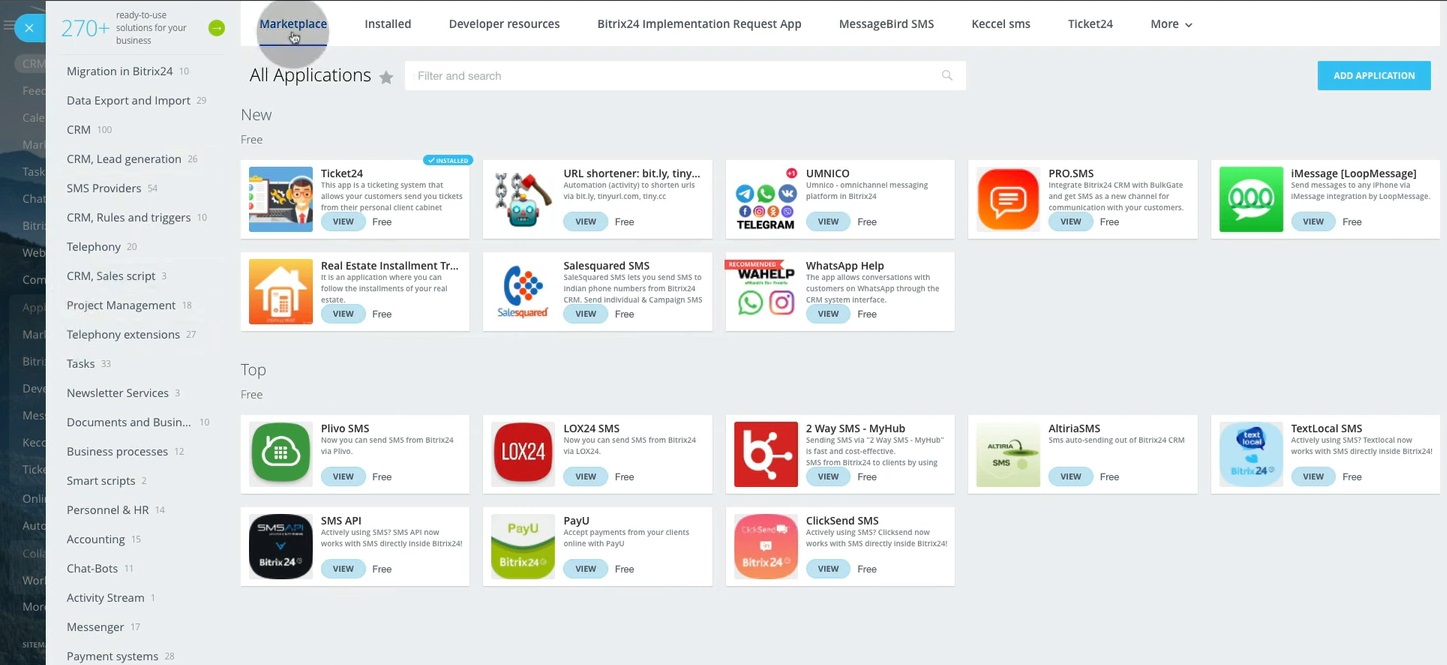
3. If you don’t see Ticket24 application in the main page, type and search it by name.
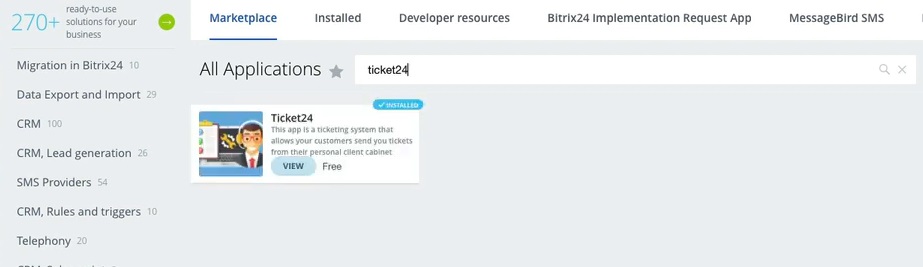
4. Click Install.
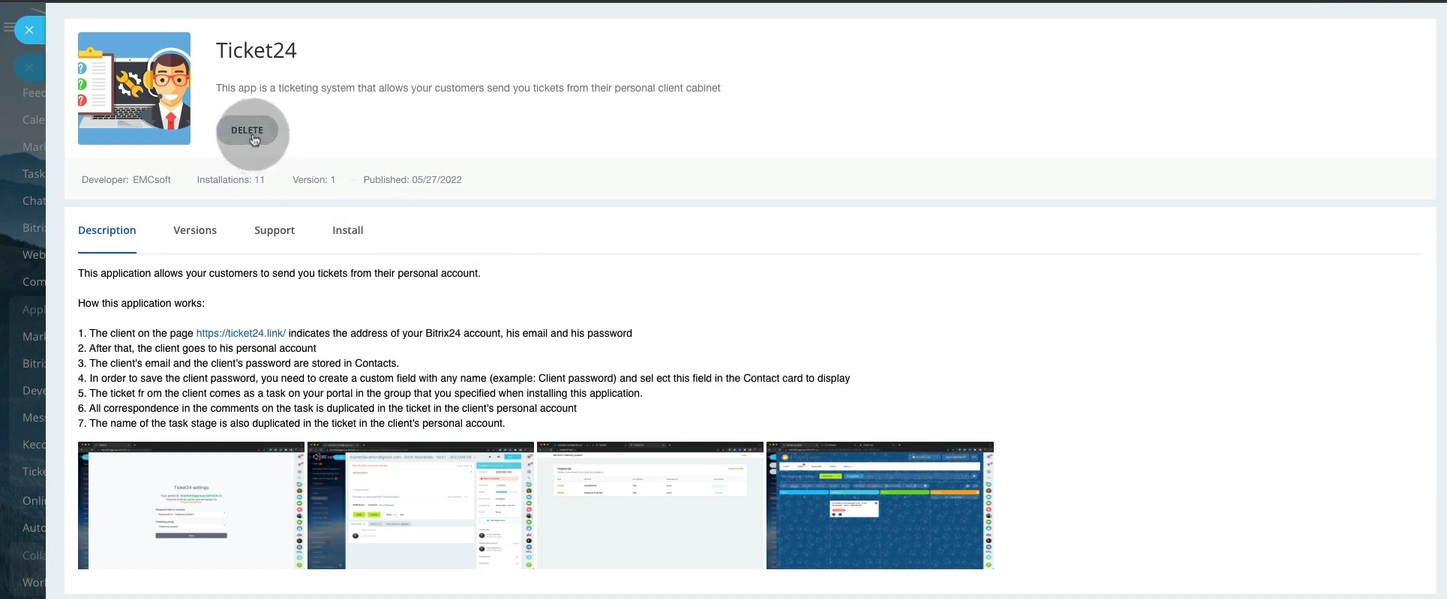
5. After quick installation, Ticket24 menu will emerge in the side menu of your Bitrix.
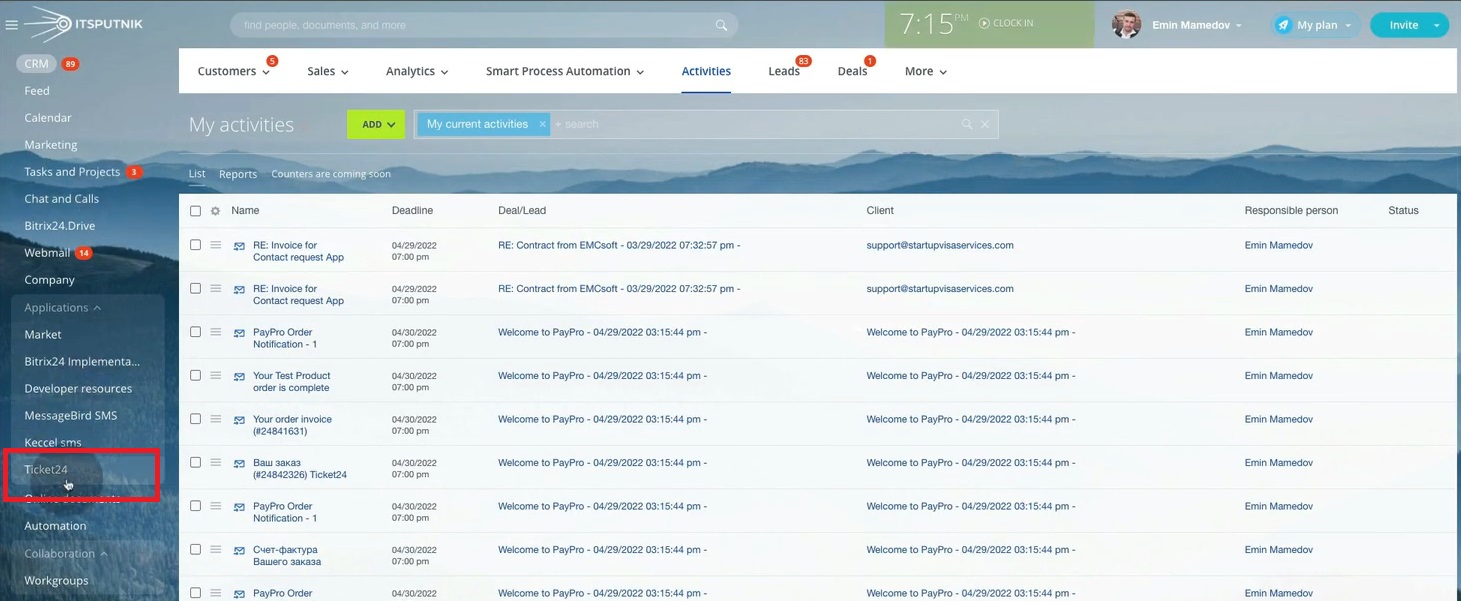
6. During installation you will see the following page of ticketing system. There is a link to the video tutorial on Youtube.
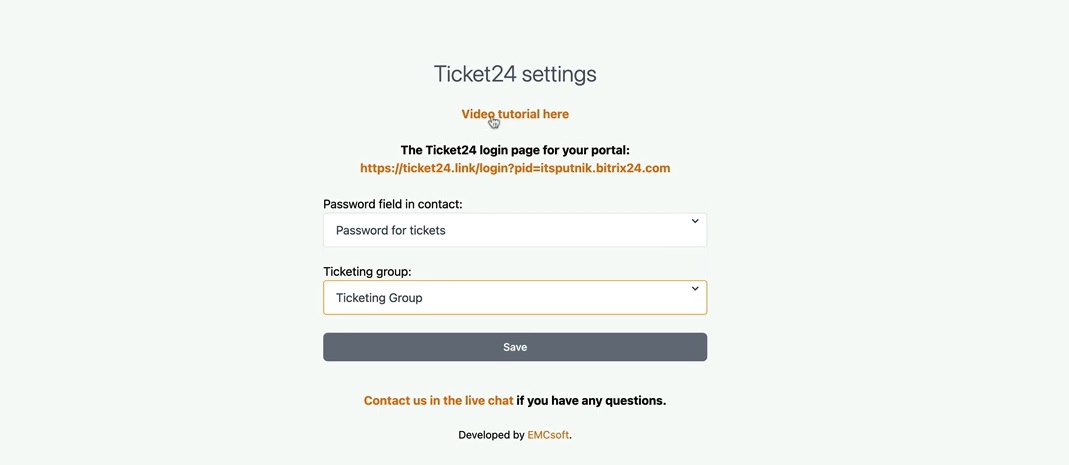
7. Also, there is an individual link which you will send to your client together with login and password.
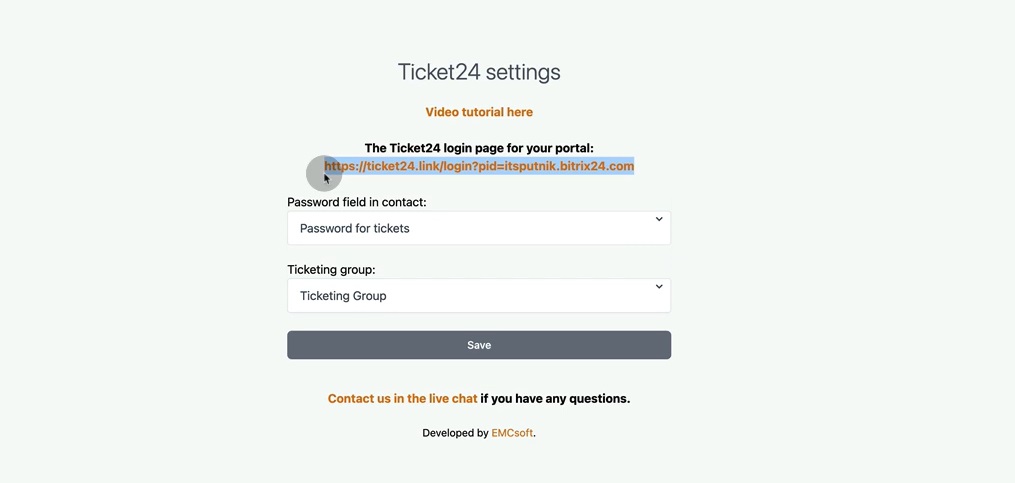
8. To create a password, we need an additional field in Bitrix cards. System will automatically add “Password for tickets” field in Contact card during app installation.
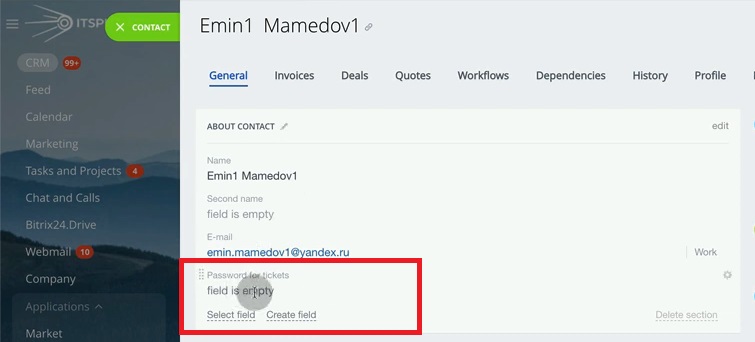
9. Here you will need to create a password for your client, whether generate it or put manually.
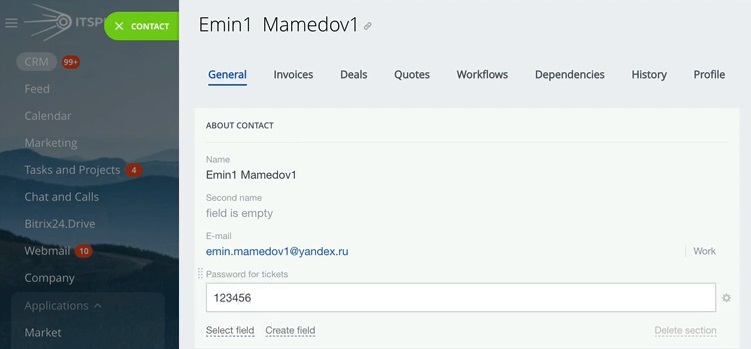
10. However, if you are not happy with automatically installed field for some reason, you can create another in Bitrix24.
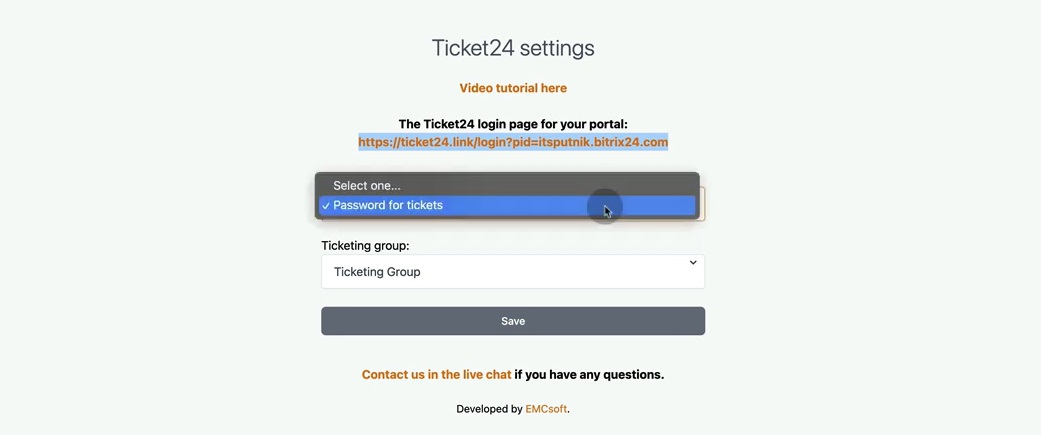
11. A “Tickets24” group for tickets will be automatically created in the same way. Similarly, you have an option to create another Group in Bitrix24.
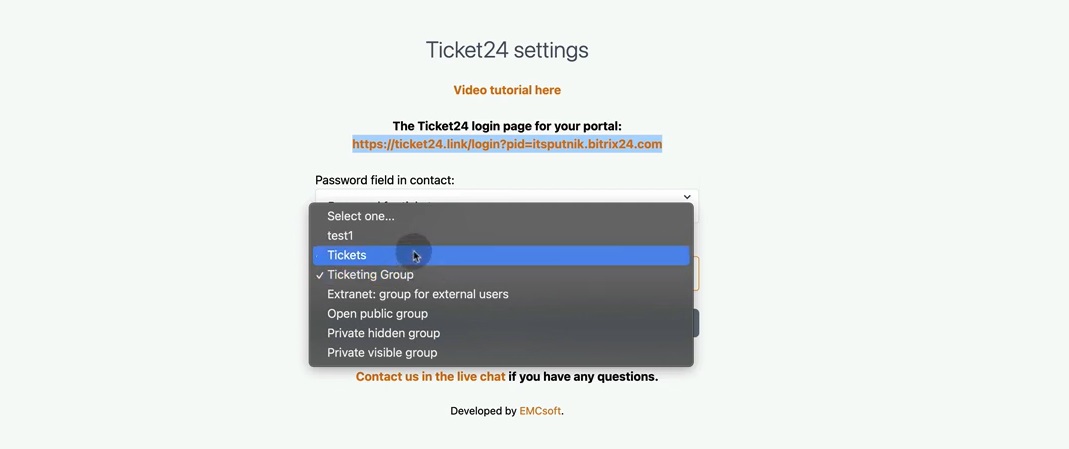
12. All tickets will come to that groups as tasks.
13. If you have any questions, you can start chatting with us through the link.
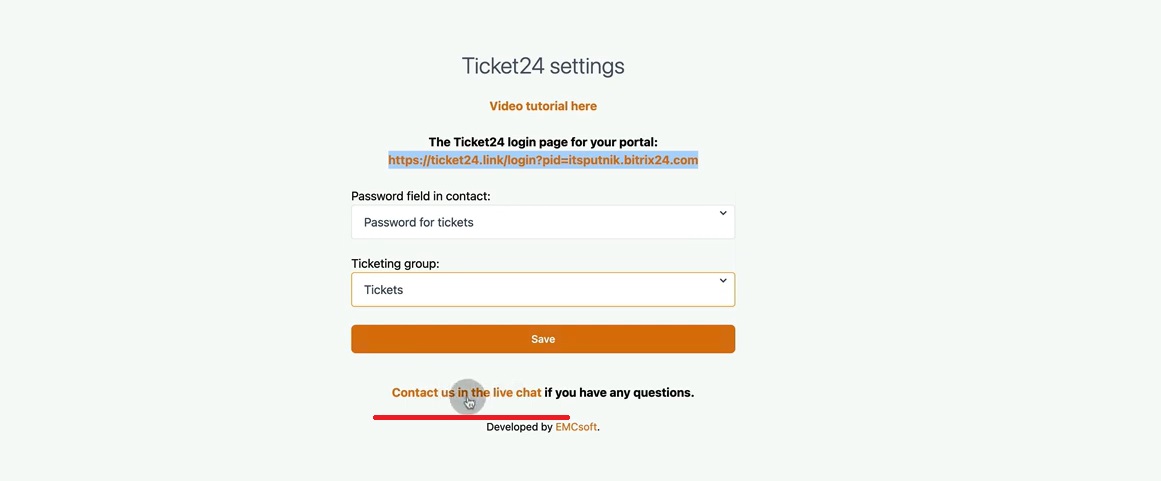
14. Or you can click on company name and go to our website.
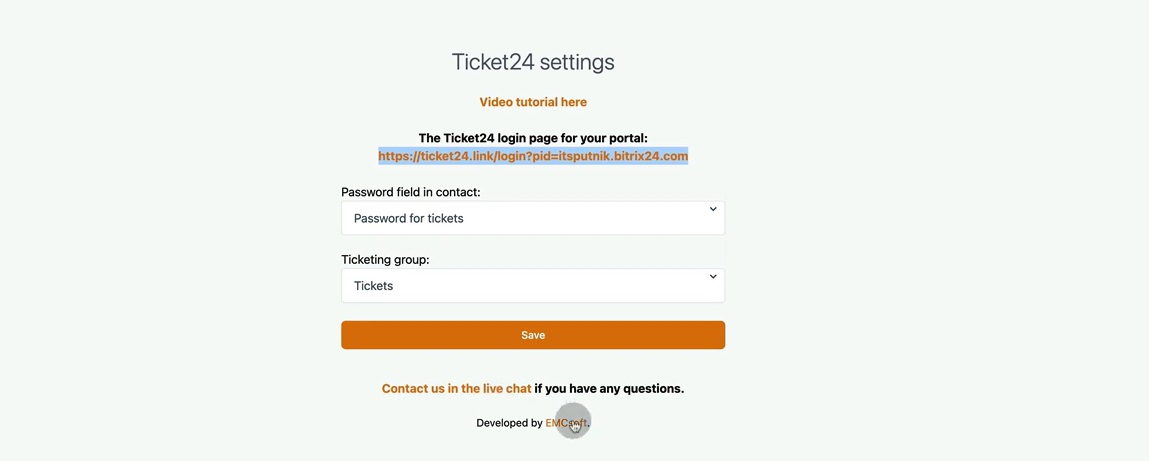
15. In our website you can know more about us and our cases.
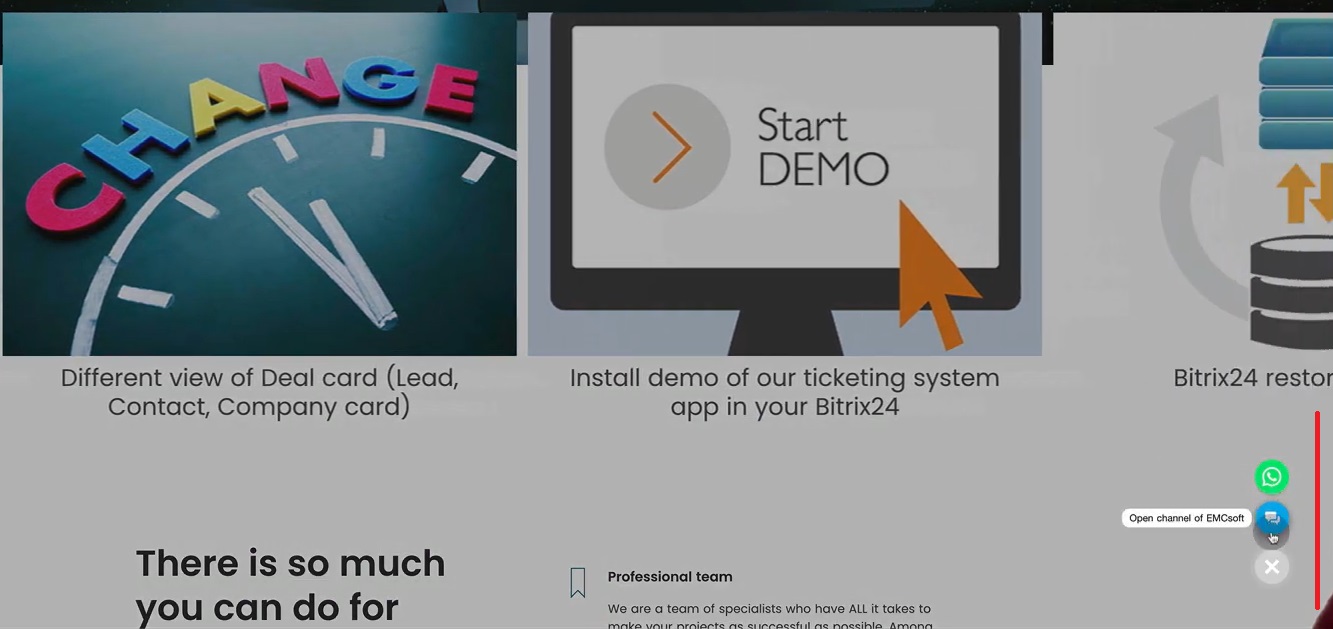
16. And reach us by Whatsapp or Open channel as well, clicking pop-up screen.
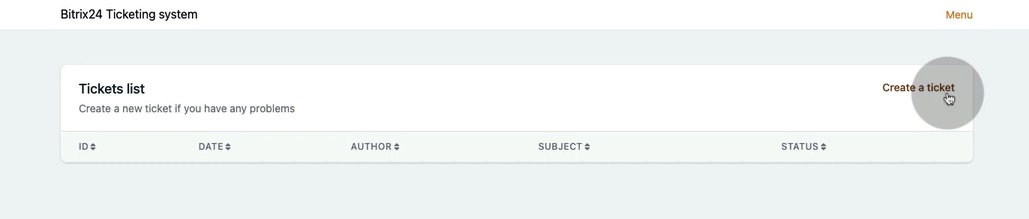
17. After your client logged in with his email and password with the link provided, he will enter the ticketing system. Click Create a ticket.
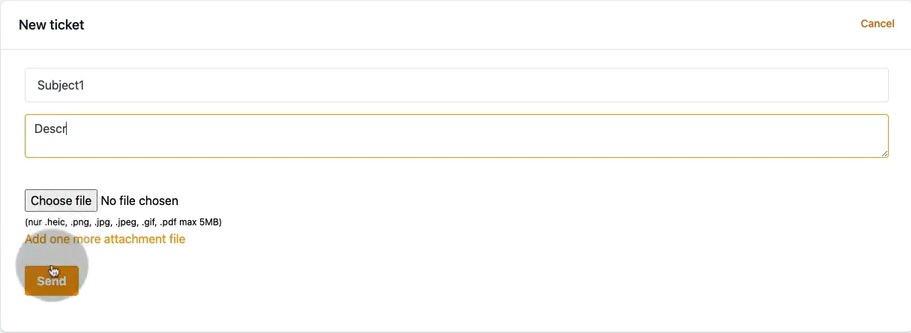
18. In ticket client can type a subject, description and attach files if needed.
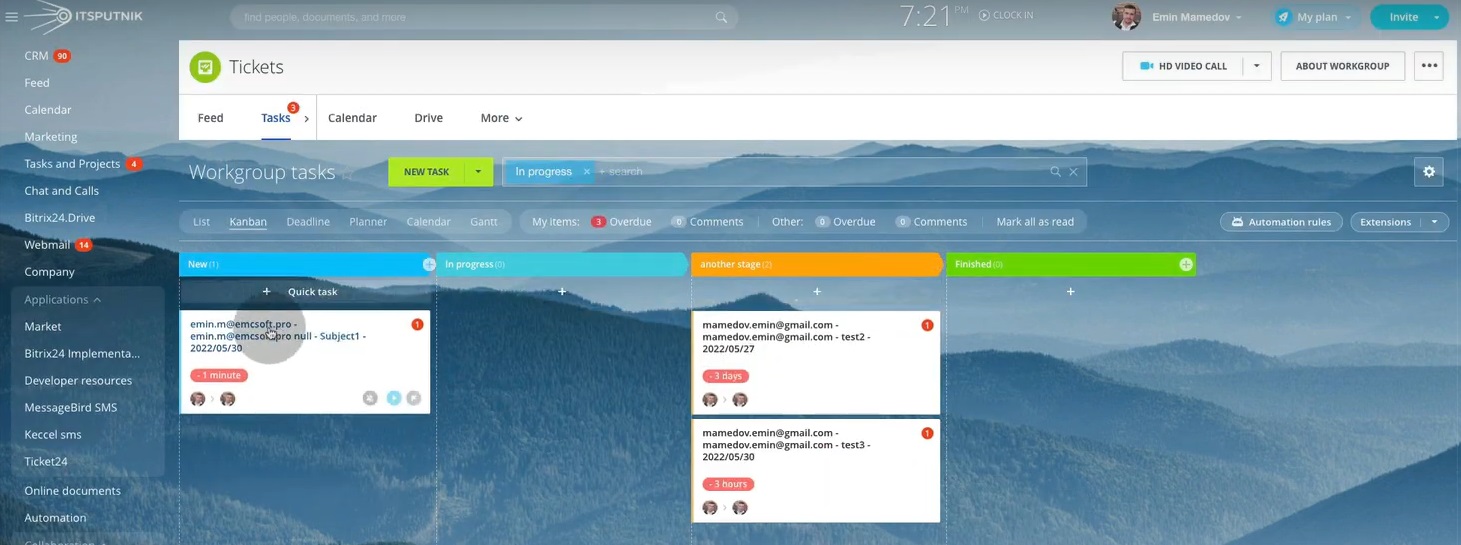
19. As soon as new ticket is created, it will emerge in Tickets workgroup created before with New status.
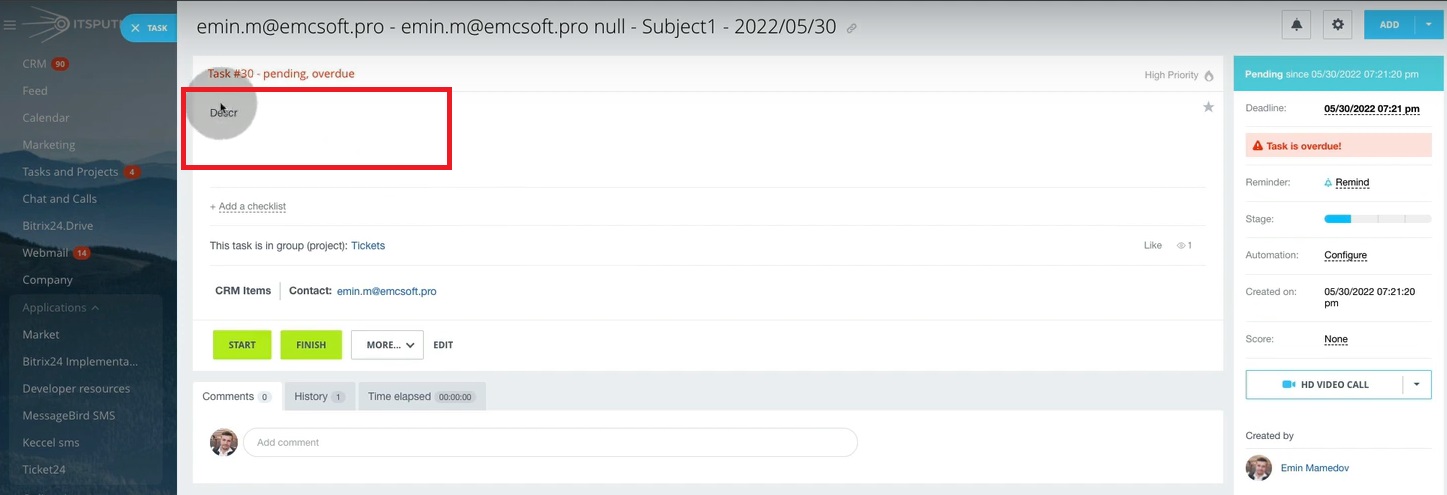
20. Inside you will see a description and files attached.
21. To show client that we started to work on his case, we moved the ticket to In Progress stage.
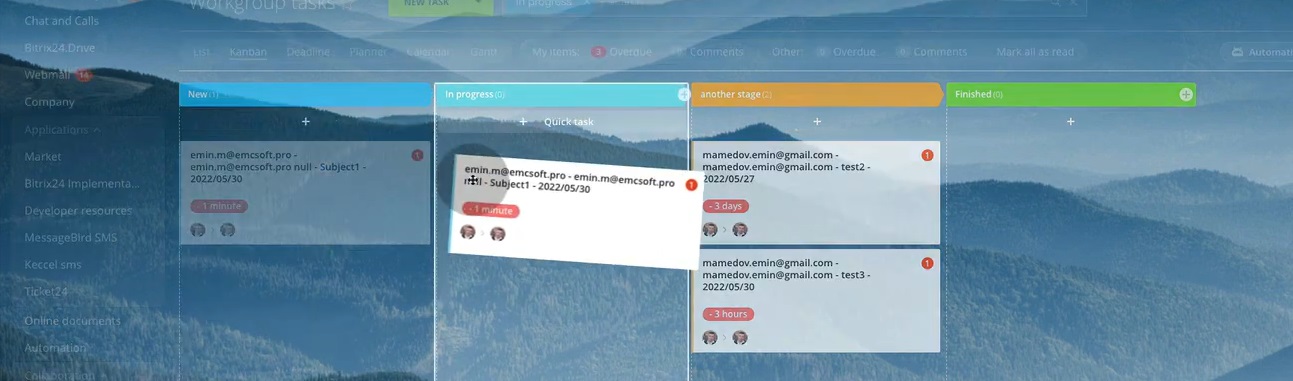
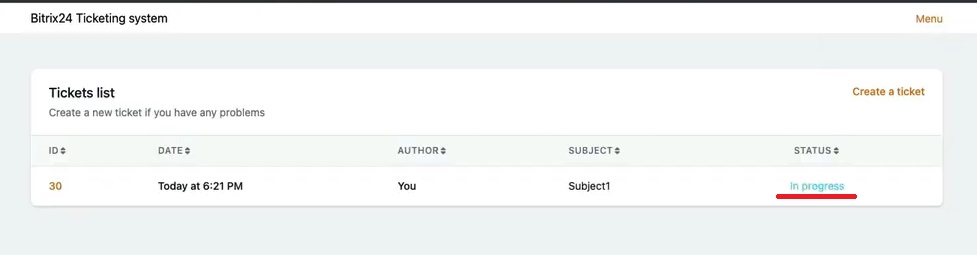
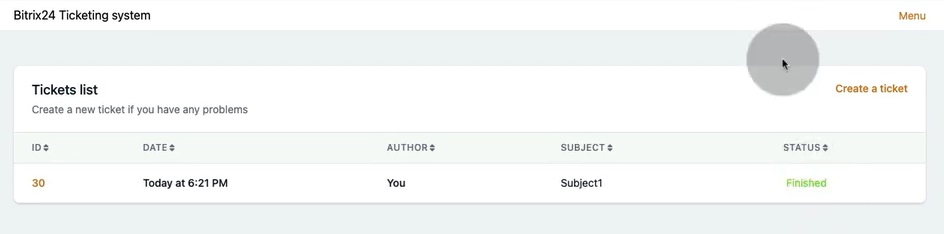
22. In turn, client will see status changed in his ticket.
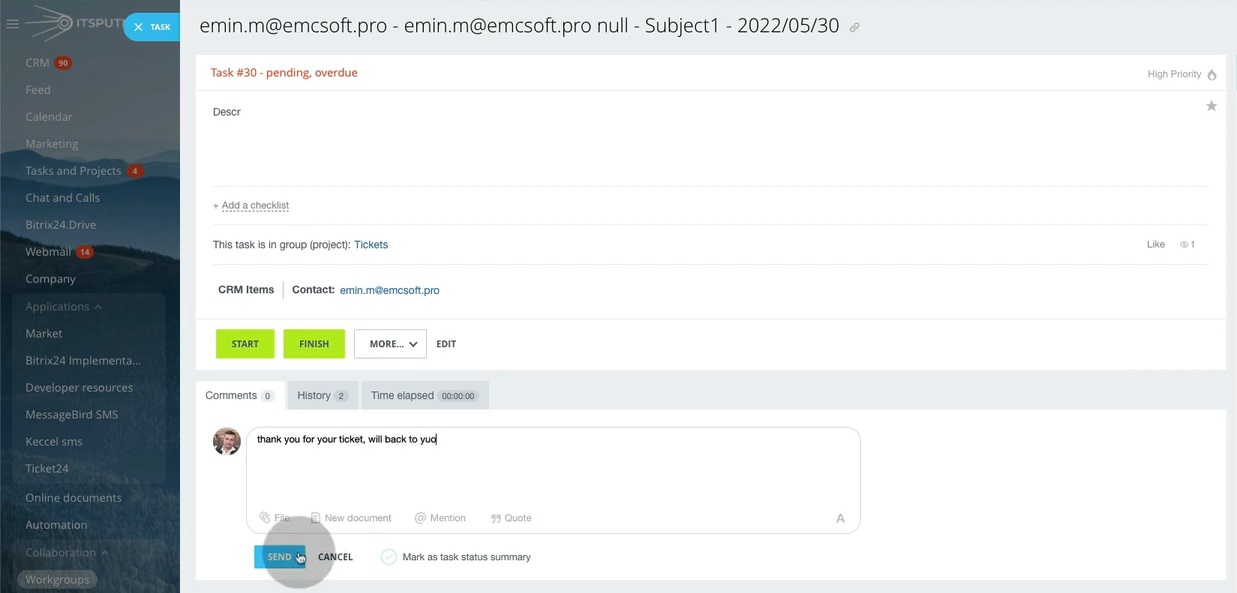
23. In addition to this, you can write a message to client right inside of the ticket card in Bitrix.
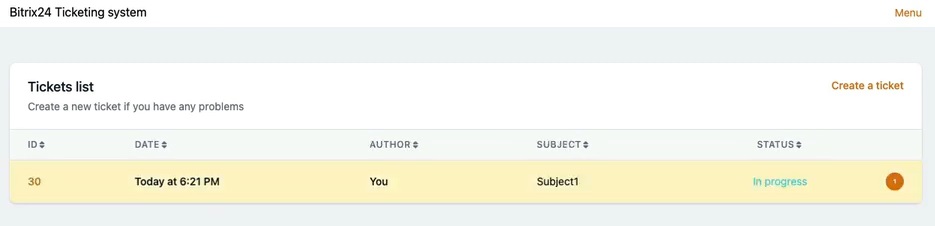
24. Client will get a notification about a new message.
25. Inside of the ticket he will see a message.
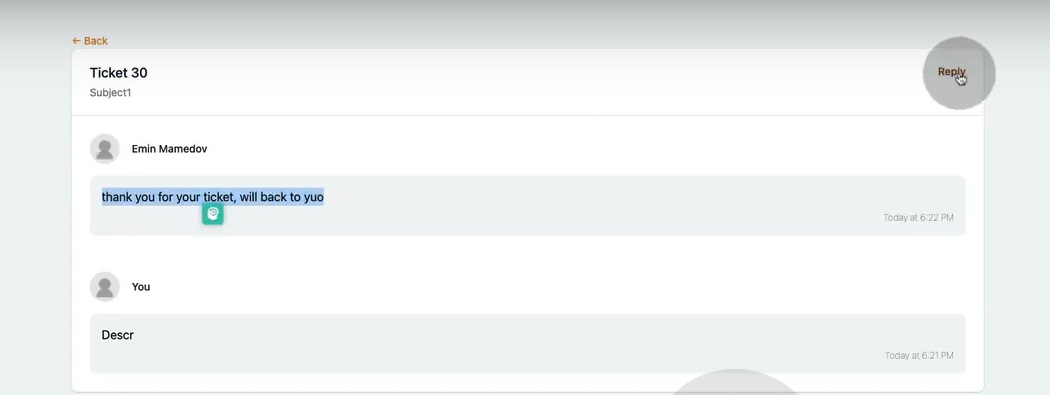
26. He or she can make a new reply.
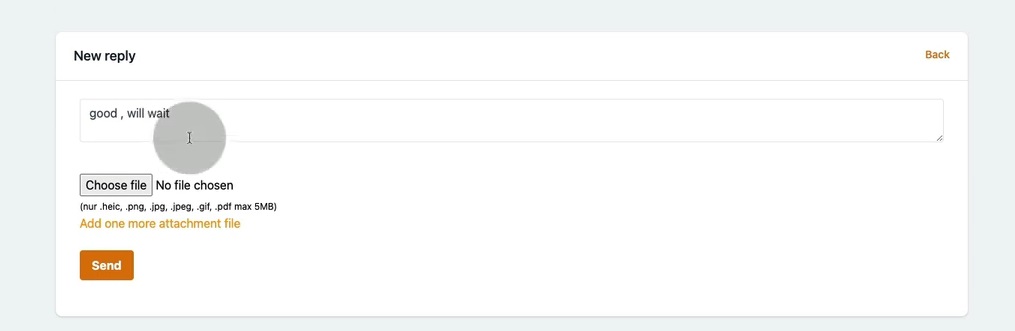
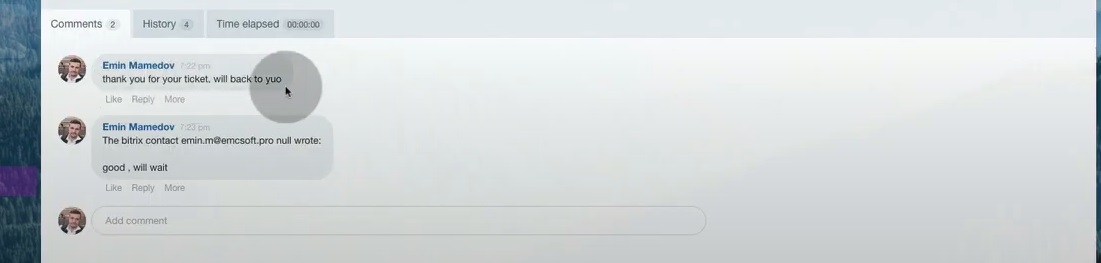
27. In Bitrix all communication will be collected in ticket card.
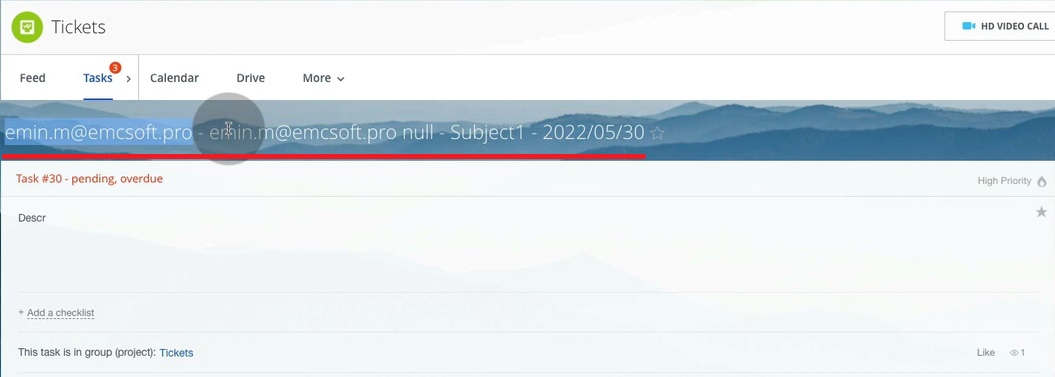
28. Also, in ticket created you will see a Name, Surname, Subject and Date in the name of the ticket. If it’s not mentioned, you will see login data as shown below.
29. Here we changed ticket status to the last one. You can do it from ticket card.
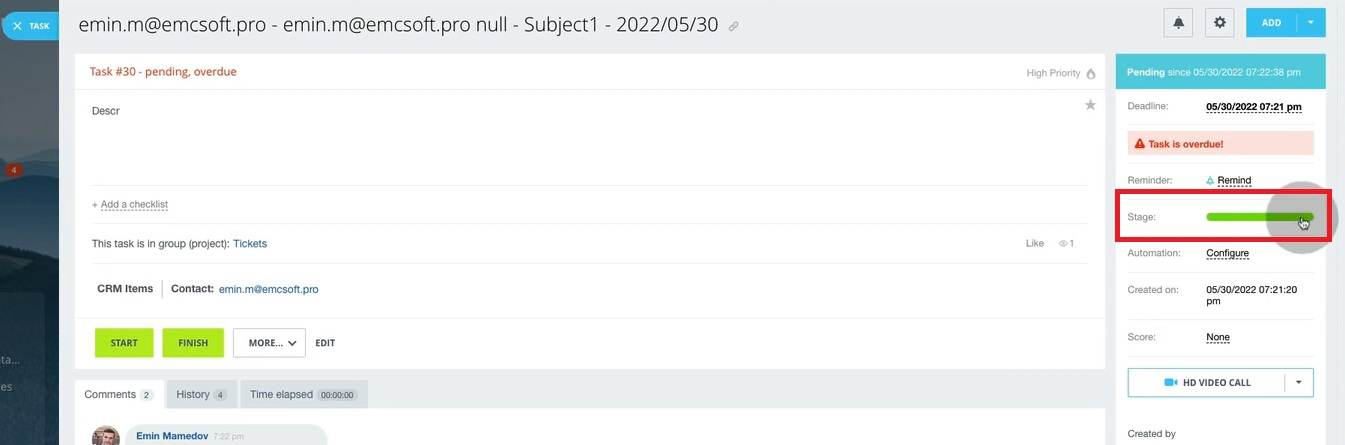
30. Client will see that status is changed to Finished.
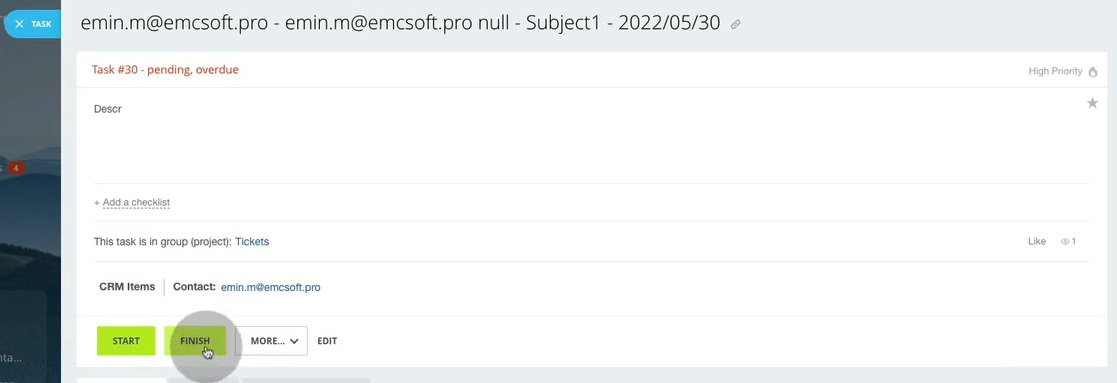
31. To finish that task, click finish inside of the task.
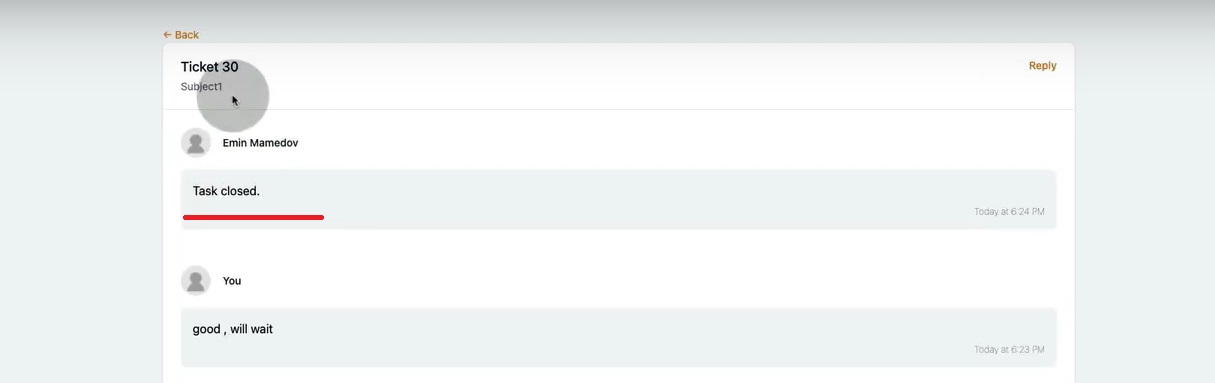
32. In this case automatic message will emerge in comments in Bitrix.
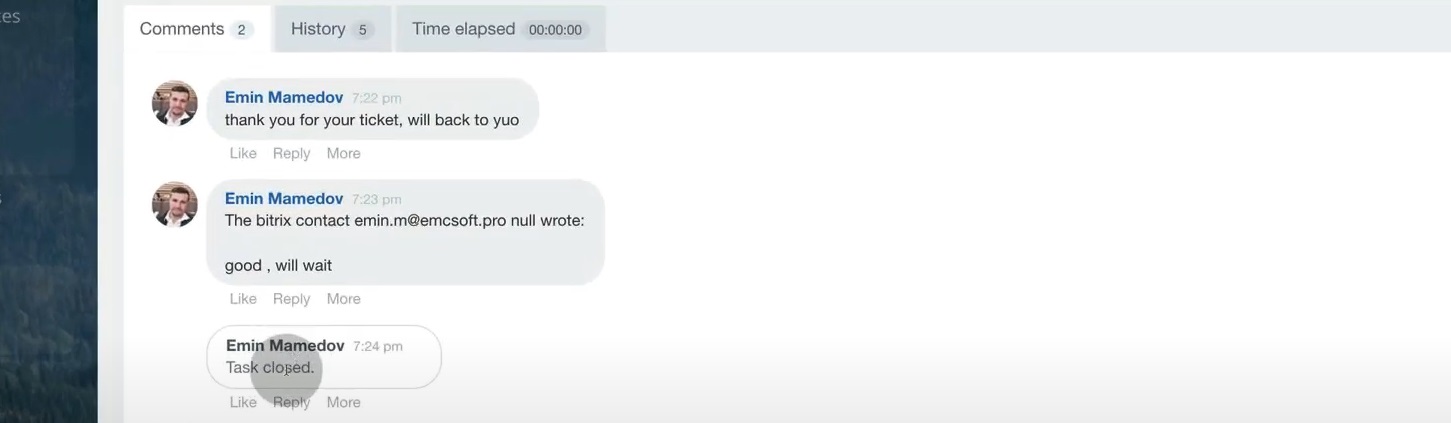
33. Client will see new message notification.
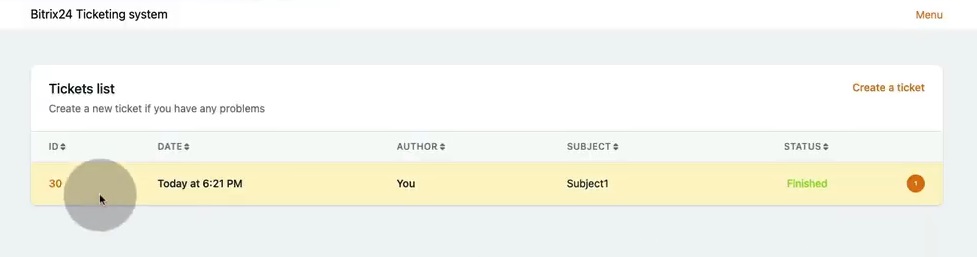
34. He will see that automated message in the dialogue.
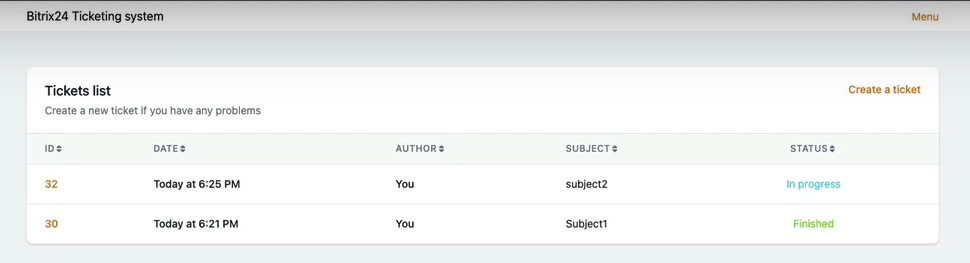
35. When client has created multiple tickets, he can separate tickets.
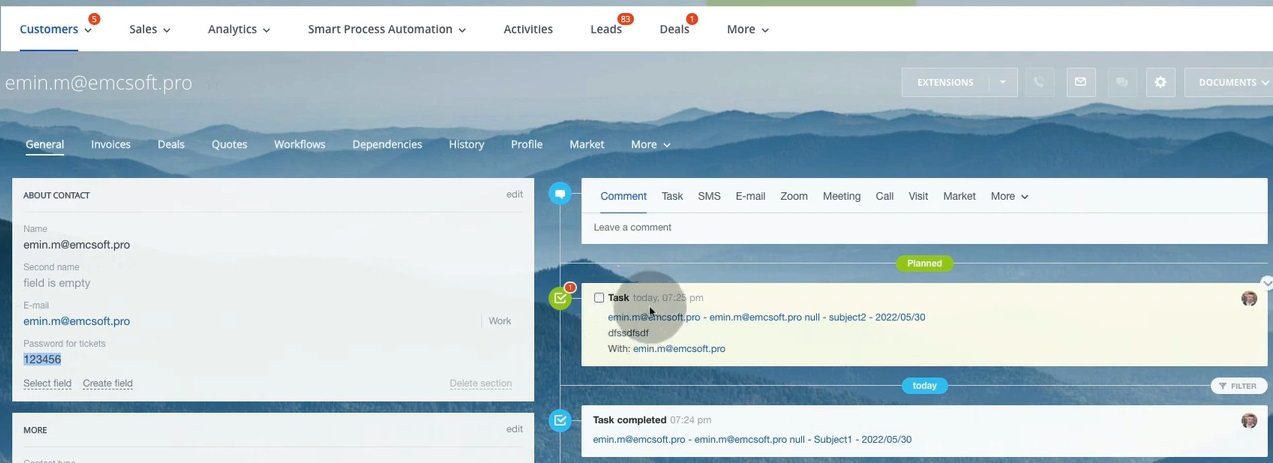
36. Also, tickets will be shown as tasks in client’s Contact card in Bitrix
37. And last thing to mention is that you can create as many stages for tickets as you want and name it as required.
That was a step-by-step guide to the ticketing system app in Bitrix24 developed by EMCsoft. This app complements Bitrix24 and transform it to the fully valid service desk. As mentioned before, this app is open to all Bitrix users.
If you enjoy our app and have comments and suggestions to share, we are pleased to receive your feedback via our contact page.
“You can also watch this video on Youtube.”
Play video