
Get Your Business Quotations Approved
Quotation preparation is the most critical aspect of every sale funnel after lead generation and conversion. It determines - in its unique way - whether or not a lead will eventually become a customer. And in the long run, a well-crafted quotation can improve customer satisfaction and retention and consequently increase sales. However, this potential is linked to its capacity to get converted into an invoice.
Unfortunately, the process of creating quotations is often neglected or given very little consideration in most organizations. Most marketing teams tend to slacken as soon they have successfully generated leads, and then they go on to treat quotations with less energy than they did lead generation.
Creating Quotes
Quotations and invoices are nearly similar, but the former only becomes the latter after approval. How then do you treat your quotations as vital as they are, to get them approved as quickly as possible?
Keep Your Prices Good
You read right!
In your quotations, do not fall into the temptation of quoting prices that are relatively lower than is obtainable in the market. This might sound like a good way to grab the attention of your customers, but they only make it more difficult for you to close sales as customers might interpret lower prices as inferiority.
On the other hand, quoting higher prices only cripples your competitive edge. Only increase your prices if your customers can see the difference between your products and those of your competitors. Else, stick to what is obtainable in the market.
Keep errors out
As incredible as it may sound, there is a 50% chance that one out of 5 quotations you send to customers daily contains either mathematical, spelling, or grammatical errors. So, before you click the send button on future quotations, check through your figures and words. You can also try several tools to increase accuracy and keep your customers pleased.
Be timely
For the benefit of your relationship with your customers, always send quotations as timely as possible. Committing to practically unfeasible deadlines may be disastrous to your business, but there are several quotation tools and solutions that can be very useful for faster quotation preparations.
Deliver Quotations Your Customers' Way
There are different formats in which you can send quotations to your customers. You can decide to make it accessible on an encrypted web page, as a mobile format, an email attachment, and so on. But the best format to send your quotation is the format your customers' request. If no specific format is specified, it is best to send it in formats that can be easily accessed from anywhere.
Changes Should Be Without Delay
Has a customer sent back the quotation, requesting some changes before they approve? Then that is a good sign. It means they are interested in closing that deal with you. Simply effect the changes they request as fast as possible. Then present them with a fresh and more accurate quotation for approval.
You can create error-free quotations on Bitrix24. The illustrations below will show just how. However, these features are not basic on Bitrix24, they are unique development of EMCsoft. From the quotation details, to the stages through which the deal goes through, and its automated sending to the customer; EMCsoft is responsible for this unique function.
The screenshots below show how it is work:
1. On the left side of the screen, we have our agent's portal, and on the right side, the head of the sales department's portal.
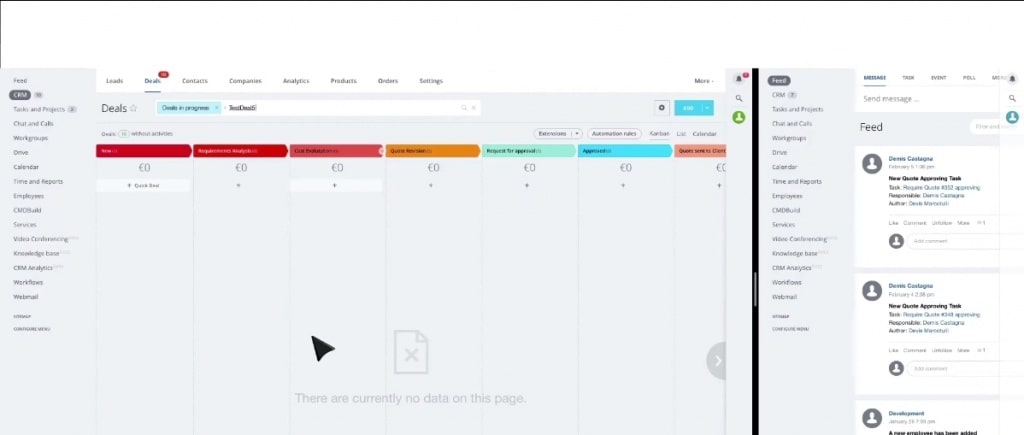
2. So we create a new deal on the agent's portal titled 'Test deal'. We fill in the name and company and then save.
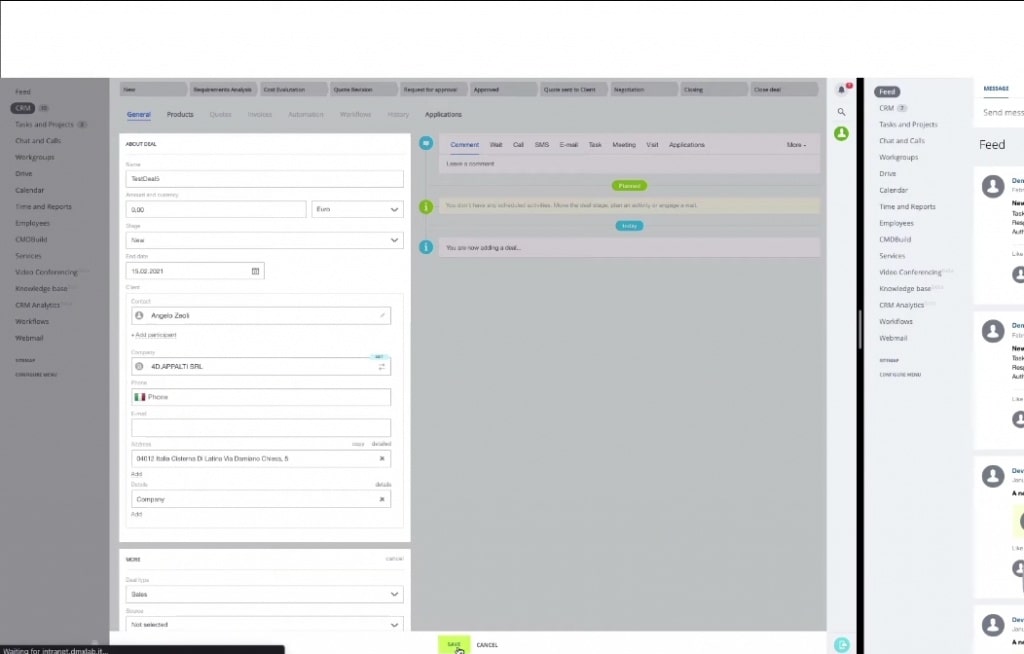
3. Once the deal is created, we navigate to the product section under the new deal and add products.
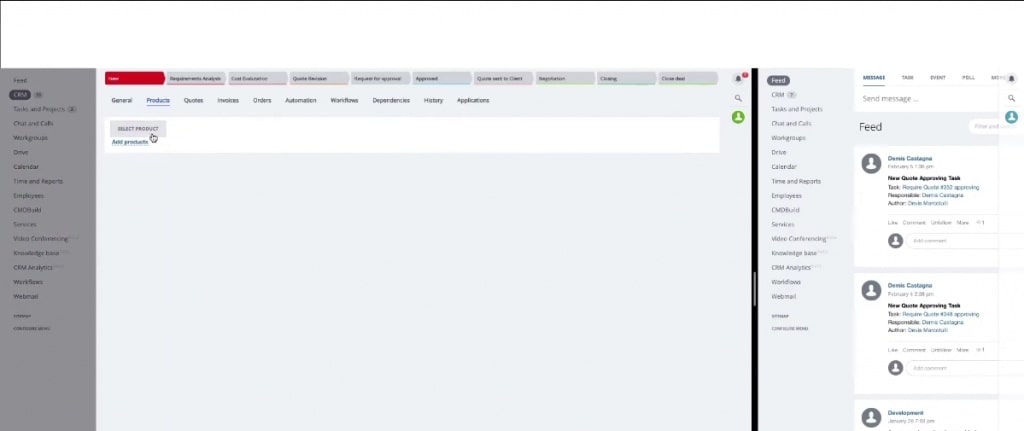
4. On selecting the products to add, we have customized the product page to see the mark-up value of products during entry.
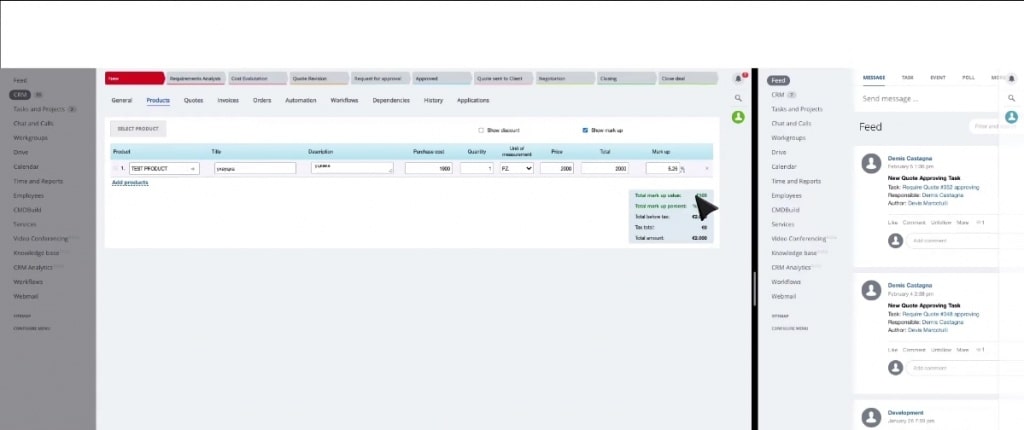
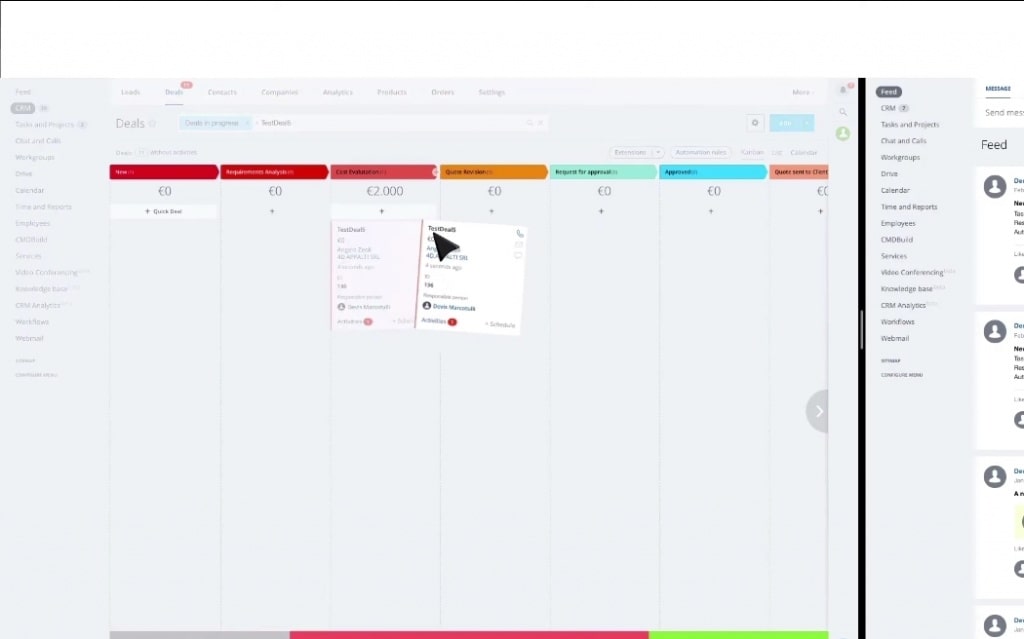
5. Next, we run the deal through a few stages and then create a quote on the fourth stage.
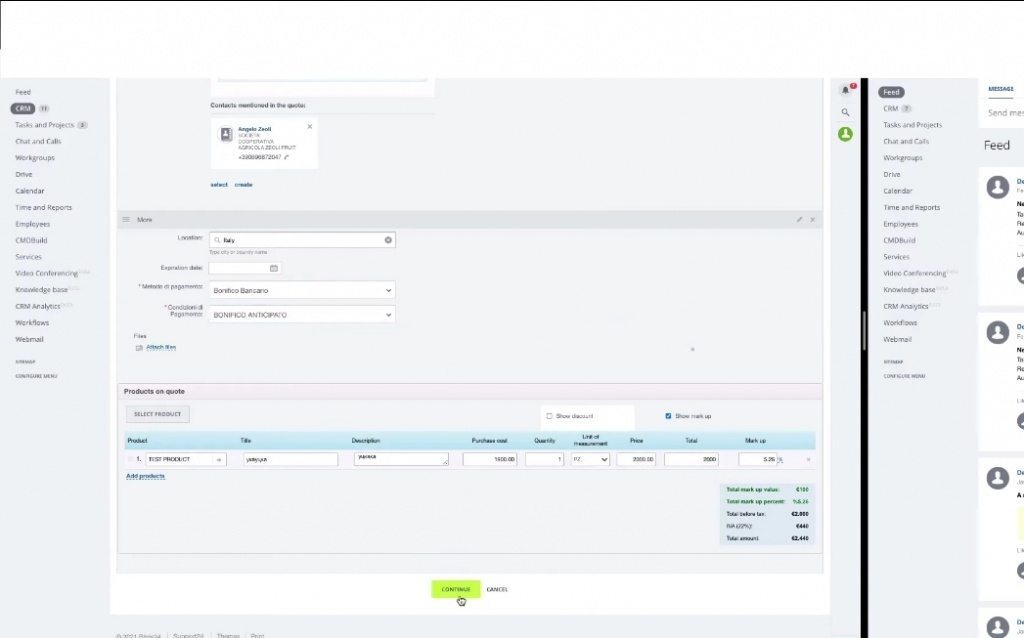
6. While creating the quote, we select country, positions, and some other parameters before we click on 'continue'. We should also see the product we entered and its details at the bottom of the quote.
7. On the current stage and the stages before, we can edit and make some changes to the quote.
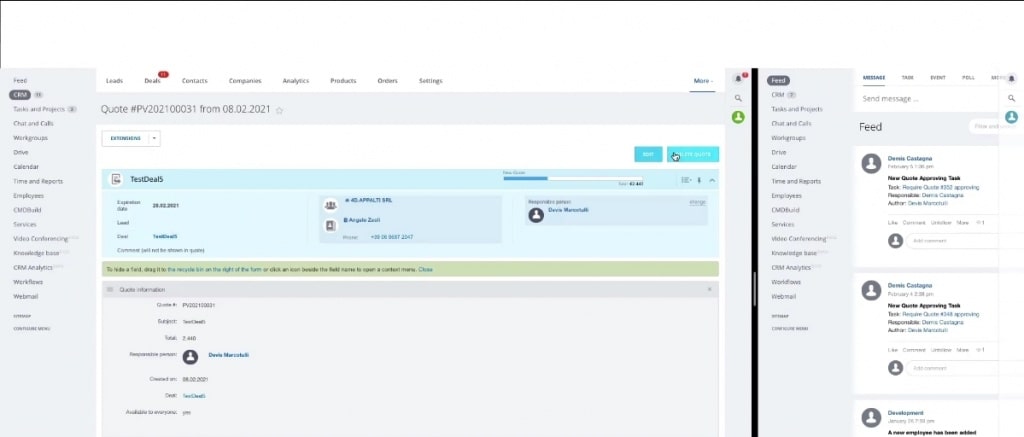
8. As soon as we move the quote to the request approval stage, it can longer be edited.
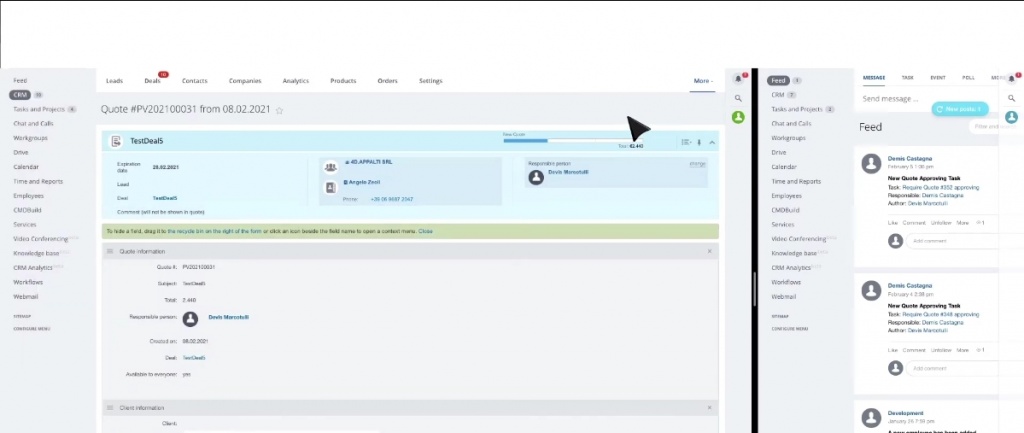
9. Also, as soon as we move the quote to the request approval stage, the head of the sales department automatically receives the quotation on his portal.
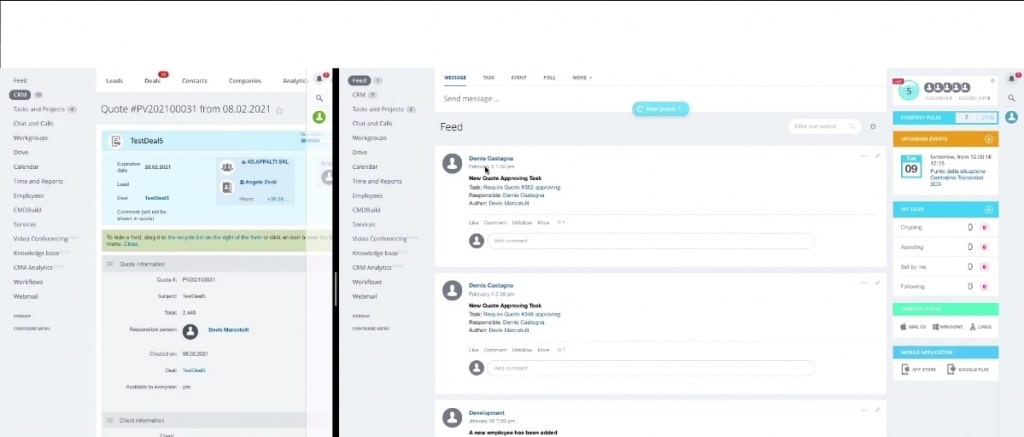
10. In the portal of the head of the sales department, the quote comes as a new task under which he can see all the details of the quote.
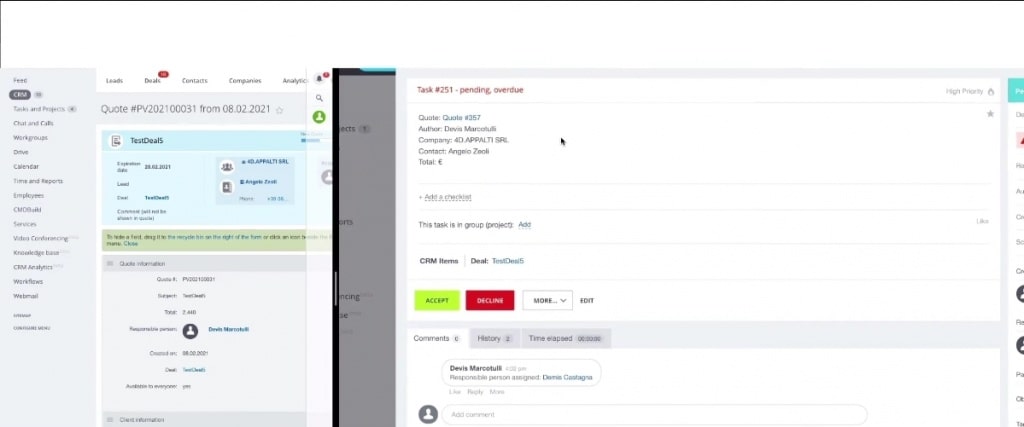
11. He can also check the deal under the deal section.
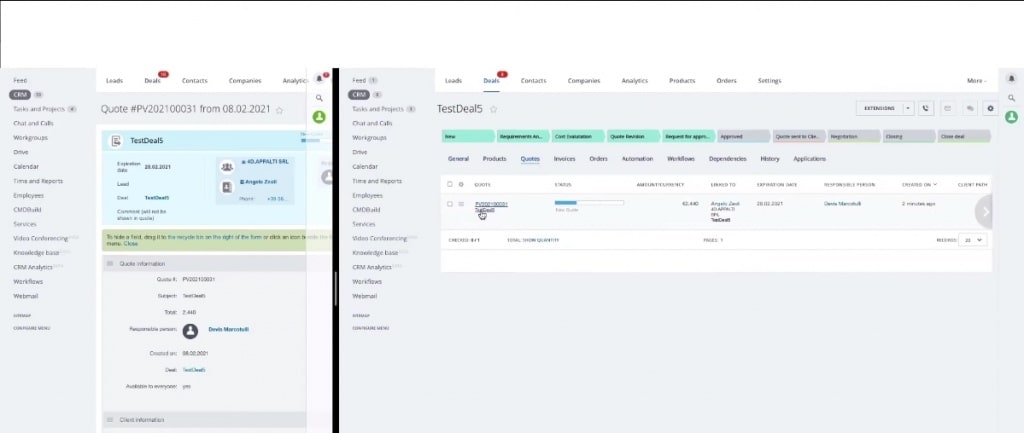
12. He can also navigate to the quote inside the deal, but he won't be able to edit as well.
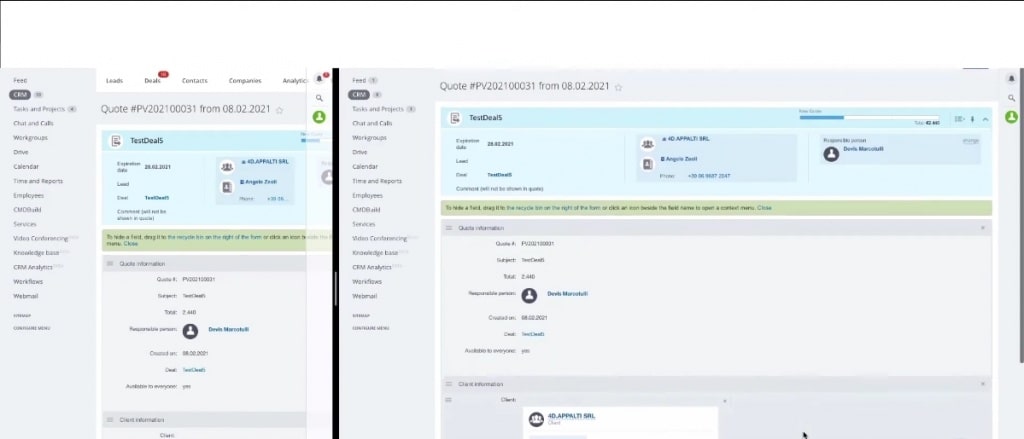
13. He can open the task with the deal, and then accept or decline the quote.
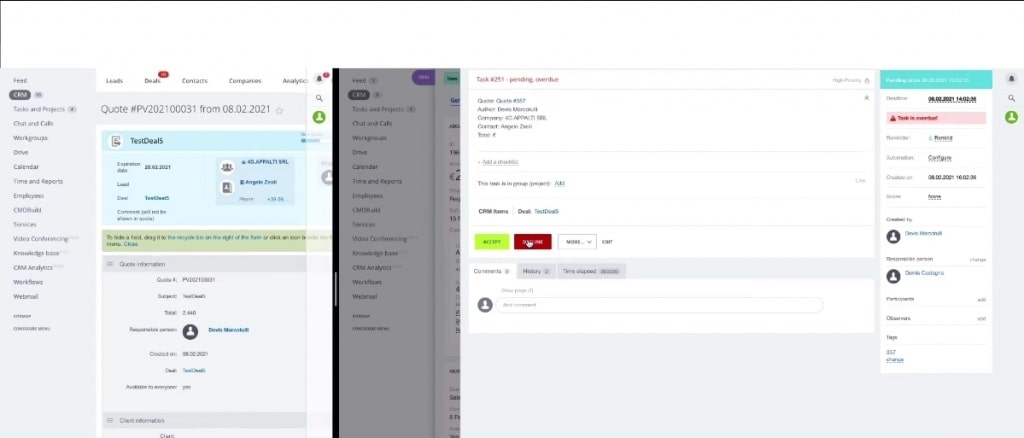
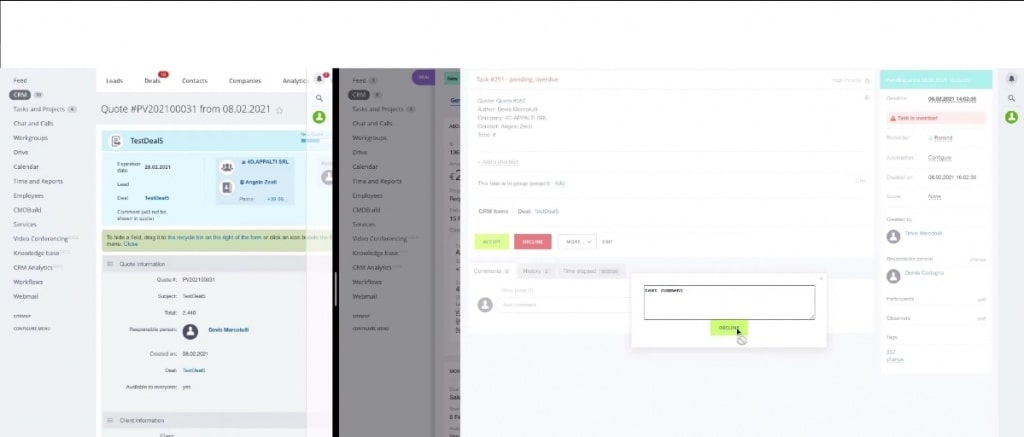
14. If he declines, the task will automatically go back by one stage, and the manager gets a notification on his system.
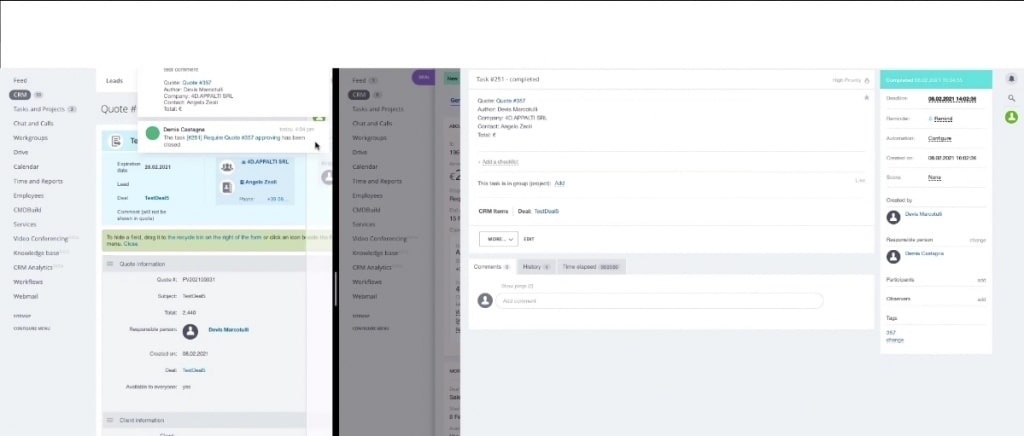
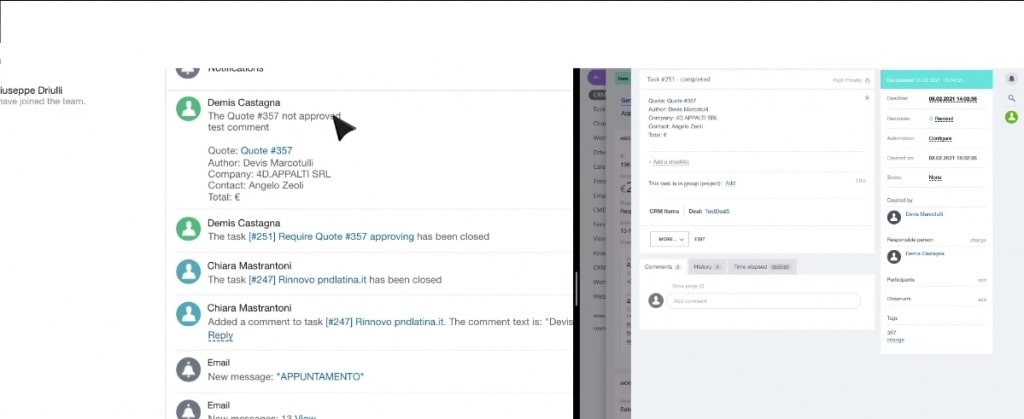
15. With the task now on revision stage, the manager can make necessary changes, and move the task to the request for approval stage.
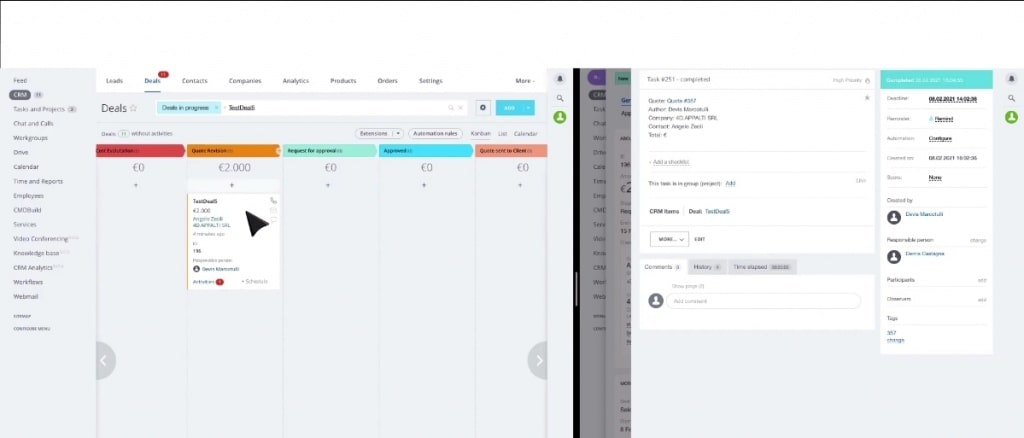
16. As soon as task is moved back to request for approval stage, the head of sales department can go ahead to accept the quote.
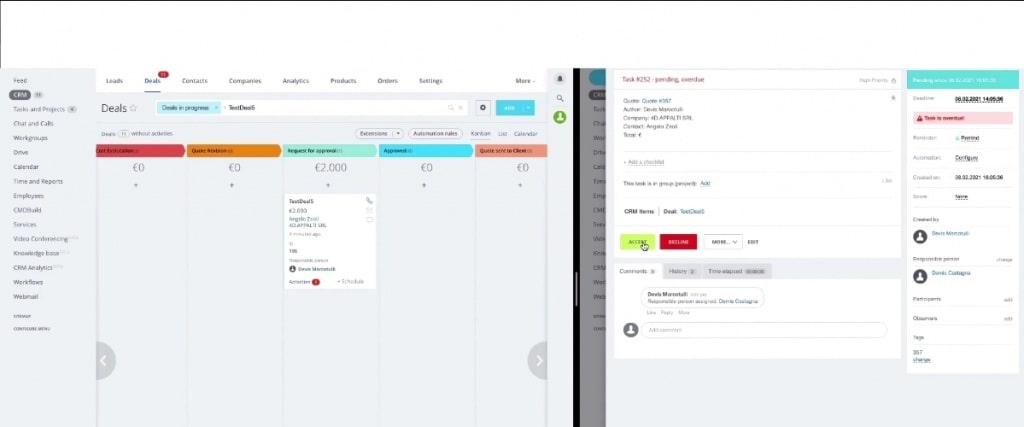
17. As son as the quote is accepted, the tasks moves to approved stage, and manager receives the notification to send quote to customer.
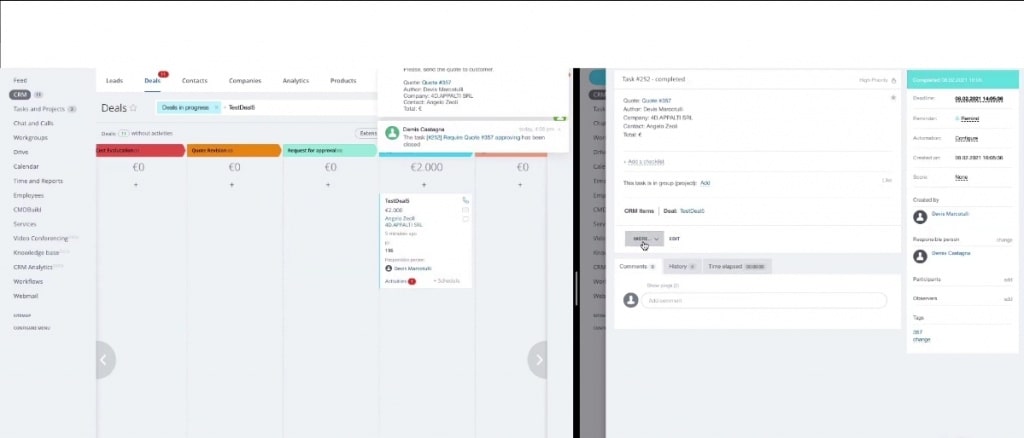
18. Inside the quote, the manager can generate and send the document. He is also not able to edit the quote.
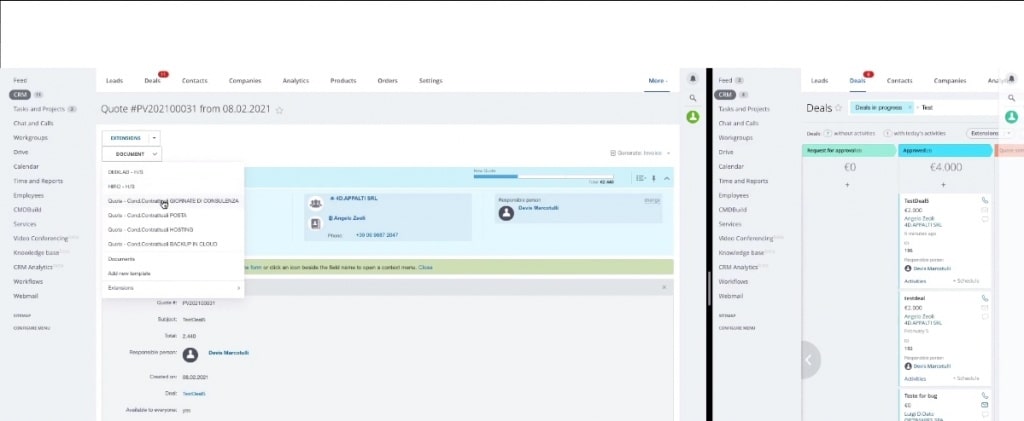
19. Manager can generate document and send to customer as an email.
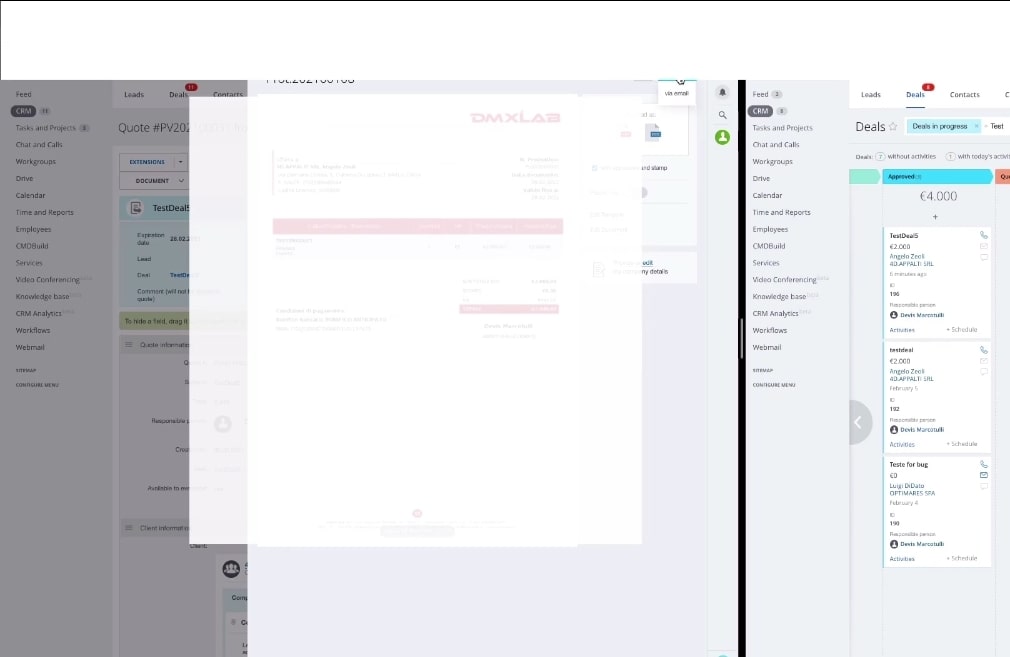
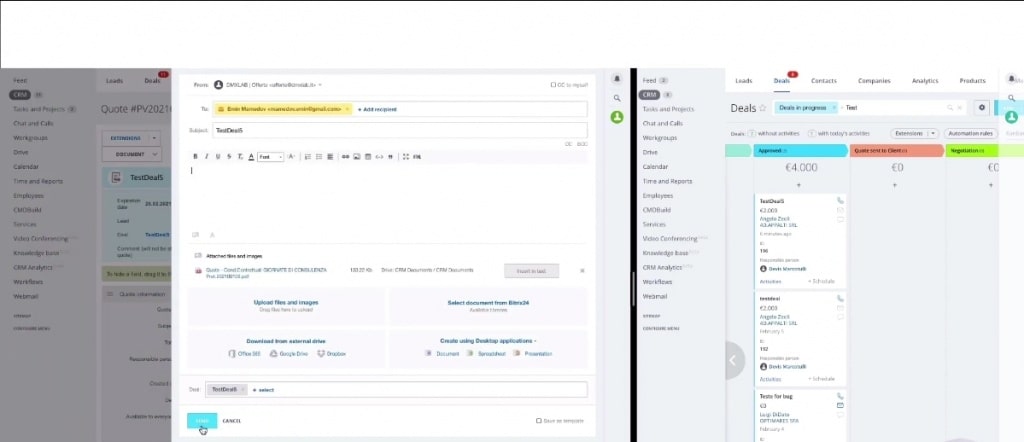
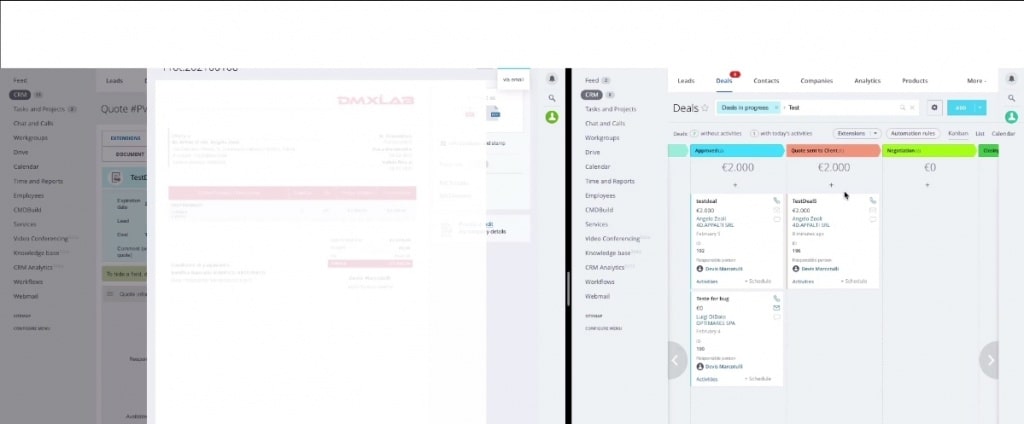
20. As soon as the quote is sent to the customer, it automatically moved to 'quote sent to customer' stage.
So, do you have customers you want to send quotes to? Give us a call, we're at your beck and call! And don't forget check video below about that development.
Play video