
Waiting List in Bitrix24

When demand exceeds supply
Every business owner dreams that his product or service is in high demand. However, it happens that business is not capable to satisfy all requests in a moment.
Lost profits can be occasional due to manager’s oversight or system shutdown. Or they can signal about persistent problems in customer relationship management.
Anyway, a Waiting lists can be used to eliminate those lost profits.
Waiting list is a customer relationship management tool. It is a way to communicate with those clients, whose needs cannot be currently satisfied.
By this way business is proposing to client to notify him or her when desired product or service will be available. Automatized system will send notification, most occasionally by e-mail or sms.
Areas of application
Waiting lists can be useful both for products and services.
In trading, a lot of companies integrate Waiting lists with online shops. The most popular examples are ASOS, Iherb and other online megastores. There, you can save relevant Items and select “Notify Me”. If the item comes back into stock, you will get an email. By this way stores remind themselves and customer can come back and buy not only before mentioned product but something more in addition to this.
For services Waiting lists can be even more vital than for products. One reason is that client is usually loyal to a certain specialist, for example, in medical or beauty sphere. Or there can be no more alternative for that service in his town. In both scenarios, clients agree to wait and Waiting list makes appointment process easier.
Major cases are Waiting lists in clinics, hotels, education institutions, events, workshops and other services which require booking in advance.
Waiting list as efficiency improvement tool
When we talk about services, there are inevitably going to be clients who need to cancel or reschedule their appointments. This can happen despite your efforts for seamless scheduling.
Therefore, it is especially important to have a workflow in place to fill open appointments as they become available. And Waiting list in CRM system can be a solution which eliminates manager’s mistakes.
Another thing to consider is using Waiting lists proactively to gauge the demand for extra space, specialists, classes etc.
For example, you have a Spanish teaching school and see that 7 pm on Tuesdays and Thursdays are peak times and Waiting lists are formed for this particular time.
In Bitrix24 it will be shown as Leads or Deals cards in dedicated stage. And if you are facing such situation, you may wish to organize an additional lesson for a peak time with increased demand.
Data protection considerations
Waiting lists also can be a way to reach out to potential new clients. Even if they are unable to buy your product or service, they have expressed an interest and you can introduce yourself whilst pointing them towards an alternative on a different date or item.
Here it is essential to bear in mind the General Data Protection Regulation (GDPR) when contacting clients who have signed up for your Waiting list. Messages that relate directly to the product or service they have expressed interest in are generally acceptable. Still, you must not add them to any mailing list or contact them for marketing purposes unless they have explicitly provided their consent to be contacted.
We advise to check GDPR rules and requirements in your country. In EMCsoft, we take such details into consideration while consulting our clients located all over the world.
So, let’s see how we can manage a Waiting list in Bitrix24.
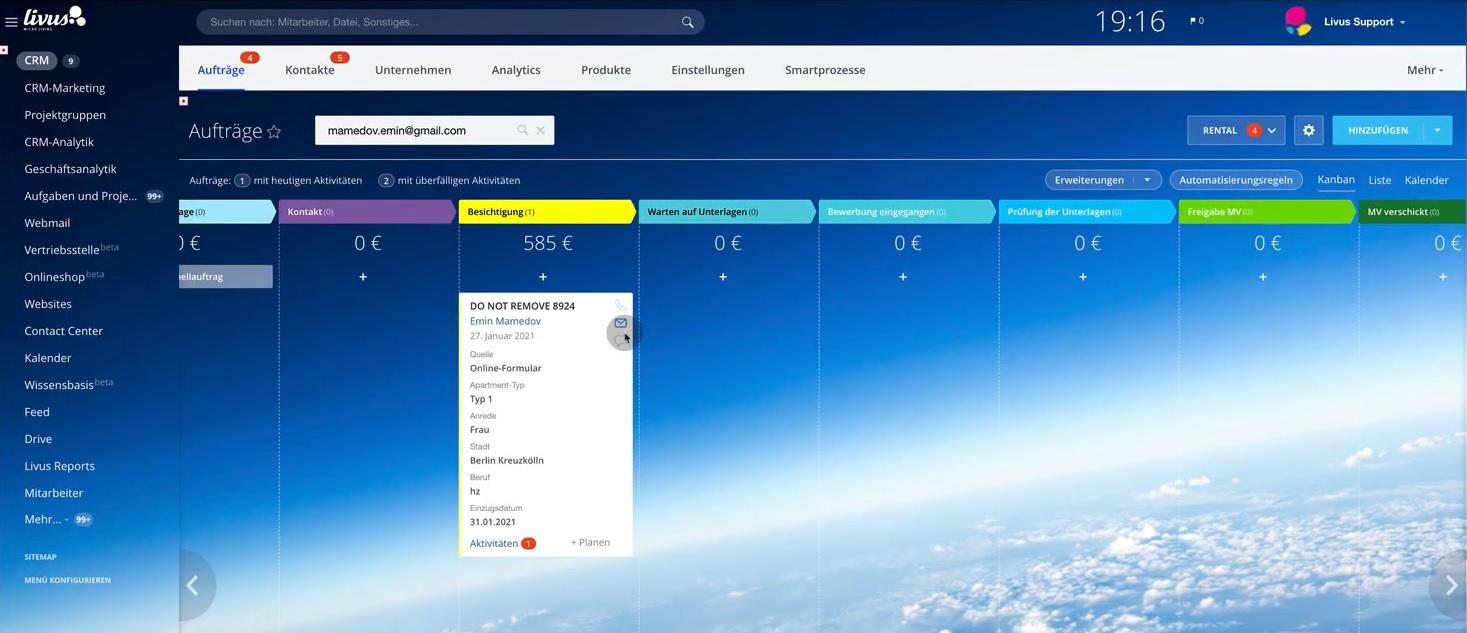
1. In Bitrix Kanban view we have an example Deal in certain stage.
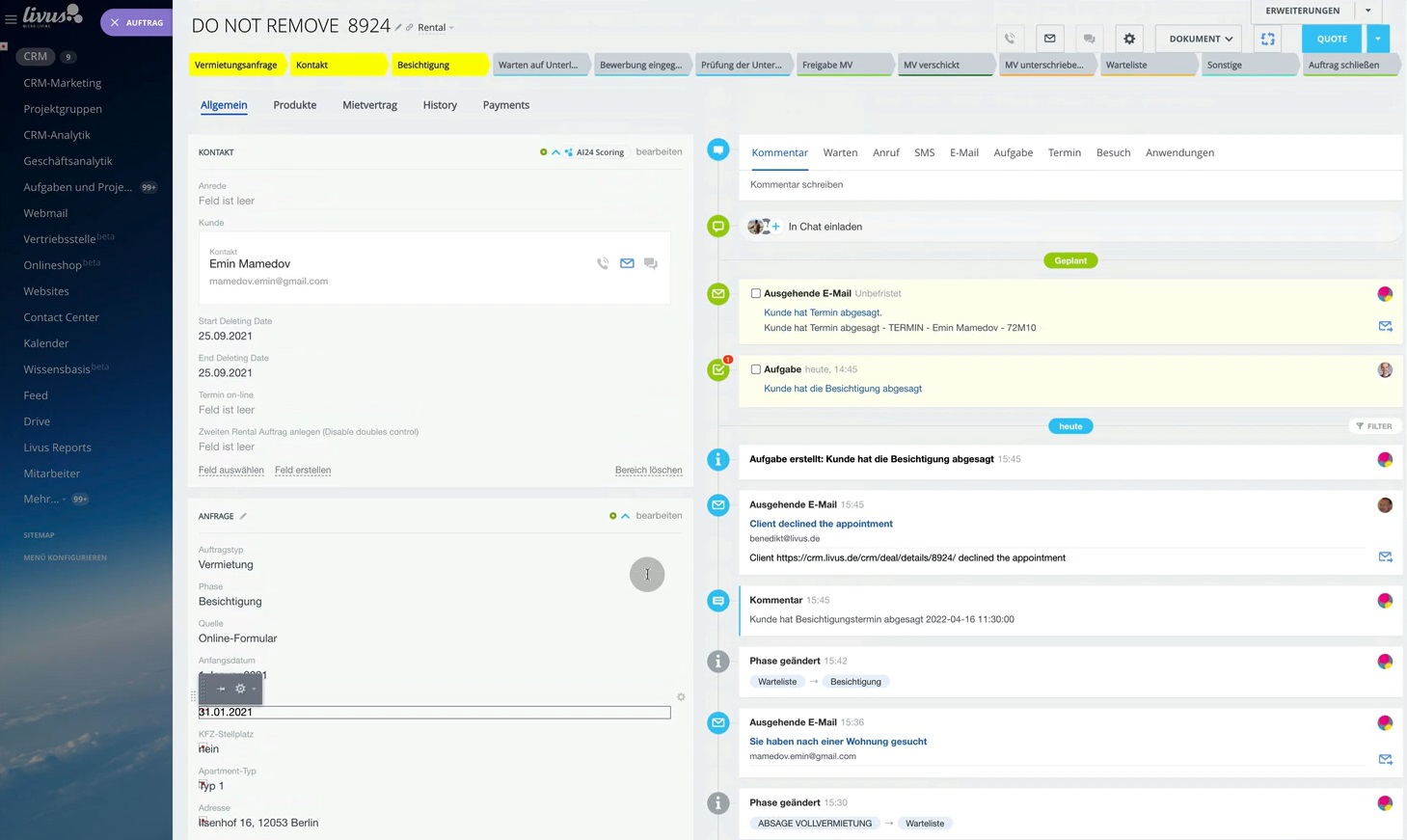
2. Inside of the Deal you can see that client requested a flat in Berlin with Type 1.
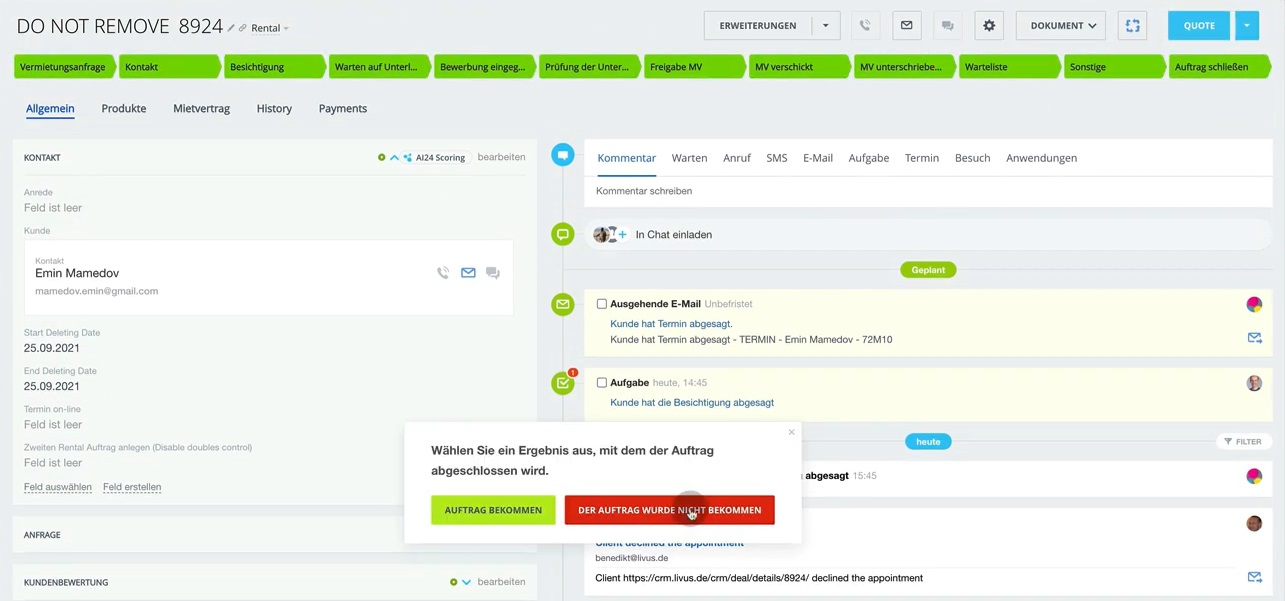
3. We are closing that Deal.
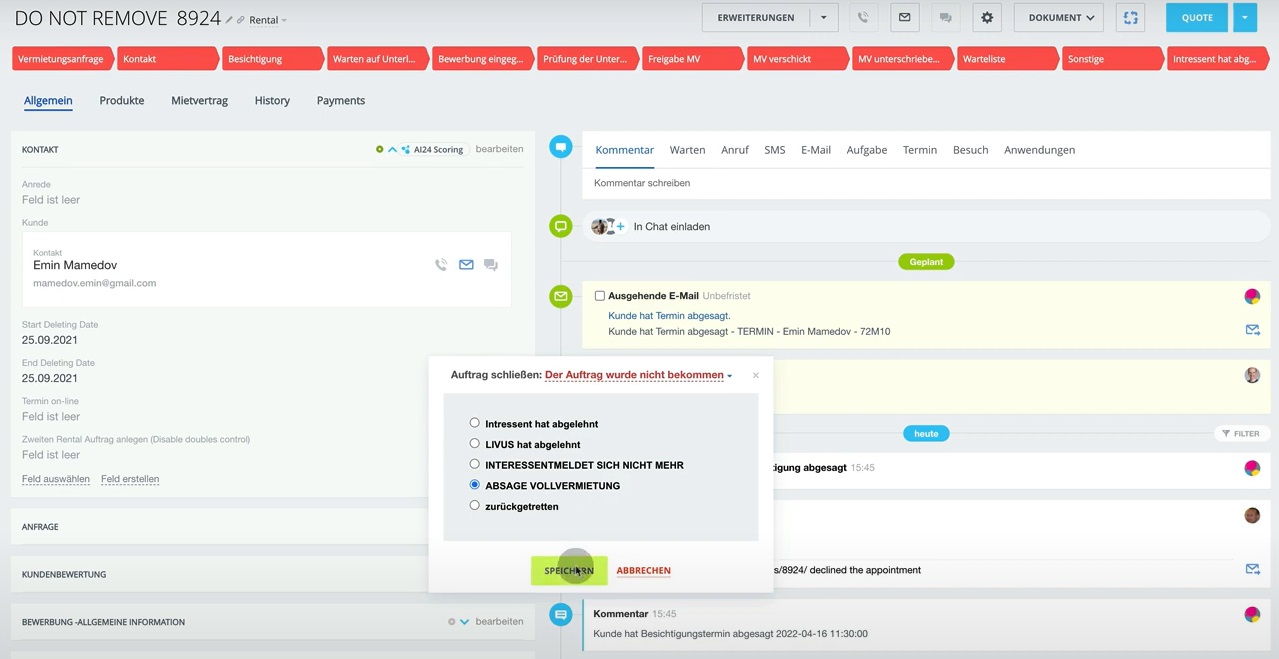
4. In this case we choose a reason that Client cancelled a full rental. That stage means that client will get an automated email offering a notification as soon as the requested flat will be available.
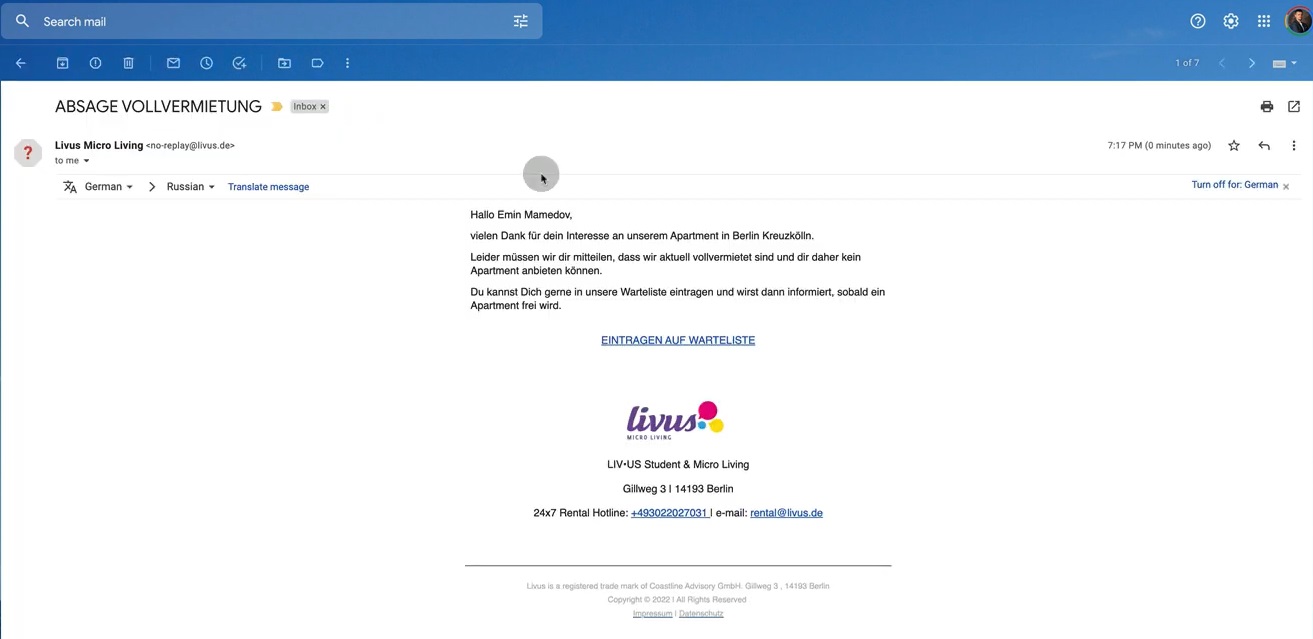
5. Here you can see what kind of email came to the client the moment we transferred him to above mentioned stage. This email invites our client to enter the Waiting list.
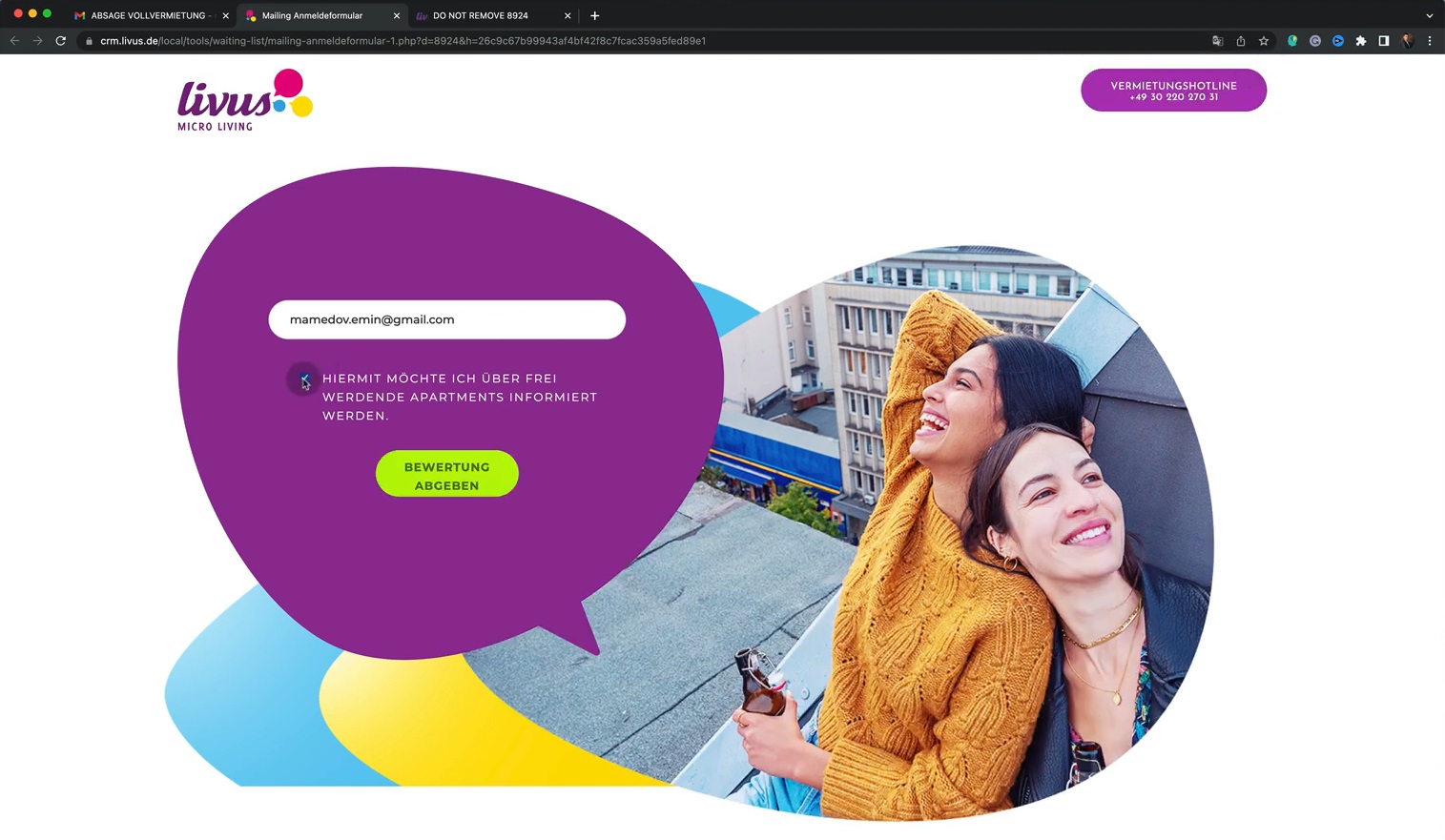
6. As per European law, a client has to acknowledge that he would like to be informed about vacant apartments.
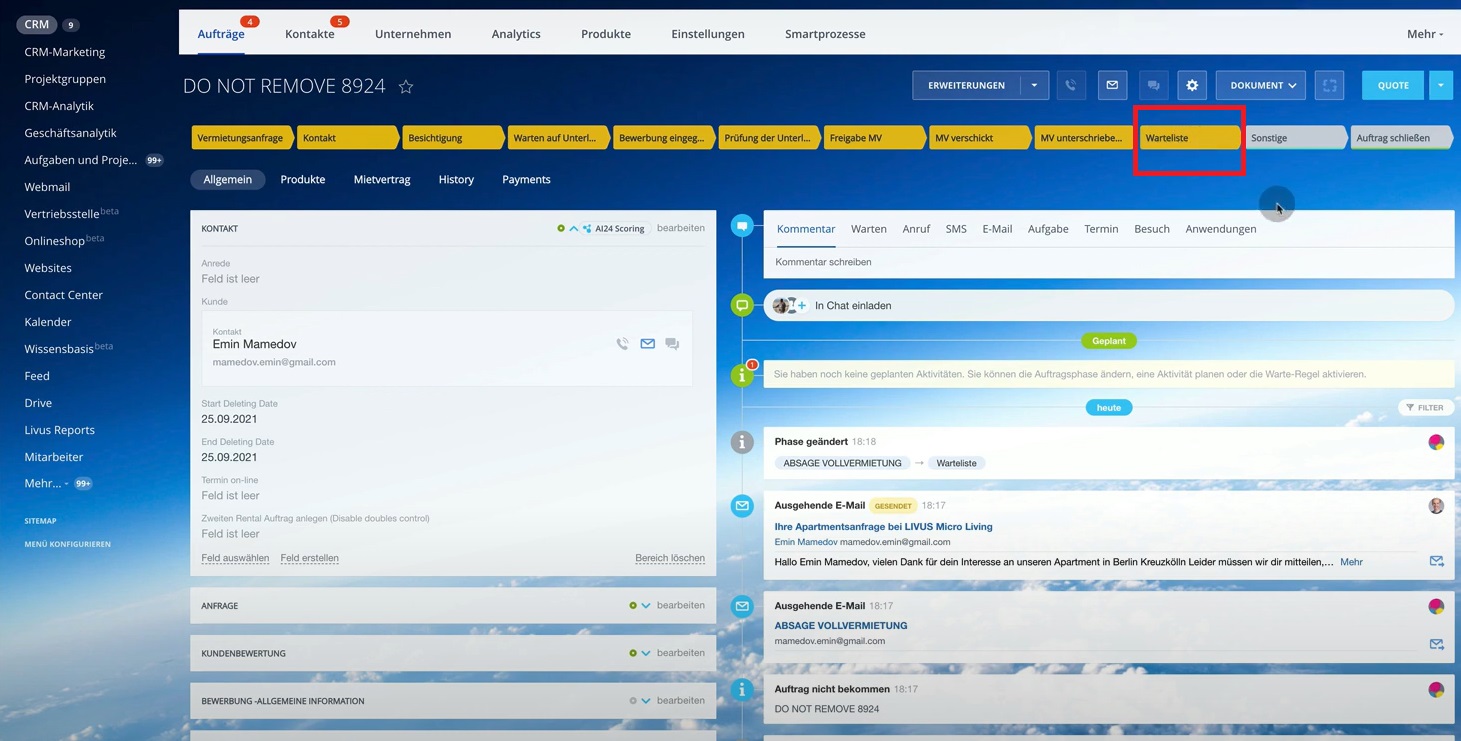
7. In Bitrix24 we see that our Deal moved to Waiting list stage automatically. All similar Deals that are not available right now will be collected here.
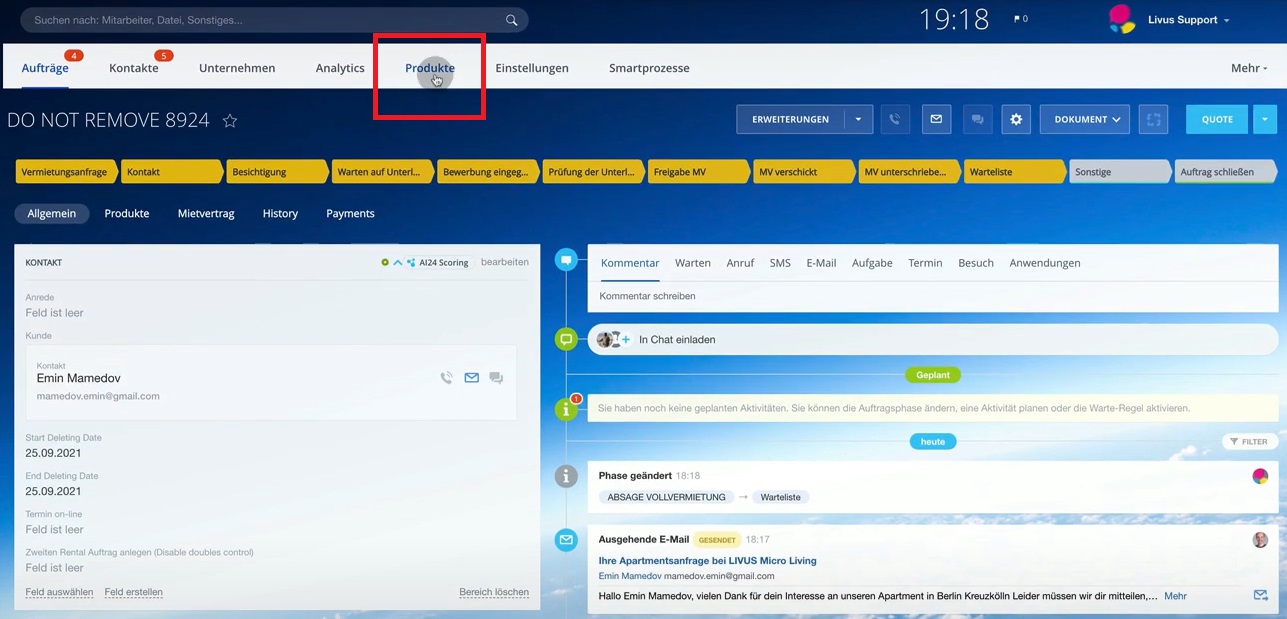
8. Then we go to the Products in upper panel.
9. In Products list we find that type of apartments that our client requested and has been put in a Waiting list.
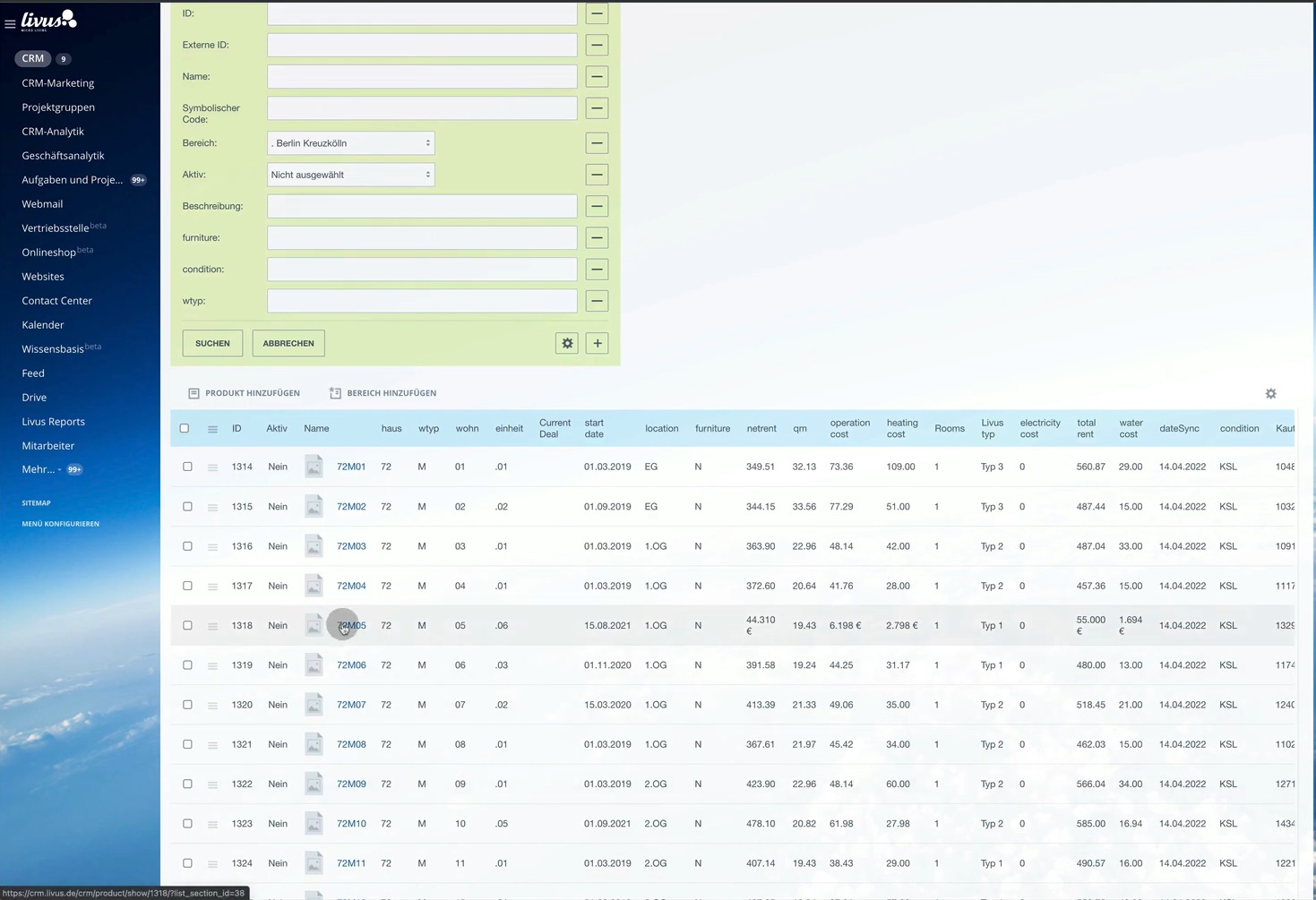
10. For this article purposes we will edit and state the Product as active manually. However, in real life this process is made automatically as we got automatic synchronization with accounts and databases of the client.
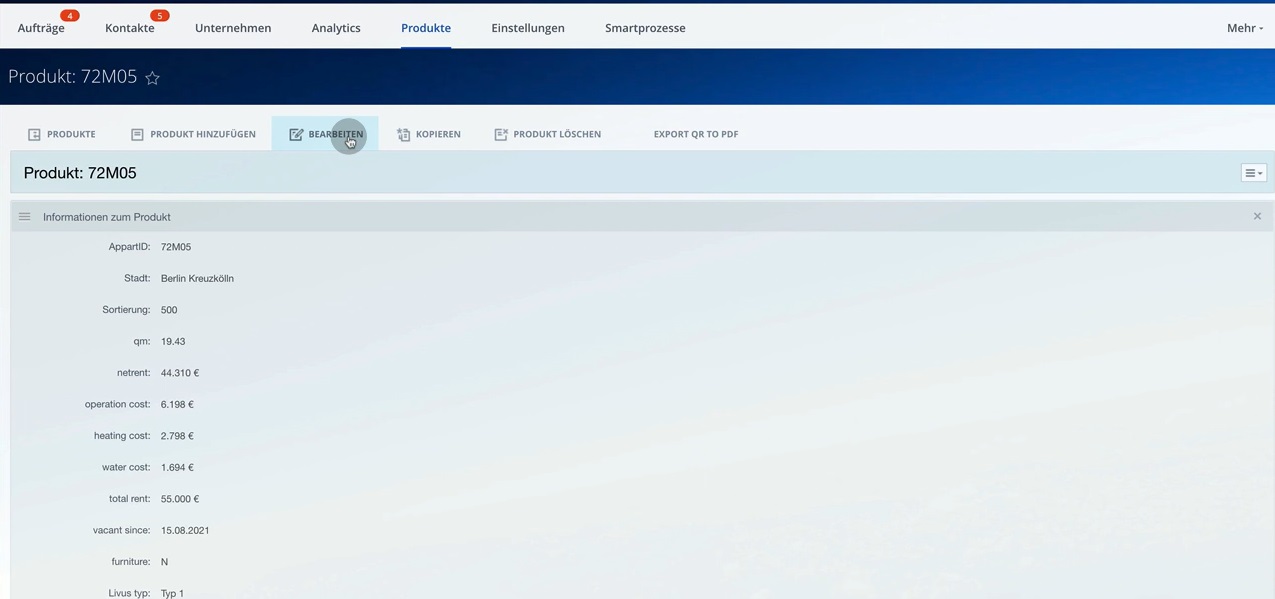
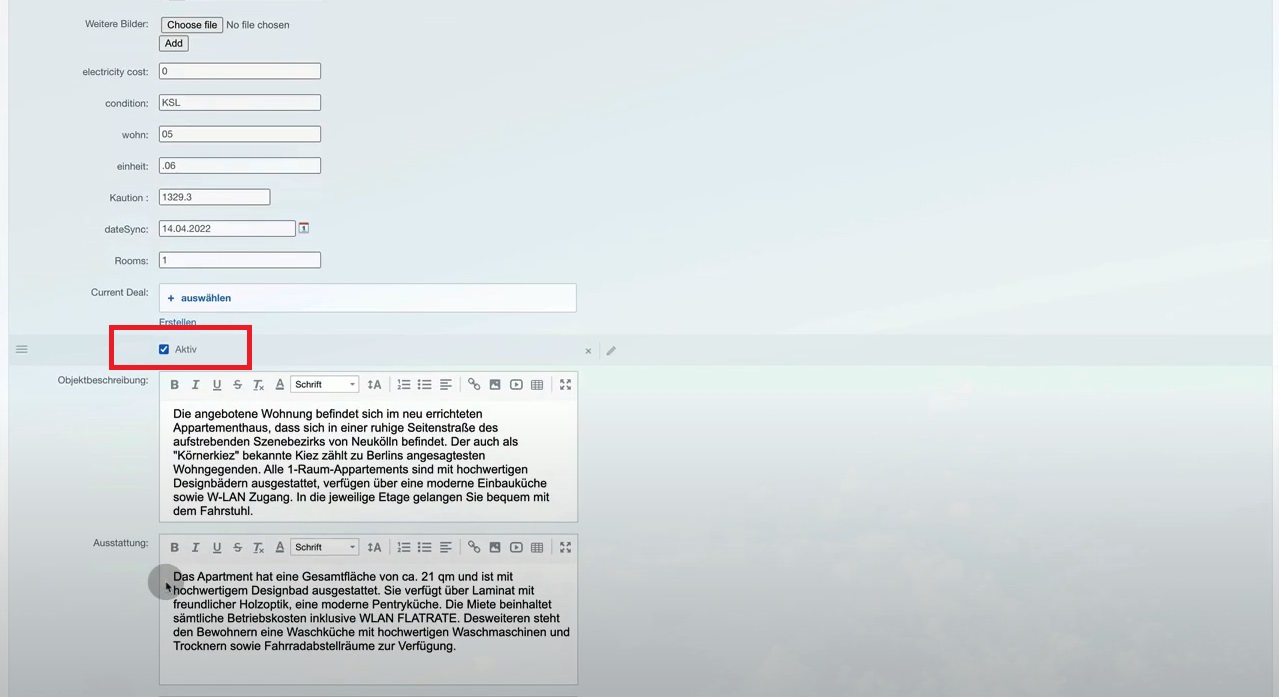
11. So, we will tick the Product as Active simulating that apartment has become available.
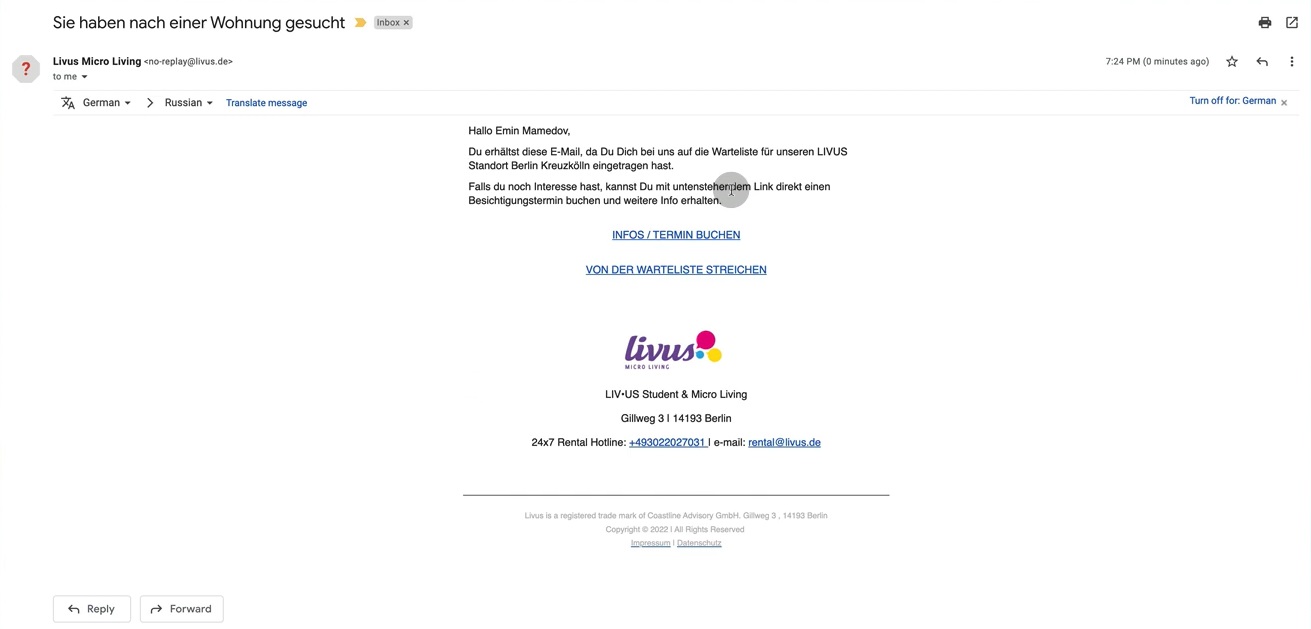
12. Client will get another e-mail stating that apartment he or she requested is available now. Client can see a detailed information about the apartment or click to restore him from the Waiting list.
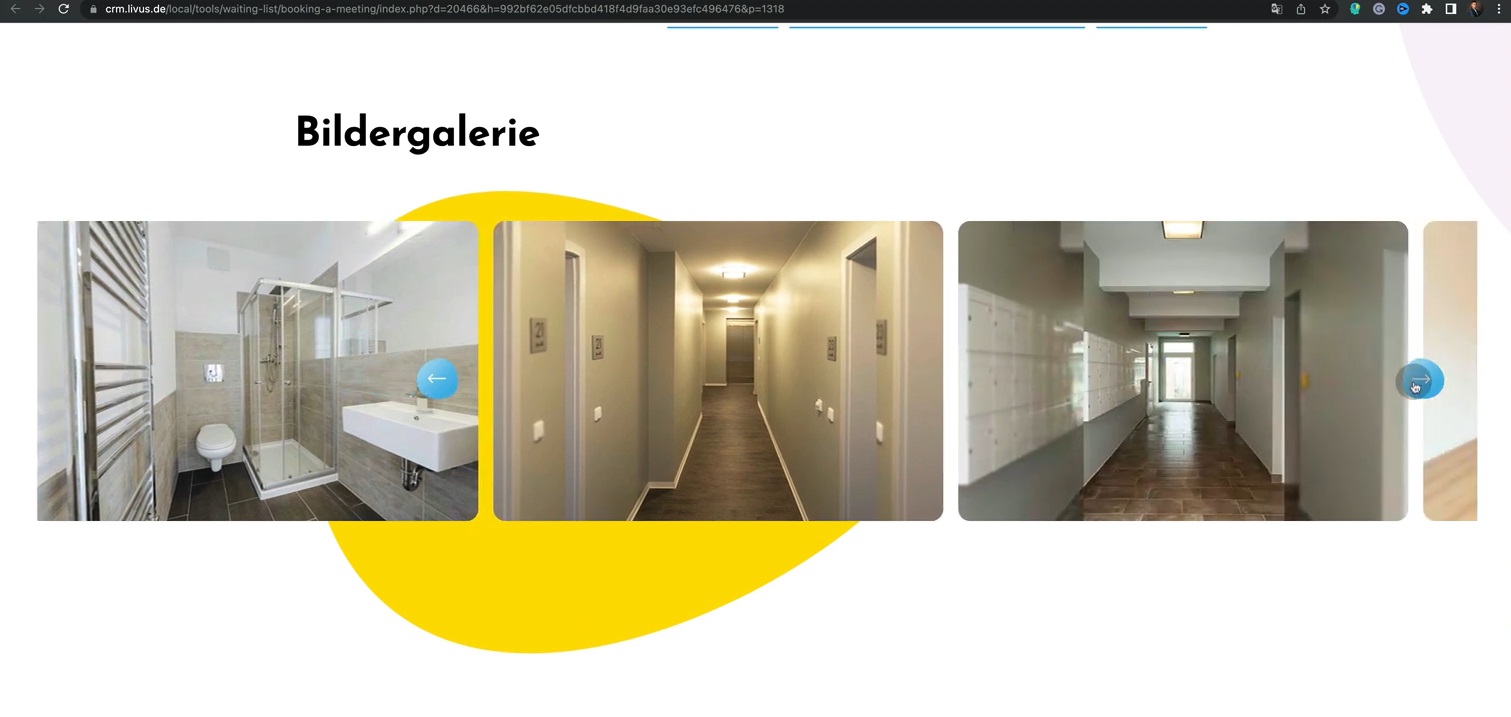
13. This is how apartment information will look like. Note that descriptions and pictures are dynamical, not a standard one.
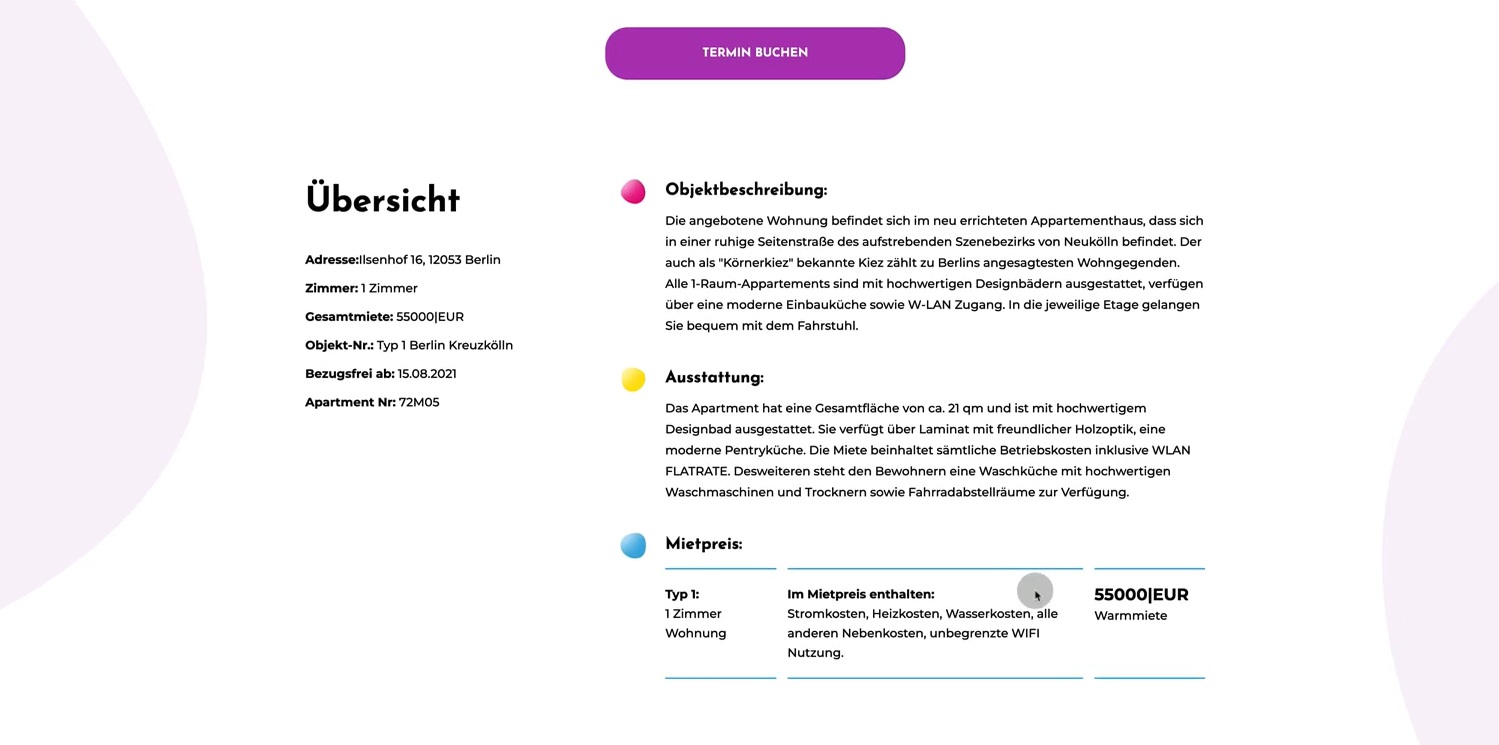
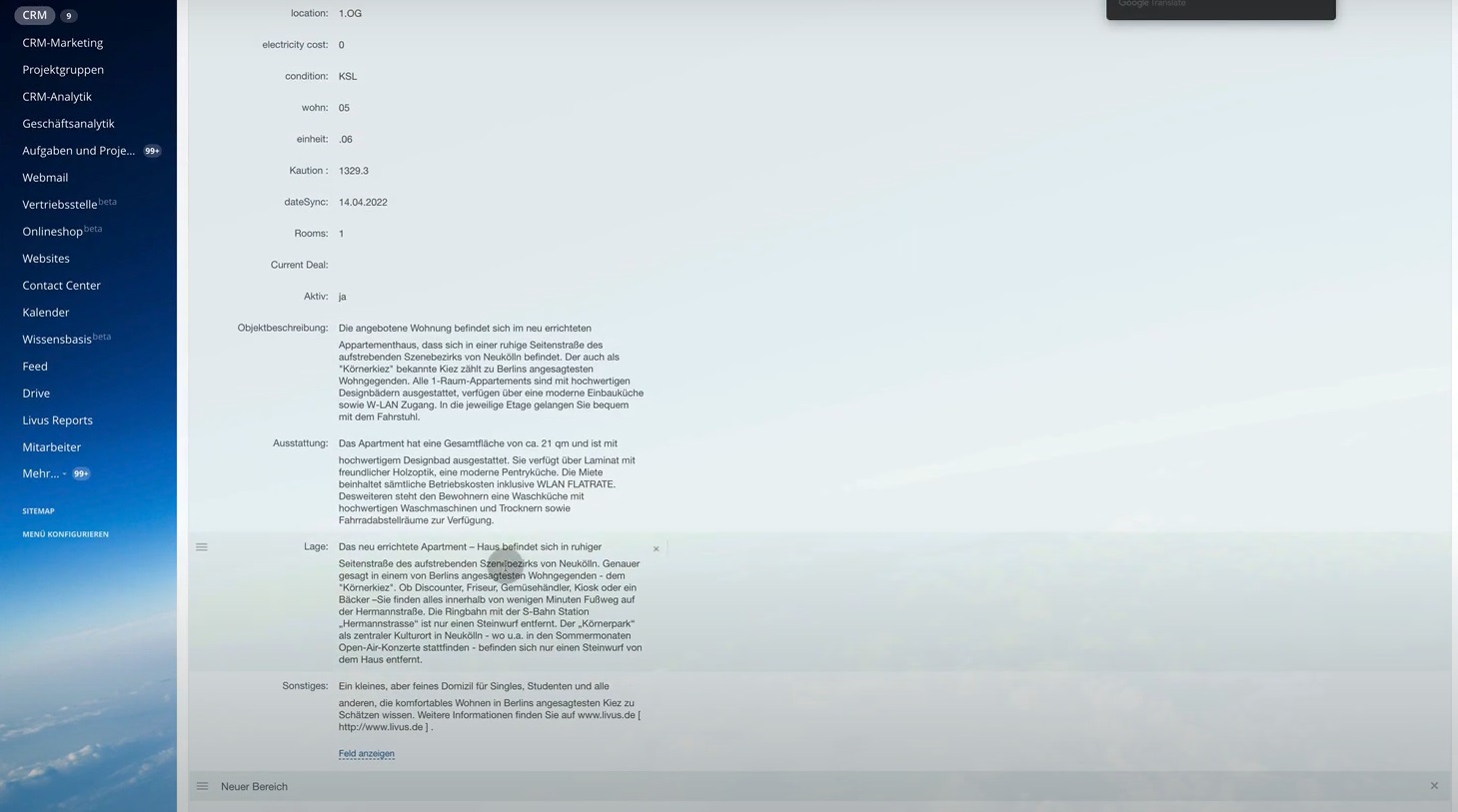
14. We can see and edit all texts specifically for each type of Products in Bitrix24.
15. Pictures are also dynamical and are downloaded from Bitrix24 drive.
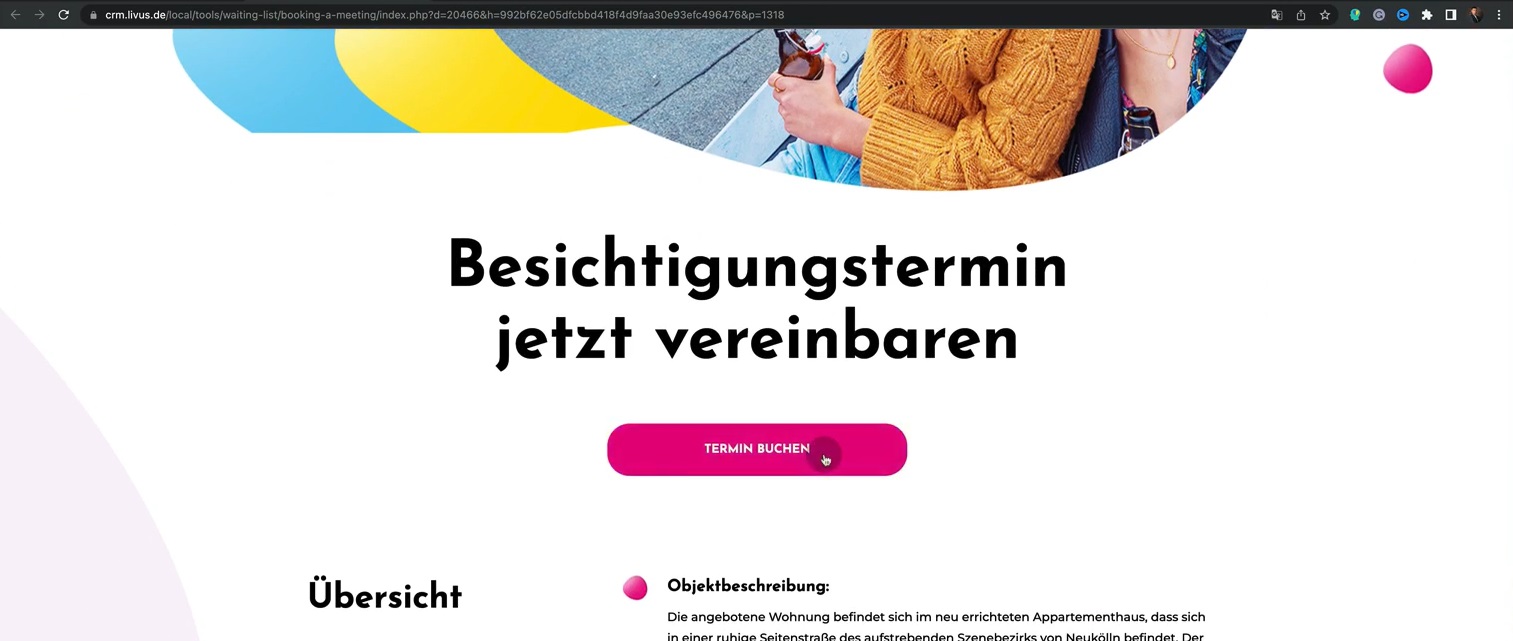
16. So, if client is still interested, he will click to book an apartment.
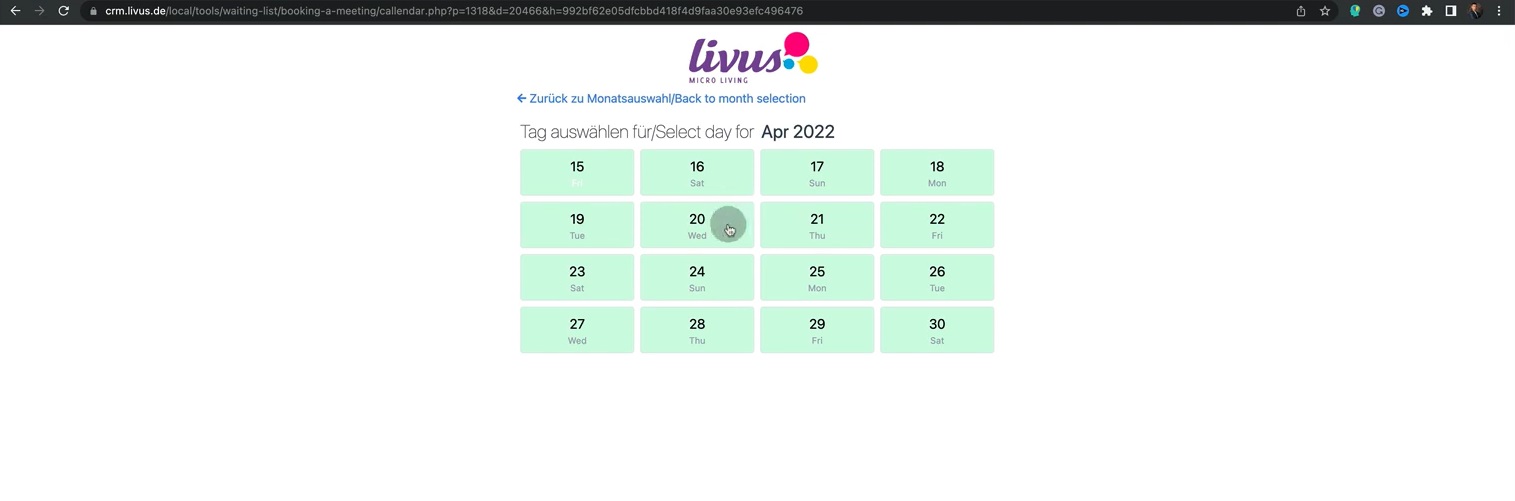
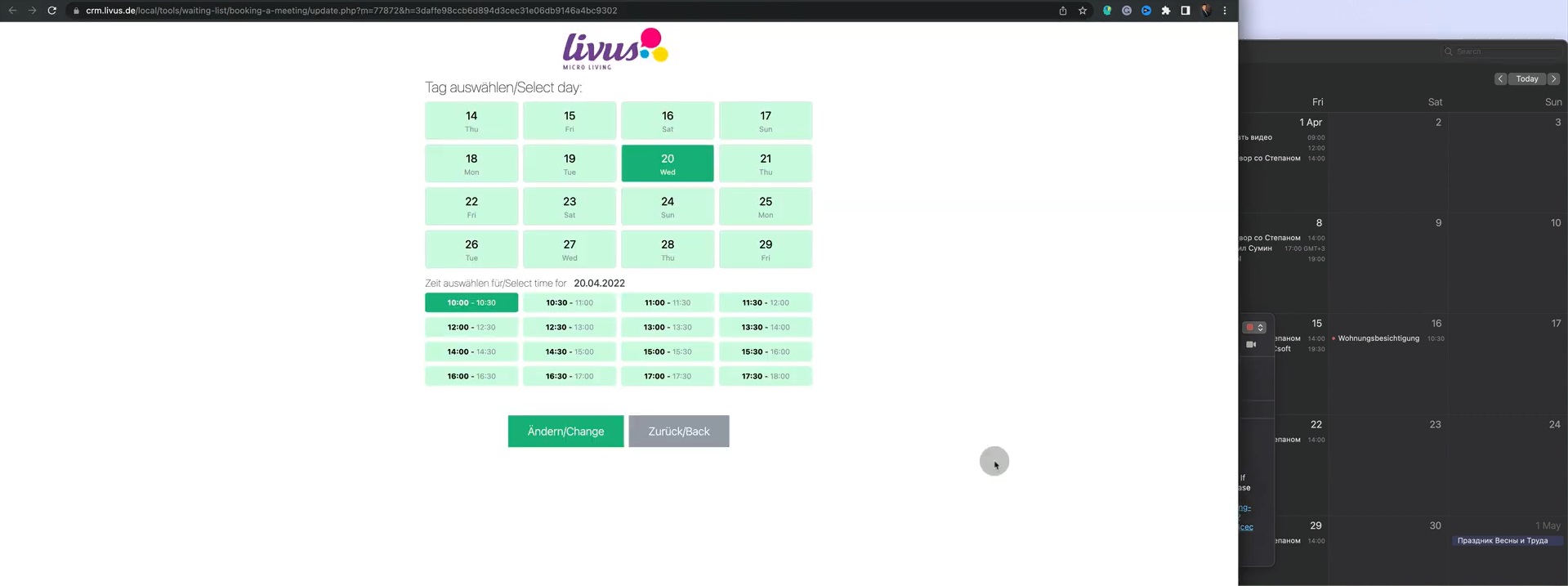
17. Client can choose a desired month, date and time of the booking.

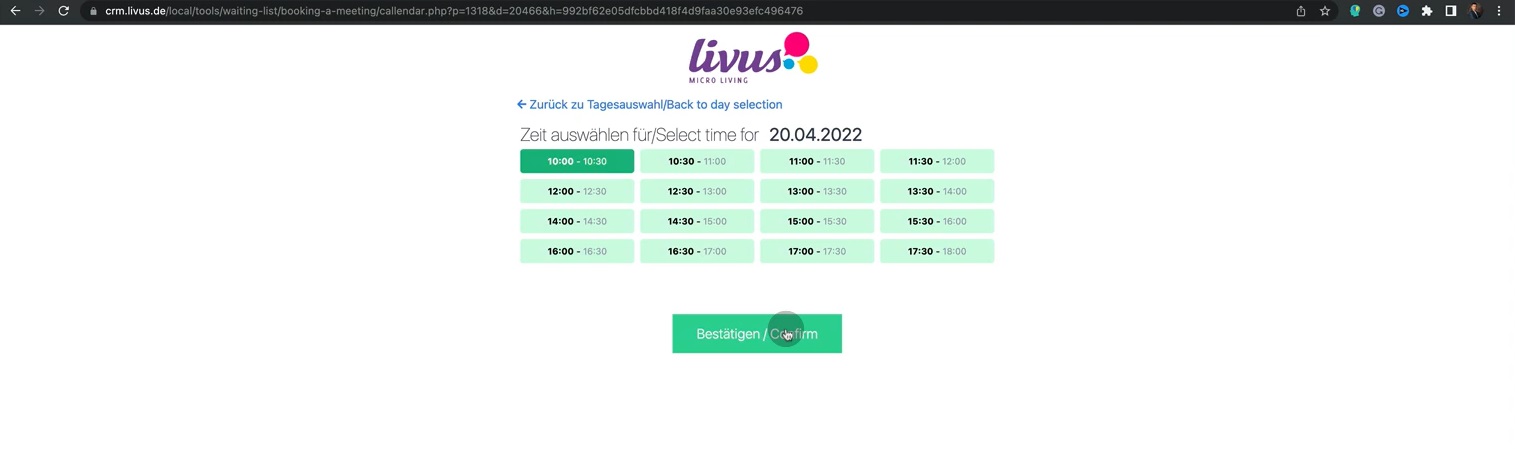
18. After a confirmation page will arise with the following links.
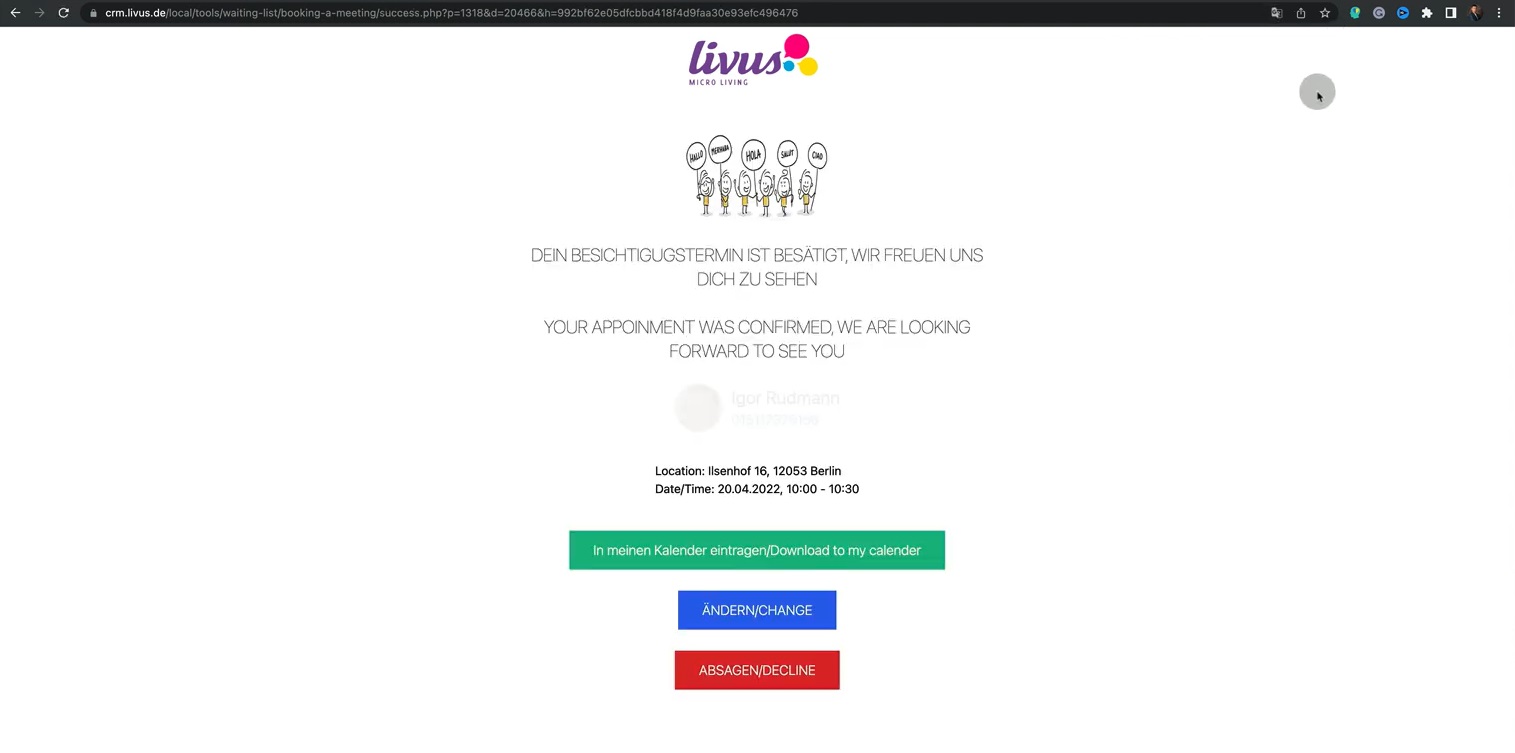
19. If client clicks to download a booking in Google Calendar, it will be shown there with essential information.
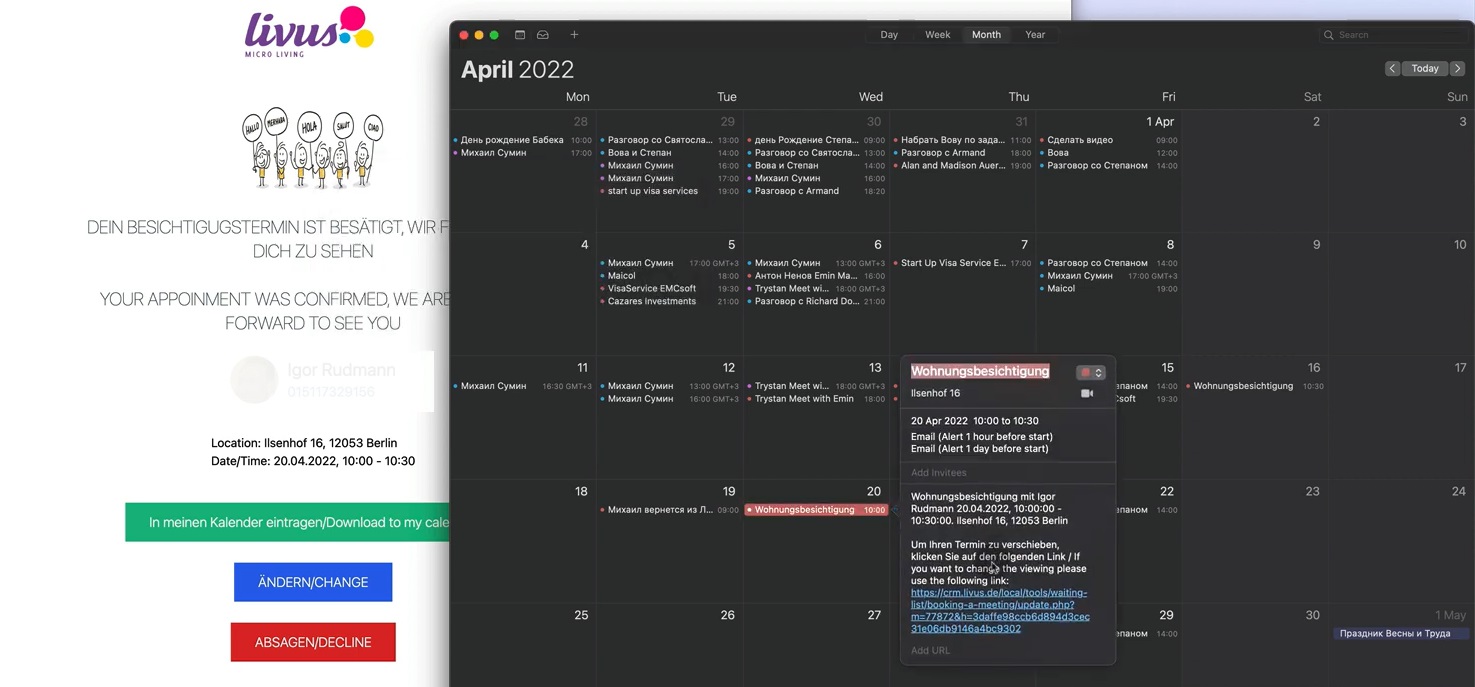
20. Clicking the link provided, our client will be transferred to the page of the booking. There is a link to do changes if needed.
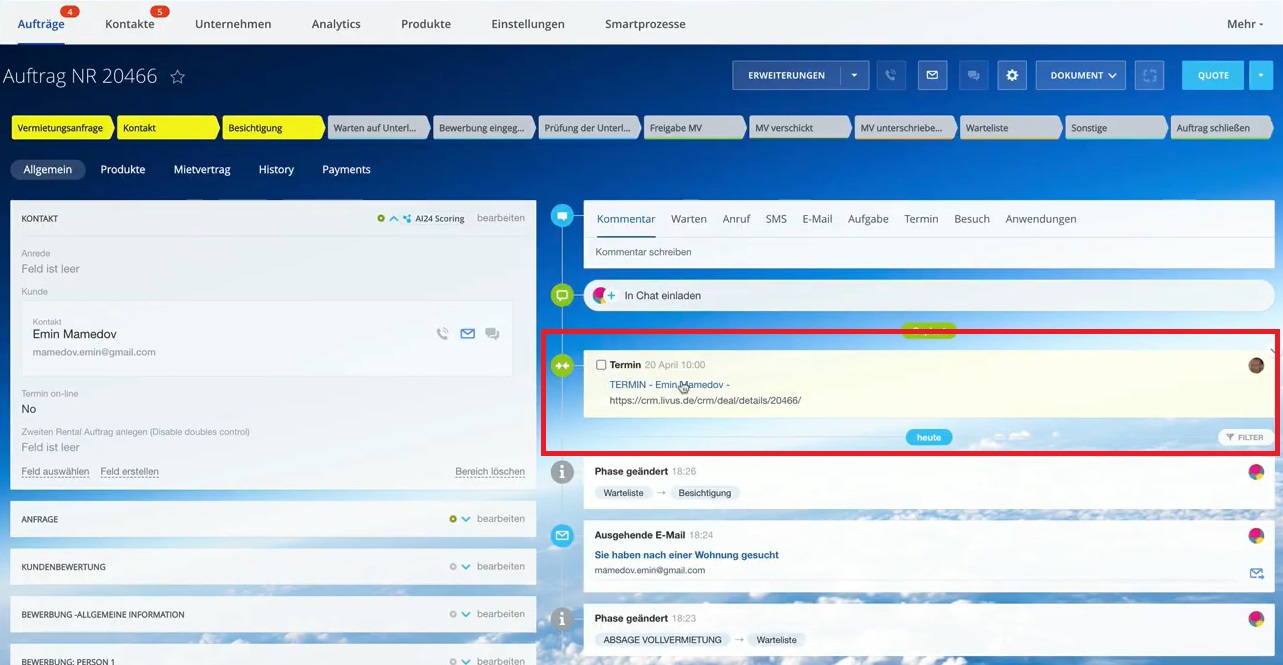
21. If we go back to Deal in Bitrix24, we will see an update about meeting a client in the apartment at requested time.
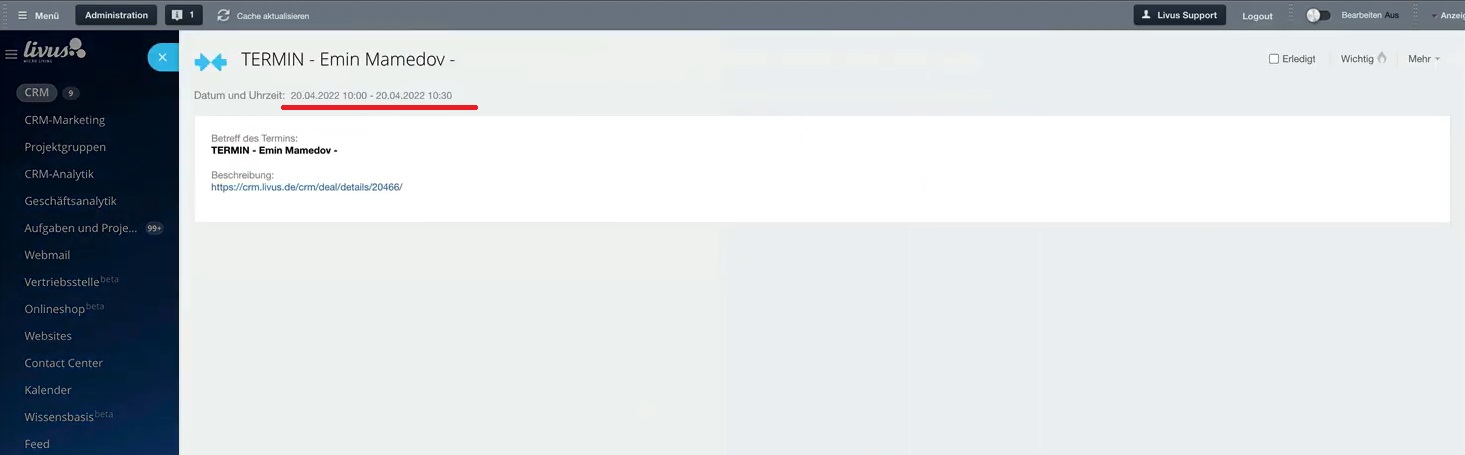
22. Clicking into it we will see the date and time of the meeting.
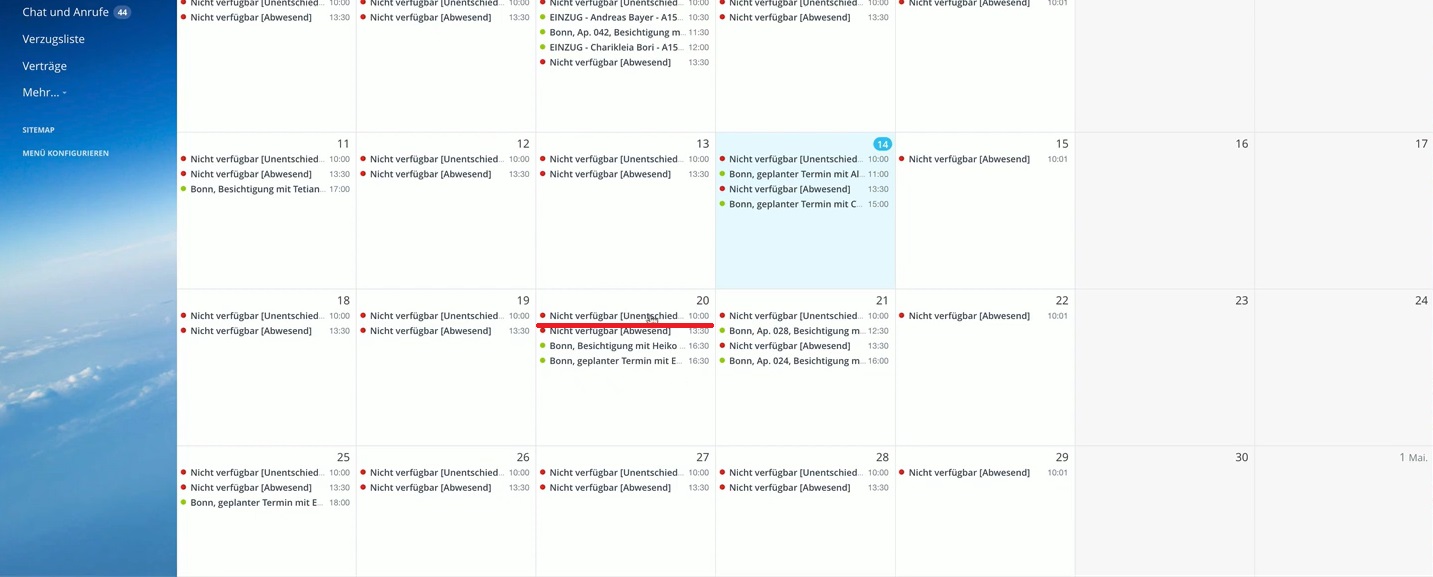
23. Future meeting will be also added to a dedicated manager’s calendar inside Bitrix24.
That was an overview of how to work with Waiting lists in Bitrix24.
As you can see, Waiting lists are usually integrated not only with CRM, but also with online booking or e-mail sending systems. EMCsoft has an extensive experience in comprehensive solutions.
If you want to manage your lost profits using Waiting lists, do not hesitate to leave your contacts and cases in our contact form. Our specialists will get in touch with you asap.
“You can also watch this video on Youtube”
Play video