
Get More Sales and Conversions with TwiSMS – The Best SMS Marketing App for Bitrix24!

SMS marketing has become a popular choice for companies to communicate with their customers in a quick and efficient way. With the rise of smartphones, SMS has become an integral part of our daily lives, and SMS marketing takes advantage of this trend. In this article, we will explore why SMS marketing is needed, why companies use it, when it is better to use SMS marketing, and why TwiSMS is a good choice for SMS marketing.
Why SMS Marketing is Needed
SMS marketing provides companies with a way to communicate with their customers in a direct and personal manner. SMS messages have a high open rate and are usually read within minutes of being received. This makes SMS marketing an effective way to reach customers quickly, whether it is to promote a sale, notify them of a new product or service, or to provide important updates.
Why Companies Use SMS Marketing
Companies use SMS marketing to reach their customers in a way that is efficient and cost-effective. SMS marketing allows companies to communicate with their customers directly, without the need for expensive marketing campaigns or mailings. SMS marketing is also highly targeted, allowing companies to reach customers who have opted-in to receive messages and who are likely to be interested in the product or service being promoted.
When to Use SMS Marketing
SMS marketing is best used for time-sensitive information, such as promotions, sales, and updates. SMS marketing is also effective for transactional messages, such as order confirmations and appointment reminders. SMS marketing should be used sparingly, as customers may become annoyed if they receive too many messages.
Why TwiSMS is Good for SMS Marketing
TwiSMS is a good choice for SMS marketing because it allows companies to send and receive SMS messages using the Twilio and Bitrix24 integration. TwiSMS makes it easy for companies to create campaigns manually and send SMS messages based on conditions. TwiSMS also allows companies to create SMS messages automatically using robots, which can send messages based on specific conditions. TwiSMS also provides an option to send SMS messages via business process, allowing companies to automate their SMS marketing campaigns.
SMS marketing is an effective way for companies to reach their customers quickly and efficiently. SMS marketing is best used for time-sensitive information and transactional messages, and should be used sparingly. TwiSMS is a good choice for SMS marketing, as it provides companies with the ability to send and receive SMS messages using the Twilio and Bitrix24 integration, and allows companies to create campaigns manually or automatically using robots.
FIRST OPTION:
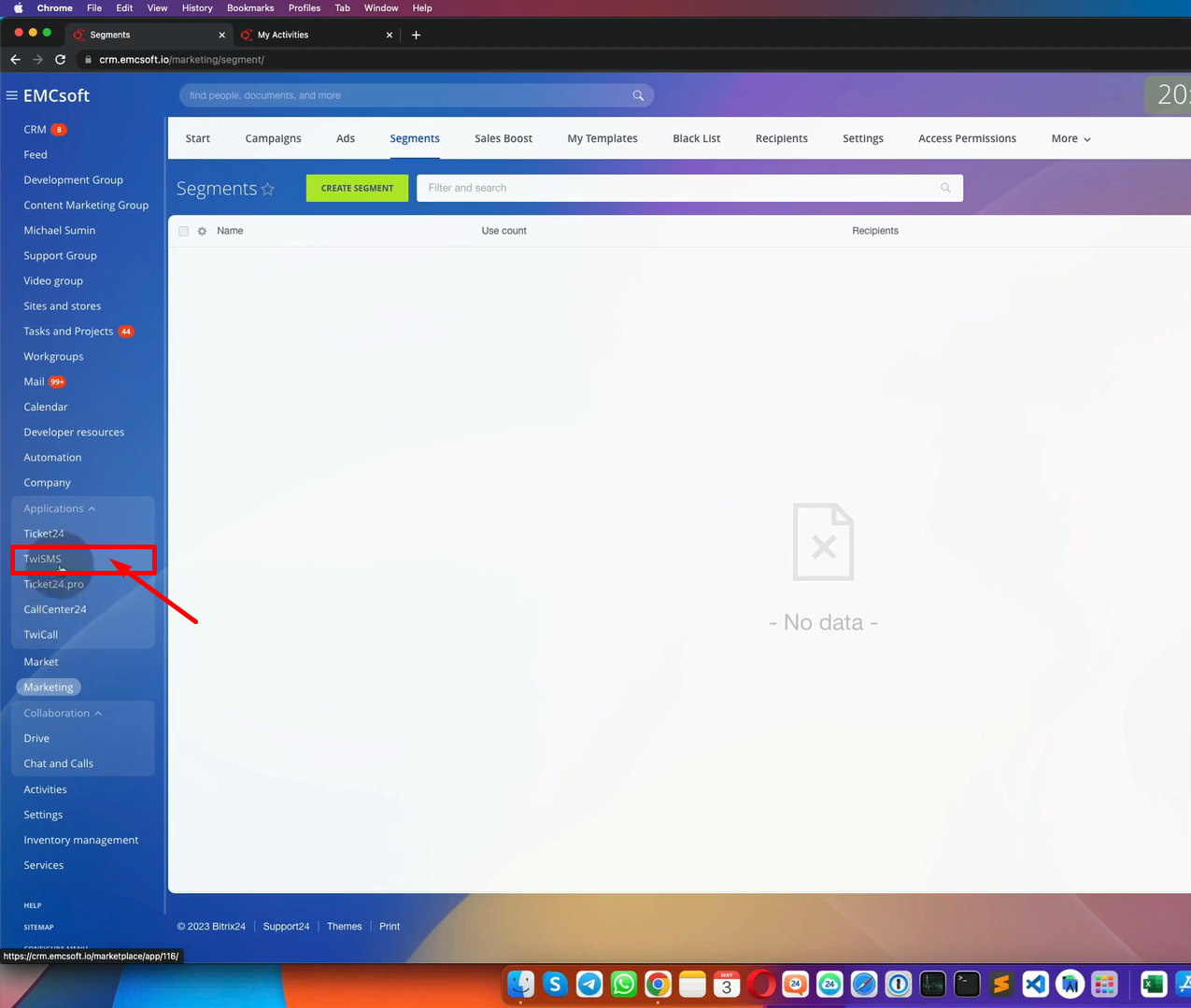
1. Select ‘TwiSMS’ in the middle right corner.
2. In our previous tutorial, I explained how to connect TwiSMS to your Bitrix24. But after installation and if you’re having problems connecting the TwiSMS, just send us a message using the button shown below.
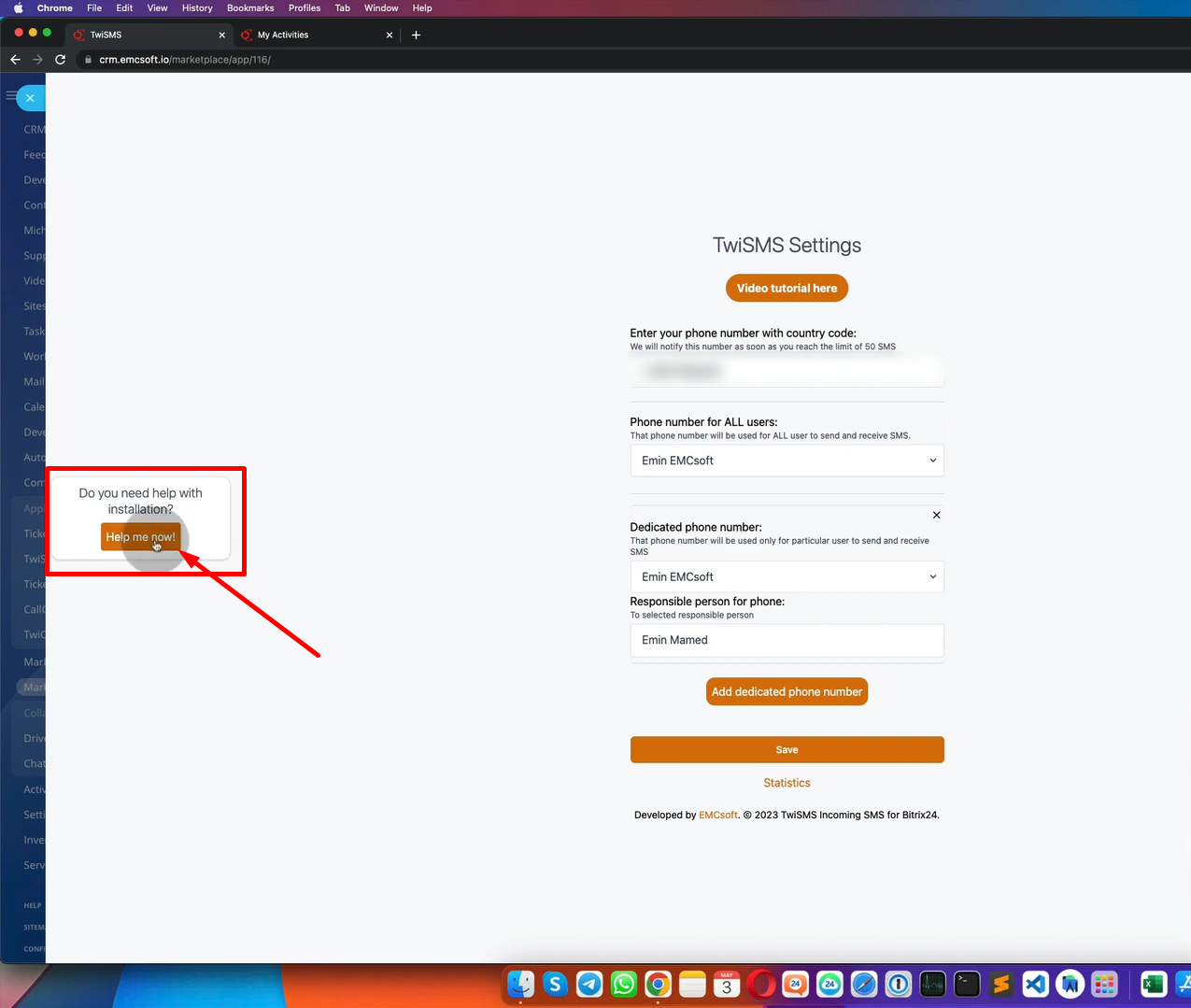
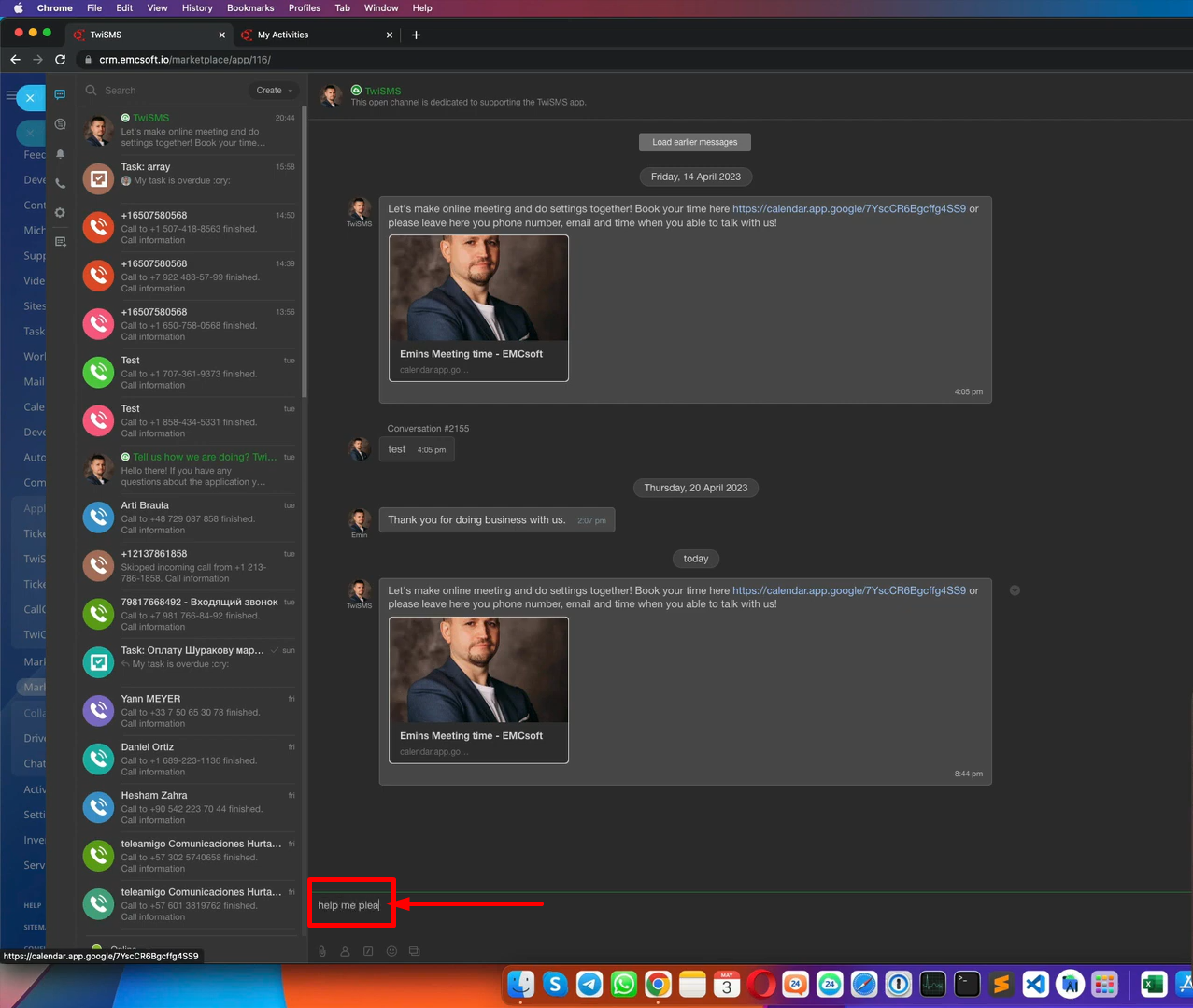
3. After clicking that link, you can see this messenger and just send us a message so we can help you with installation and connection.
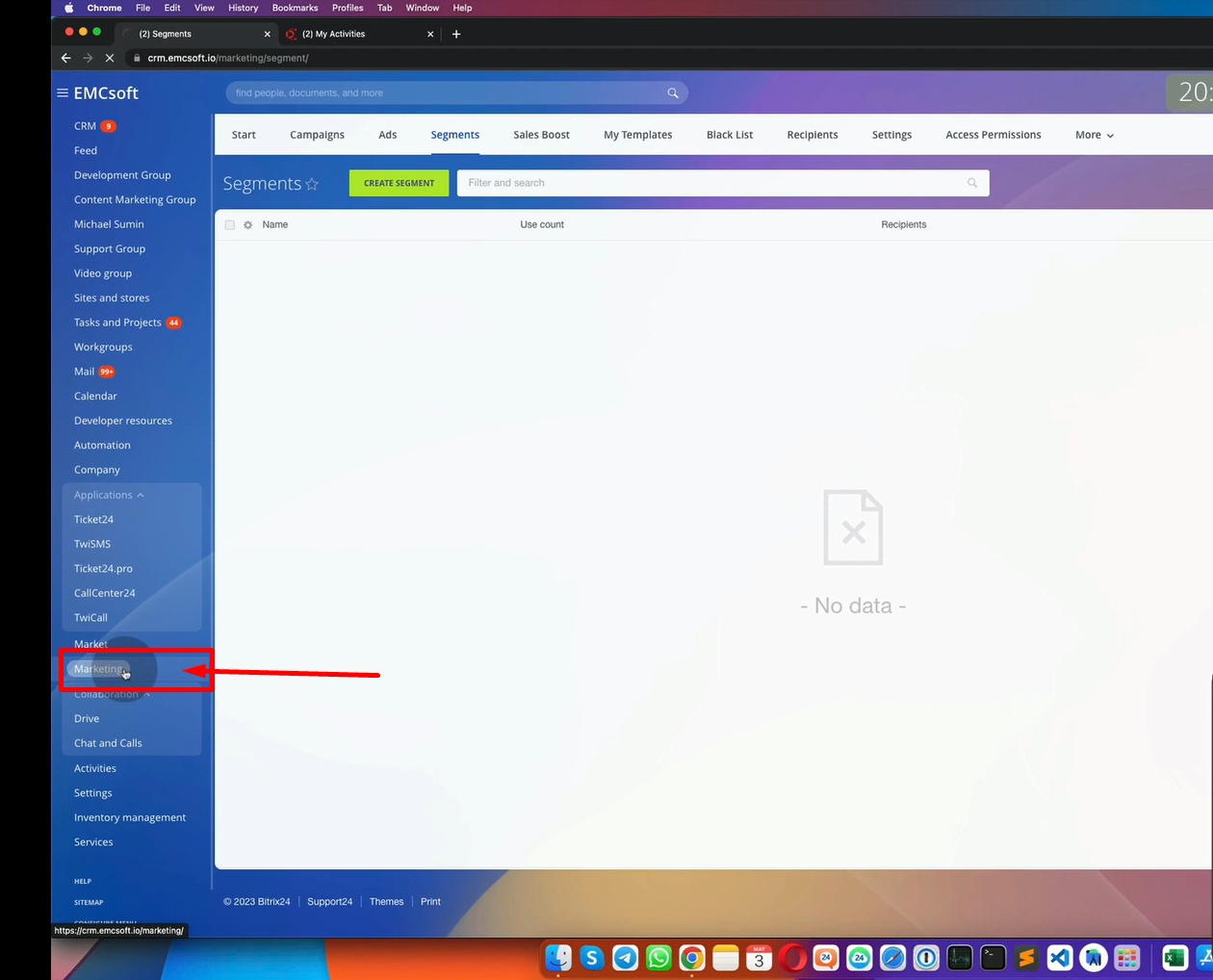
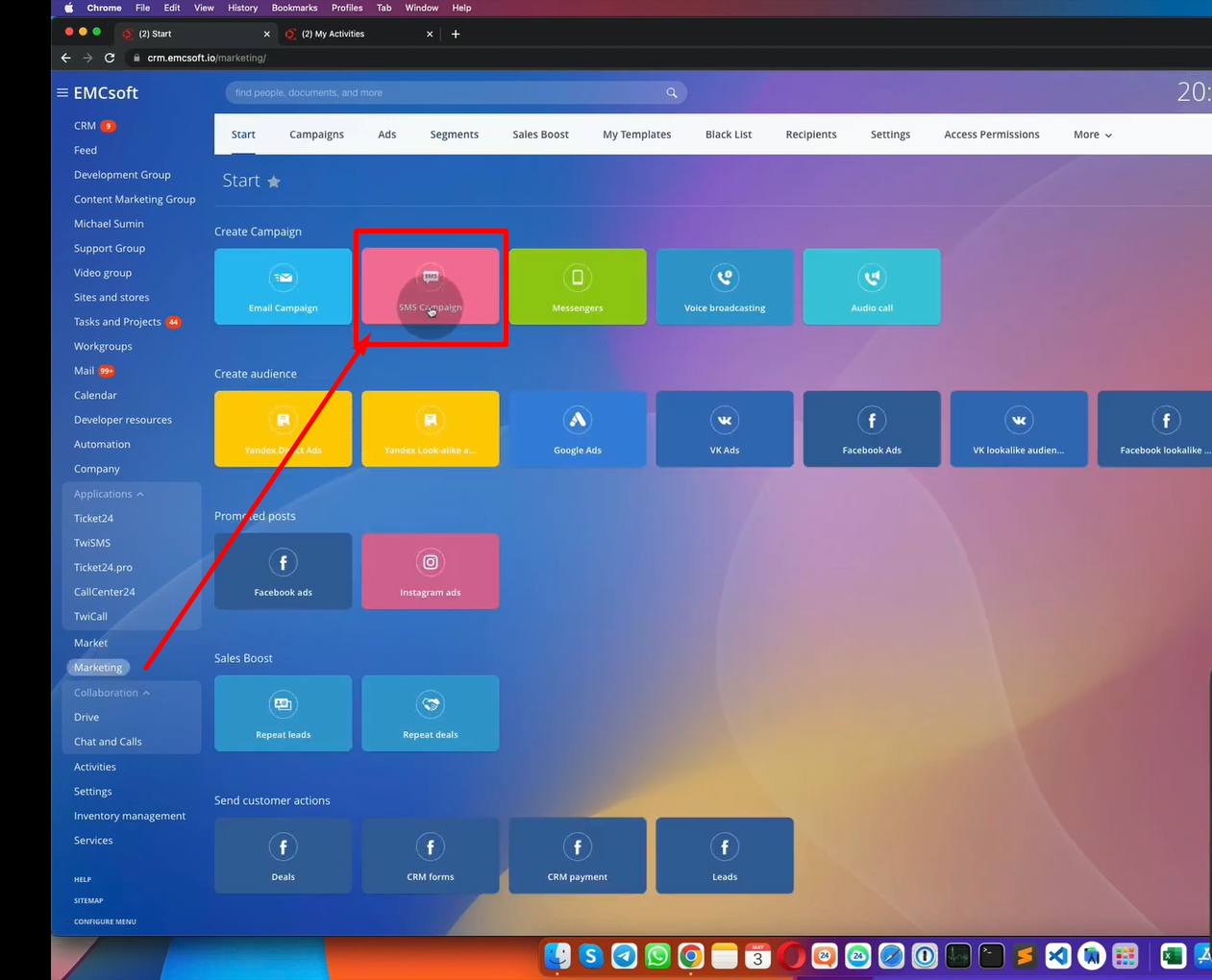
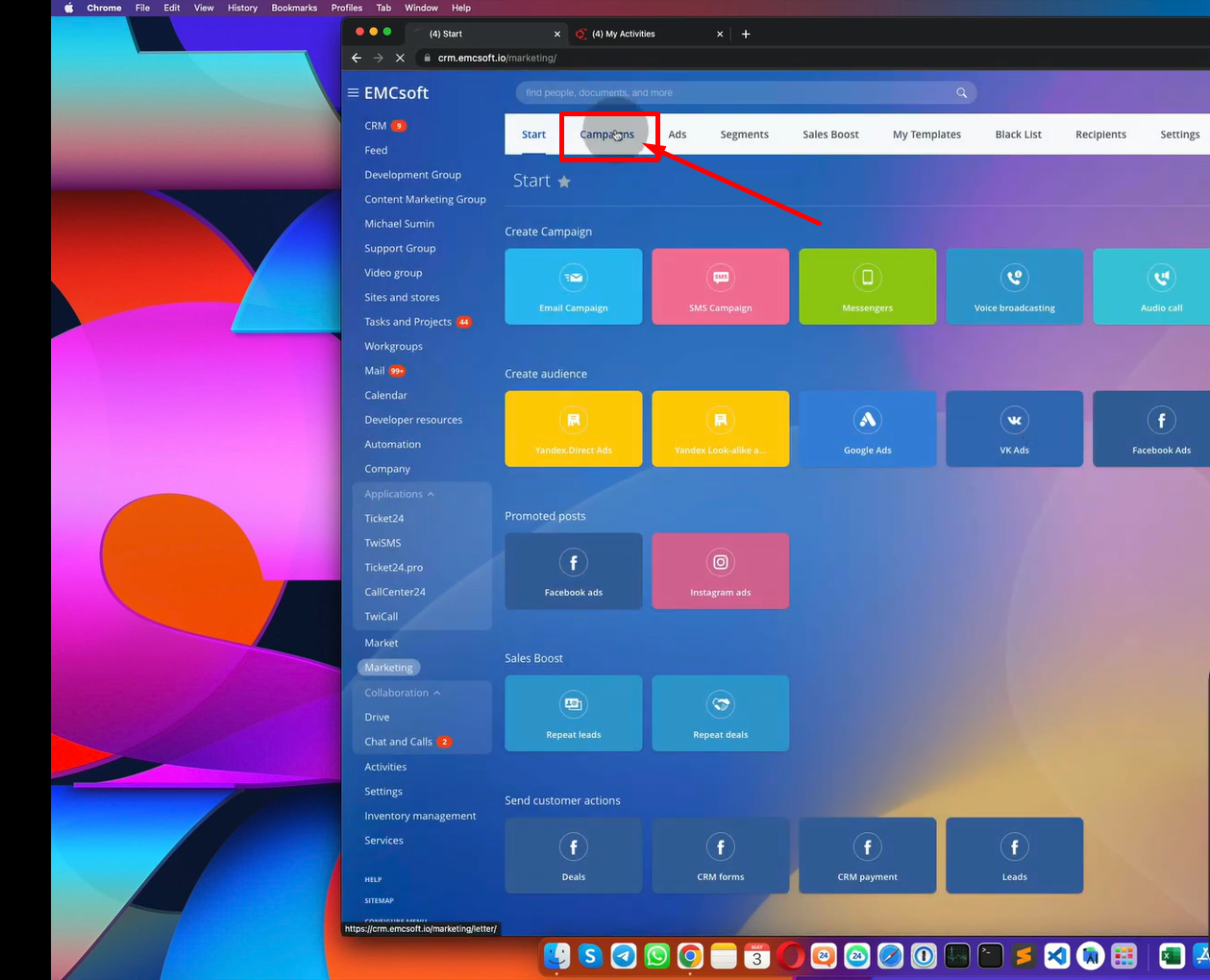
4. Go to ‘Marketing’
5. In ‘Marketing’, select ‘SMS Campaign’.
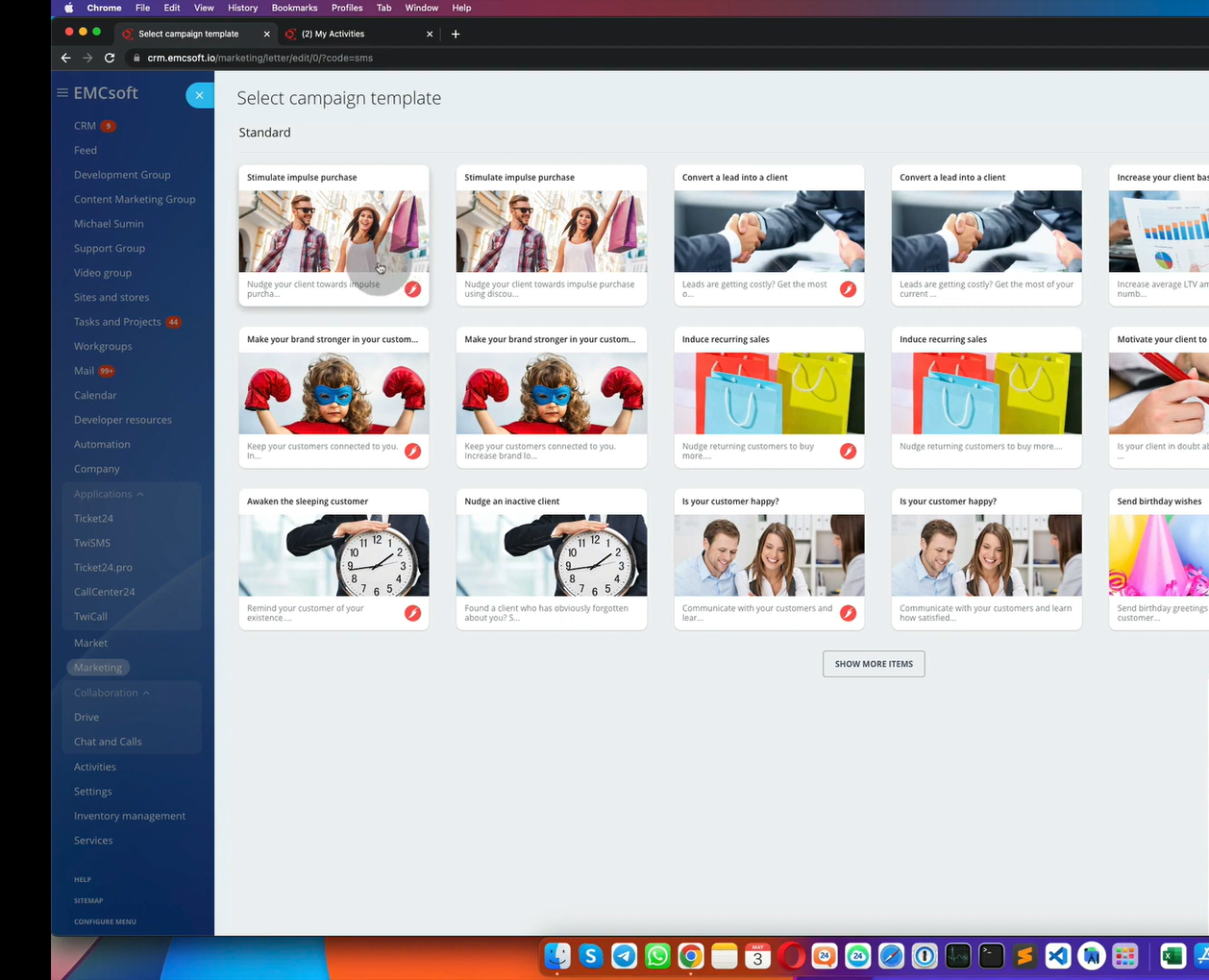
6. In ‘SMS Campaign’ select any of these templates.
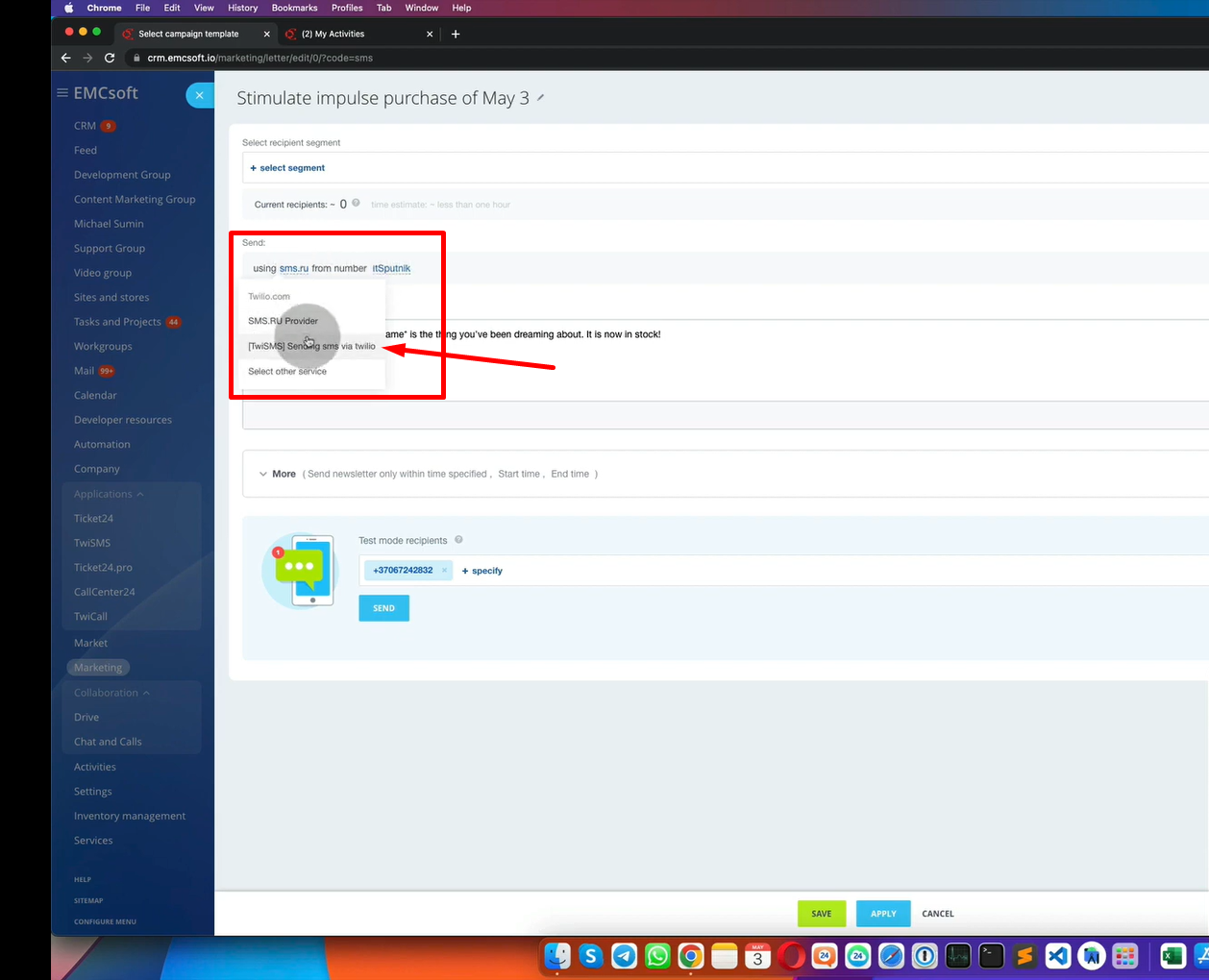
7. From the drop-down, select ‘[TwiSMS] Sending sms via Twilio’
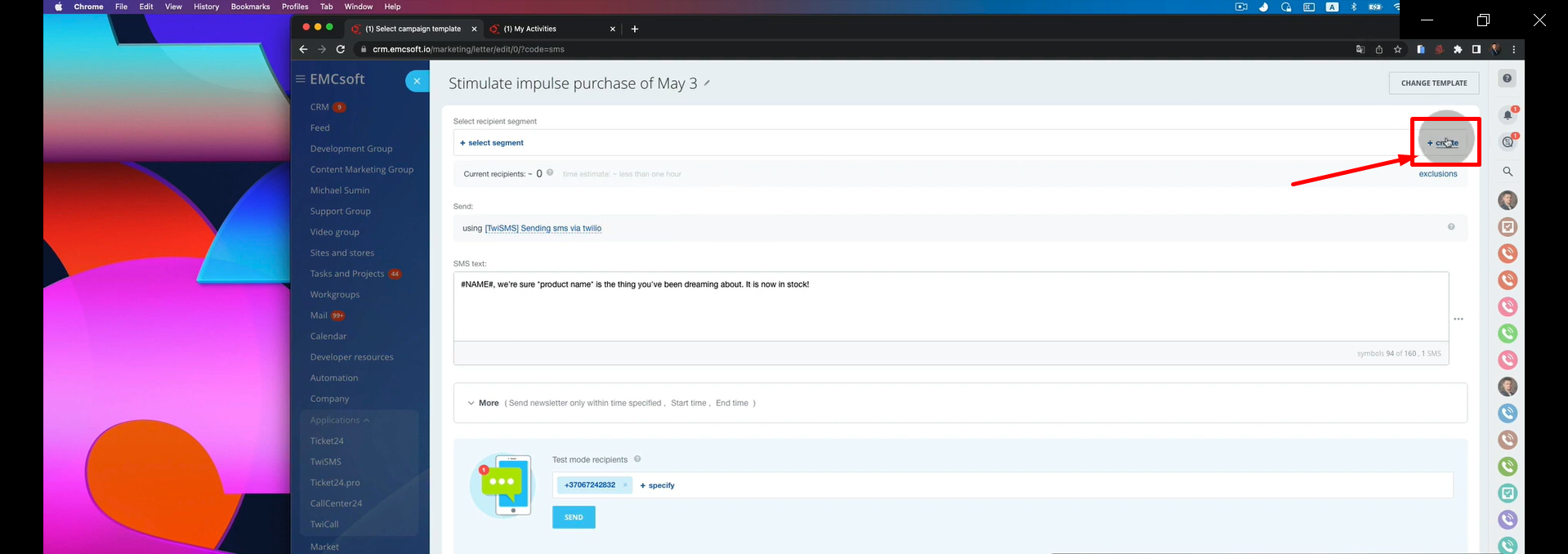
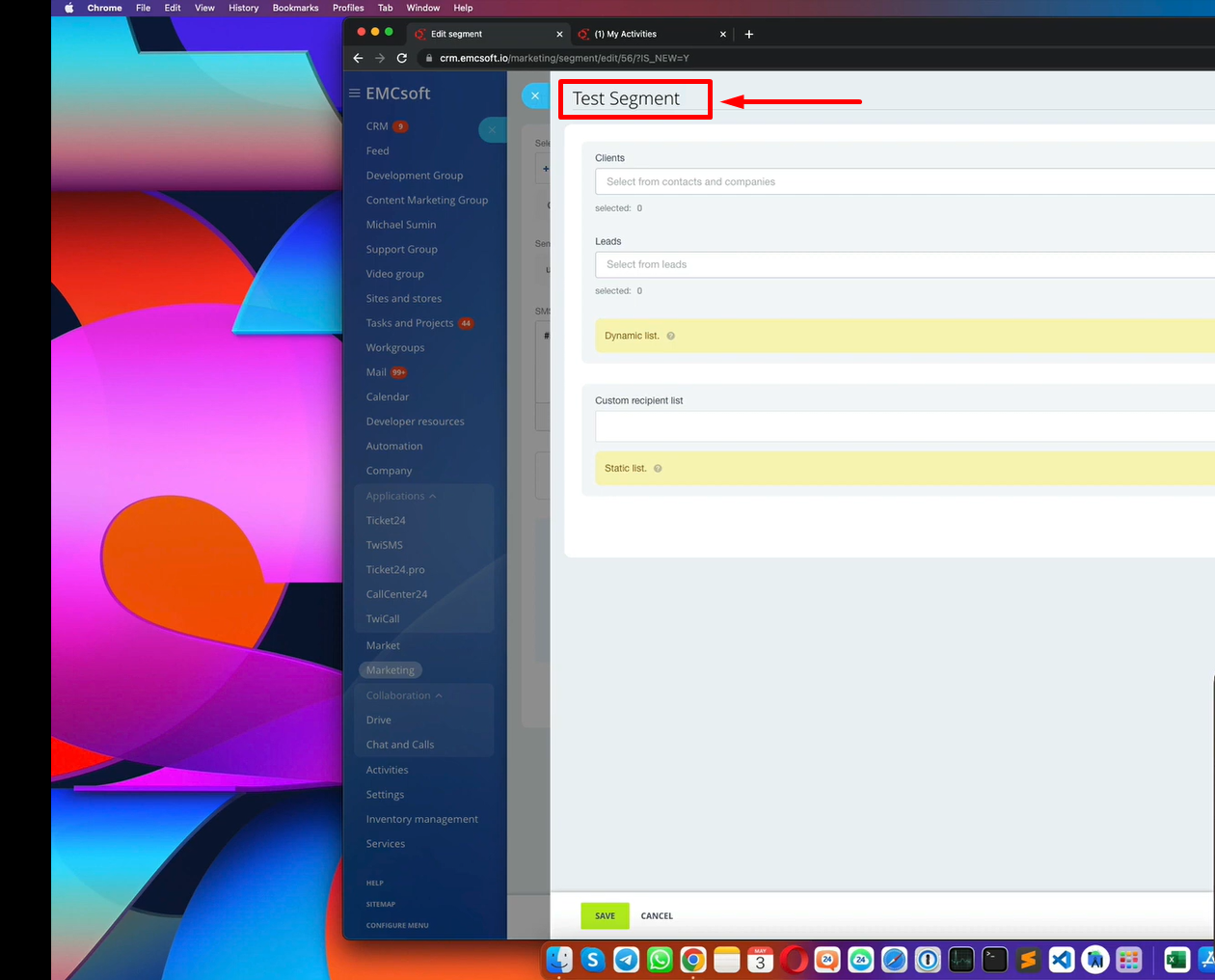
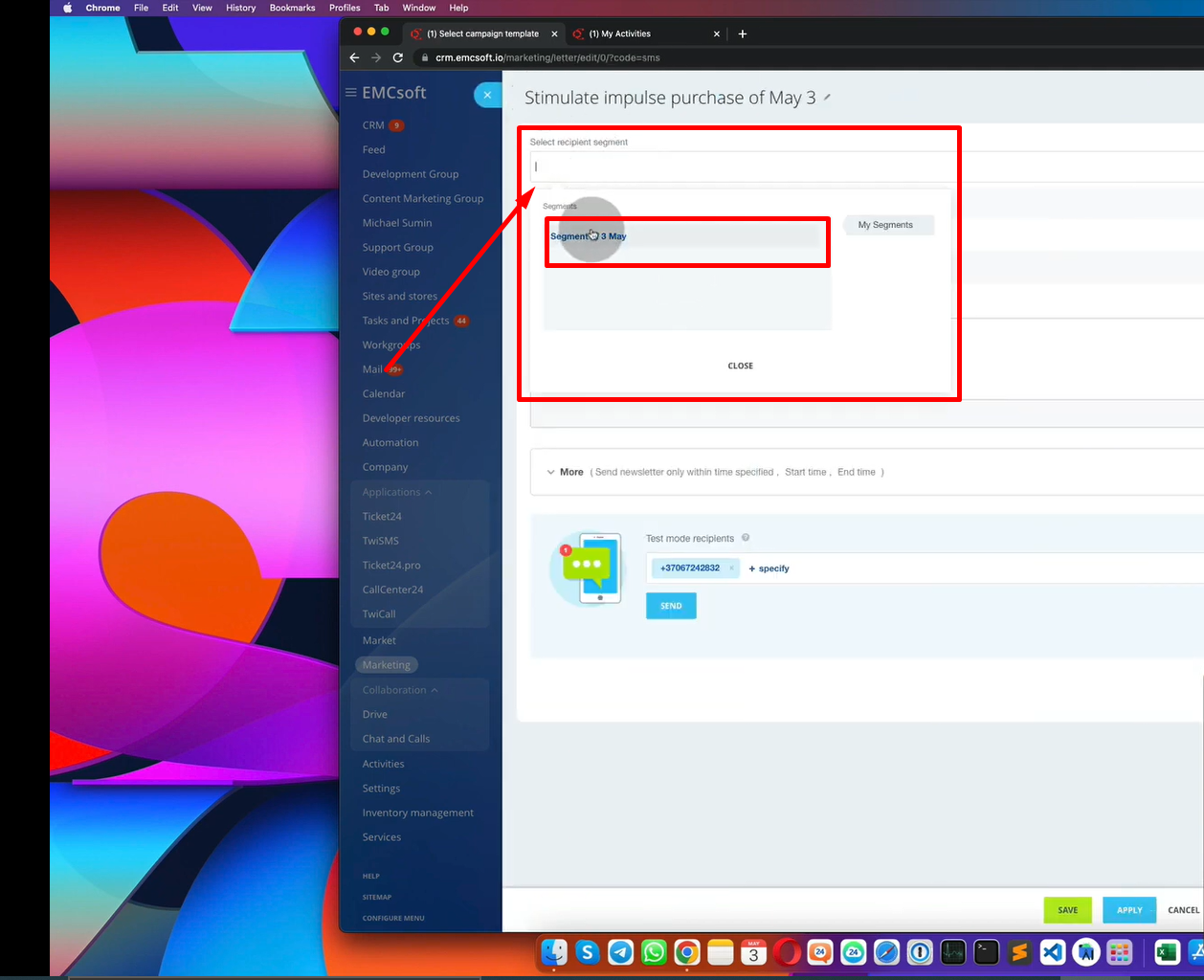
8. Then you need to select a “Segment”. A segment means that you can create some segments of your clients and use that each and every time. So you can see split segments by leads or contacts and that context will be filtered by some of the condition. Click “Create”.
9. Put the name of the “Segment” on the upper left corner.
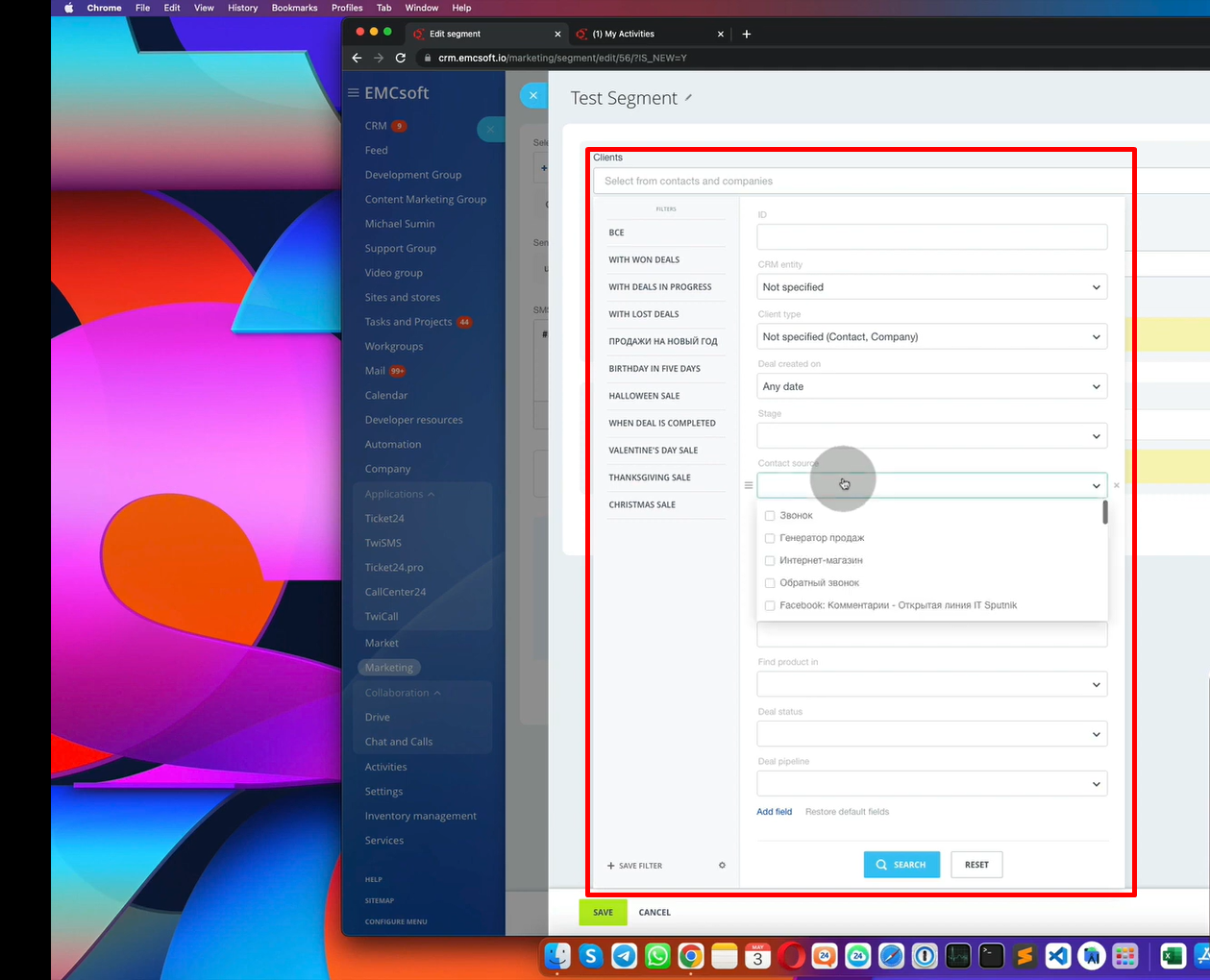
10. Select “Clients”. “Clients” means contact. So, select contacts based on some condition. For example, you need to select “Contact Source” or based on products which your clients use or anything else.
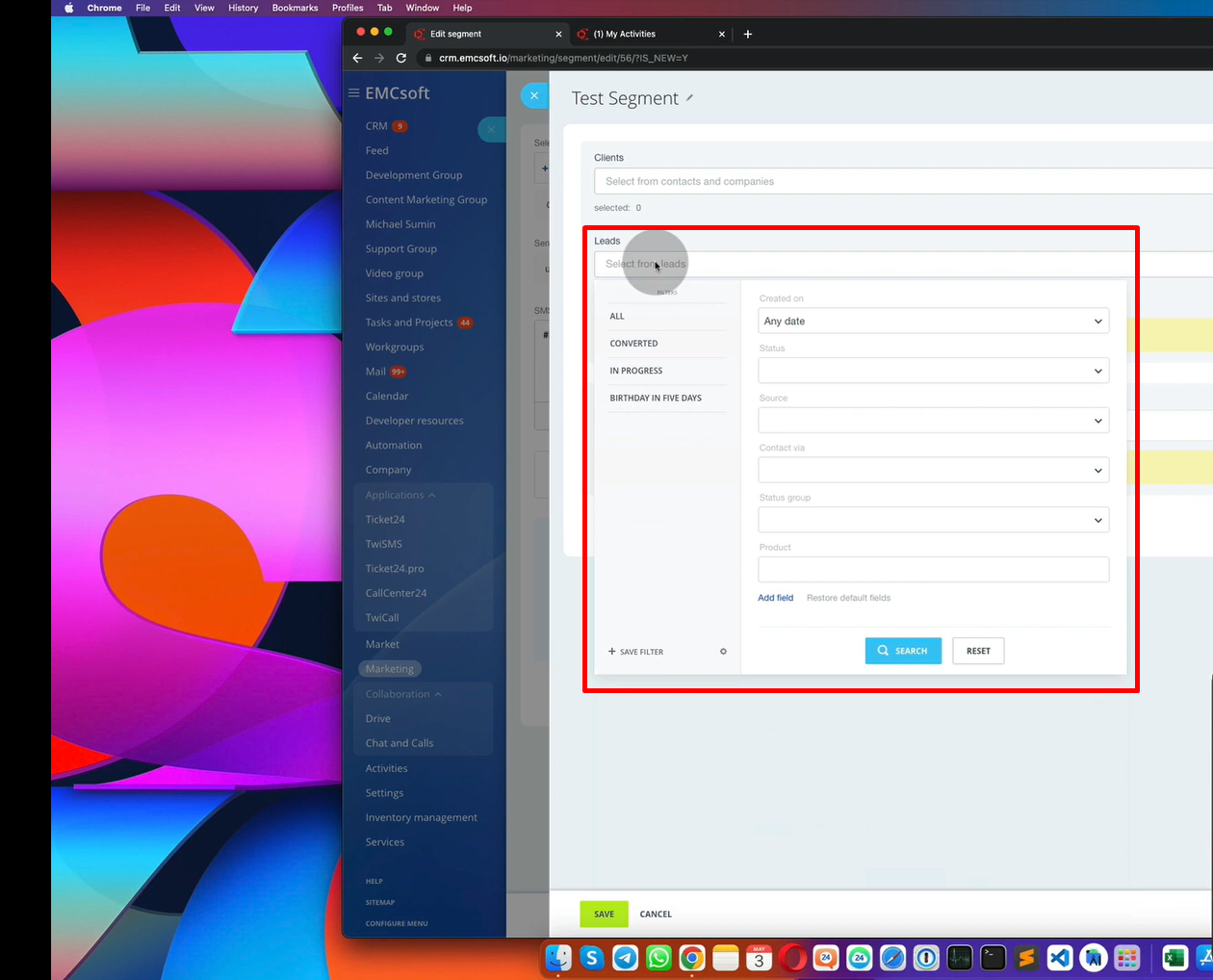
11. Or you can select some “Leads” based on some condition.
12. Select segment.
13. If you want to put the client name, click the three dots on the middle right corner, click “Other”, and select “Name”.
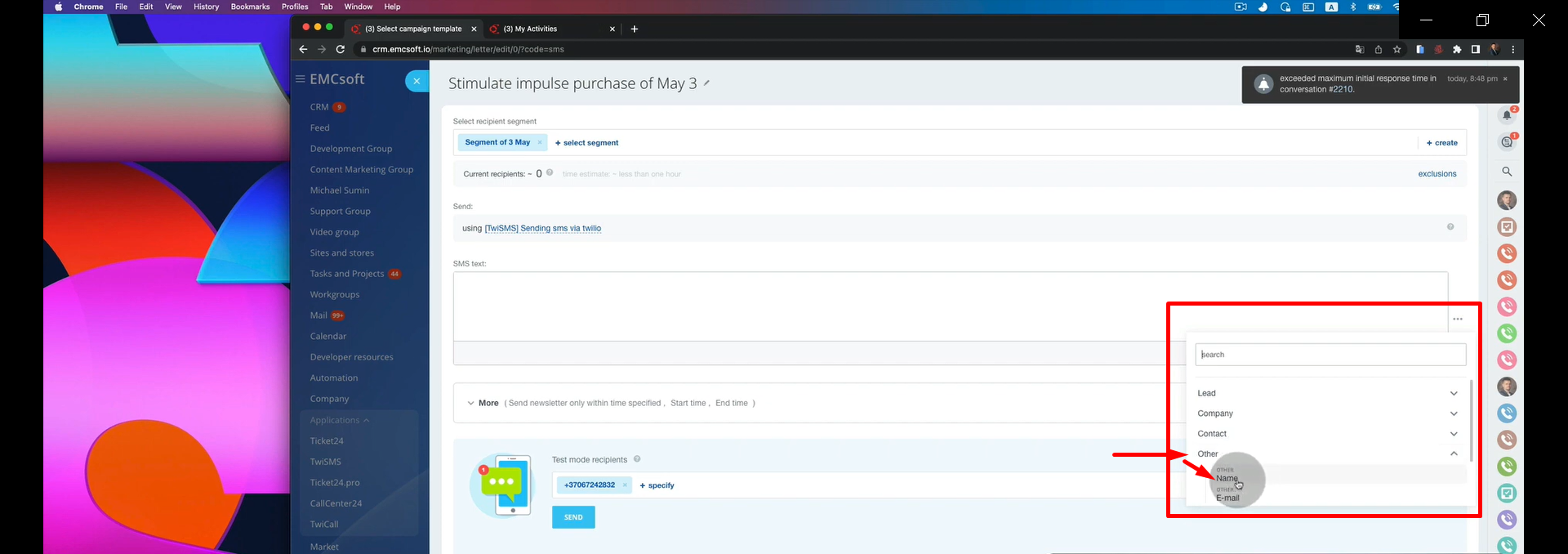
14. #NAME# means name of the client. Customize the text.
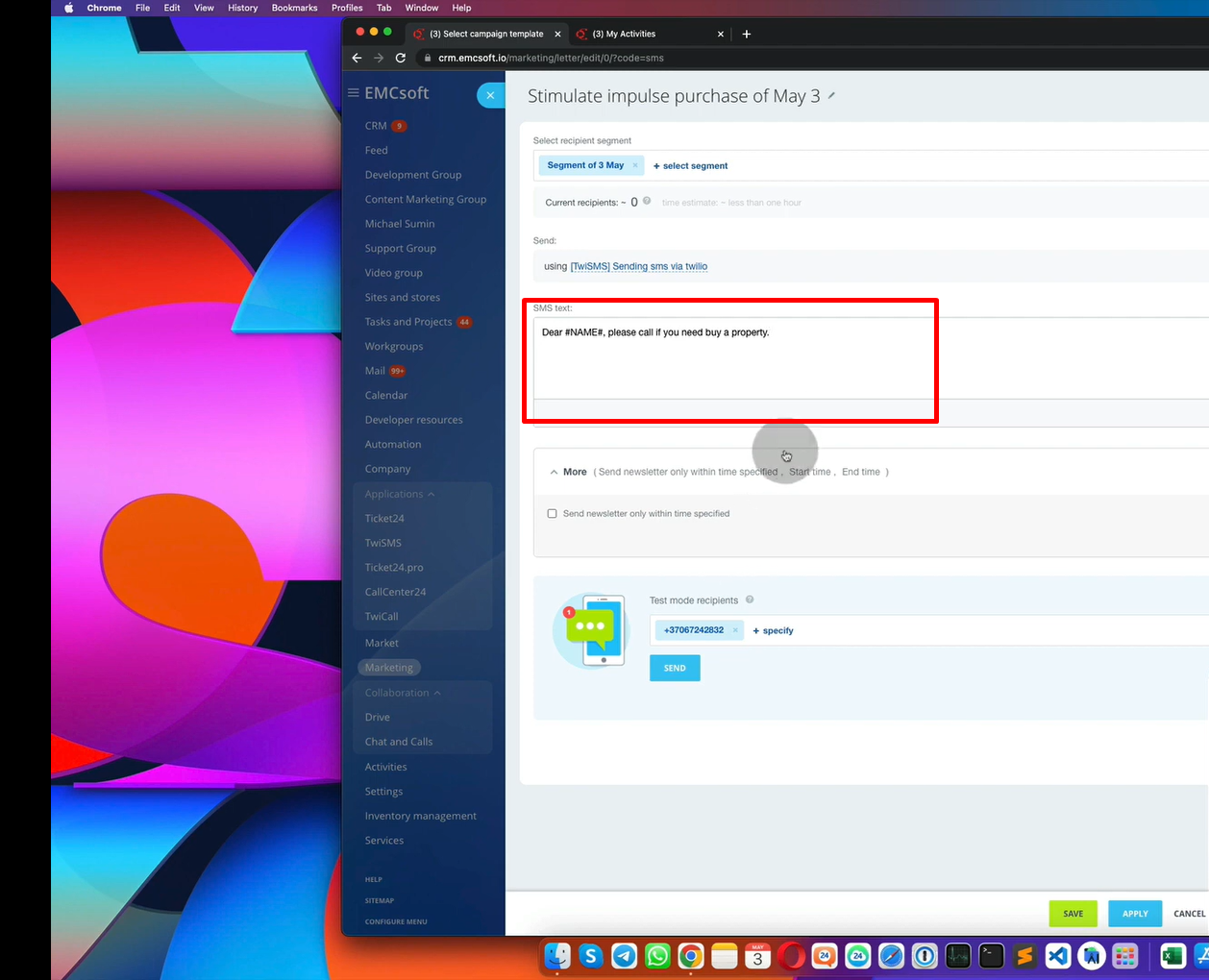
15. Test it and sent it to your number.
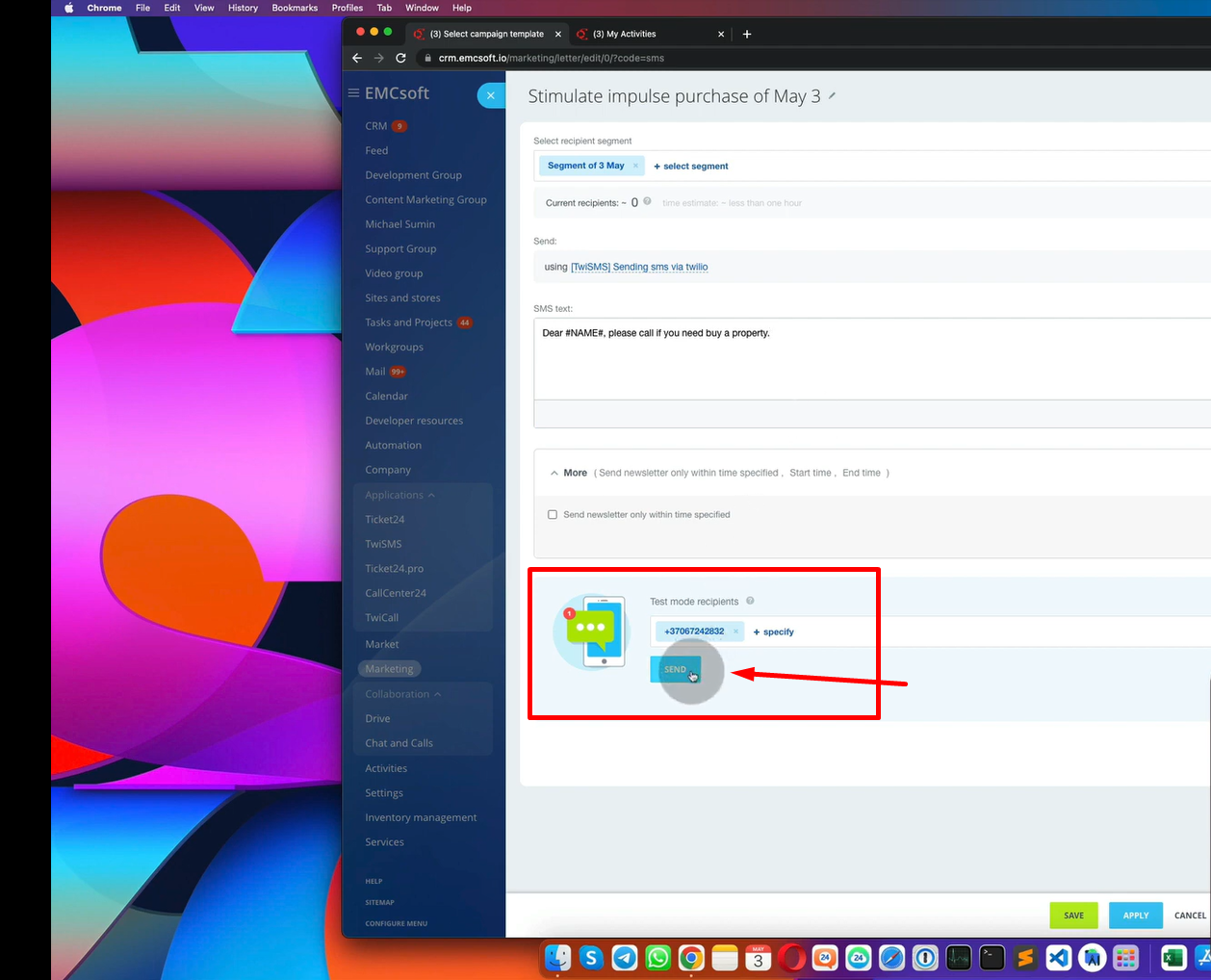
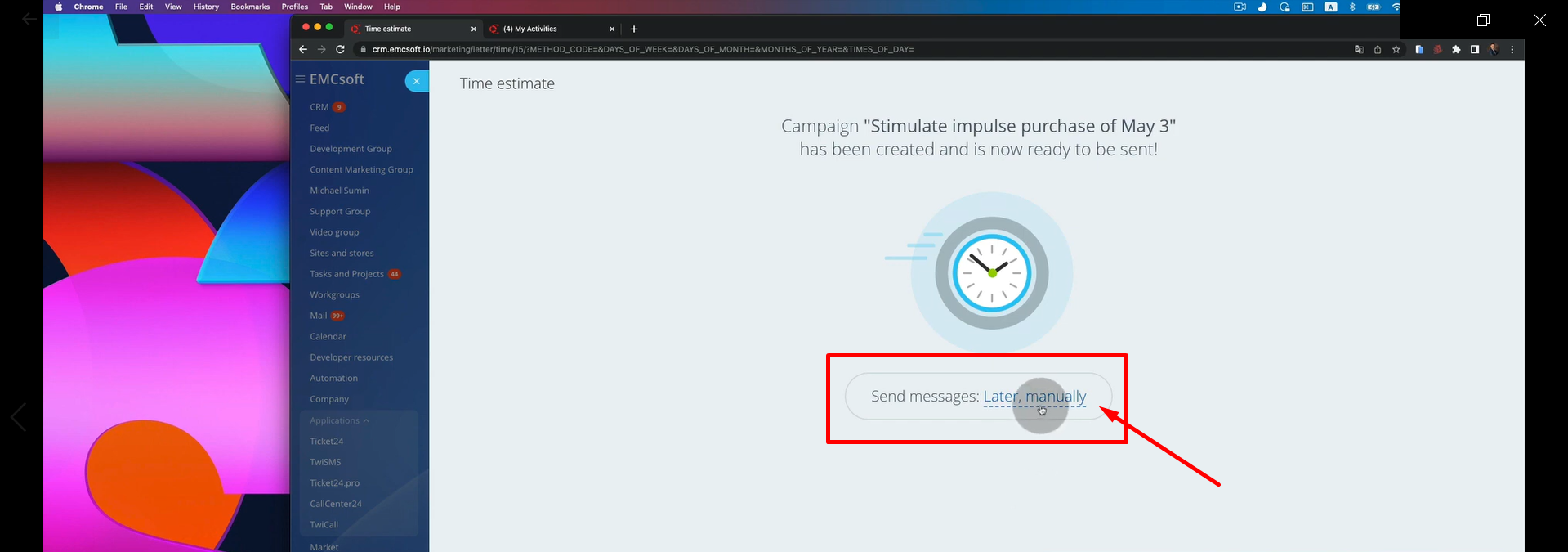
16. Once you successfully received an SMS, click “Save” to save the campaign. Campaign means ‘Segment’.
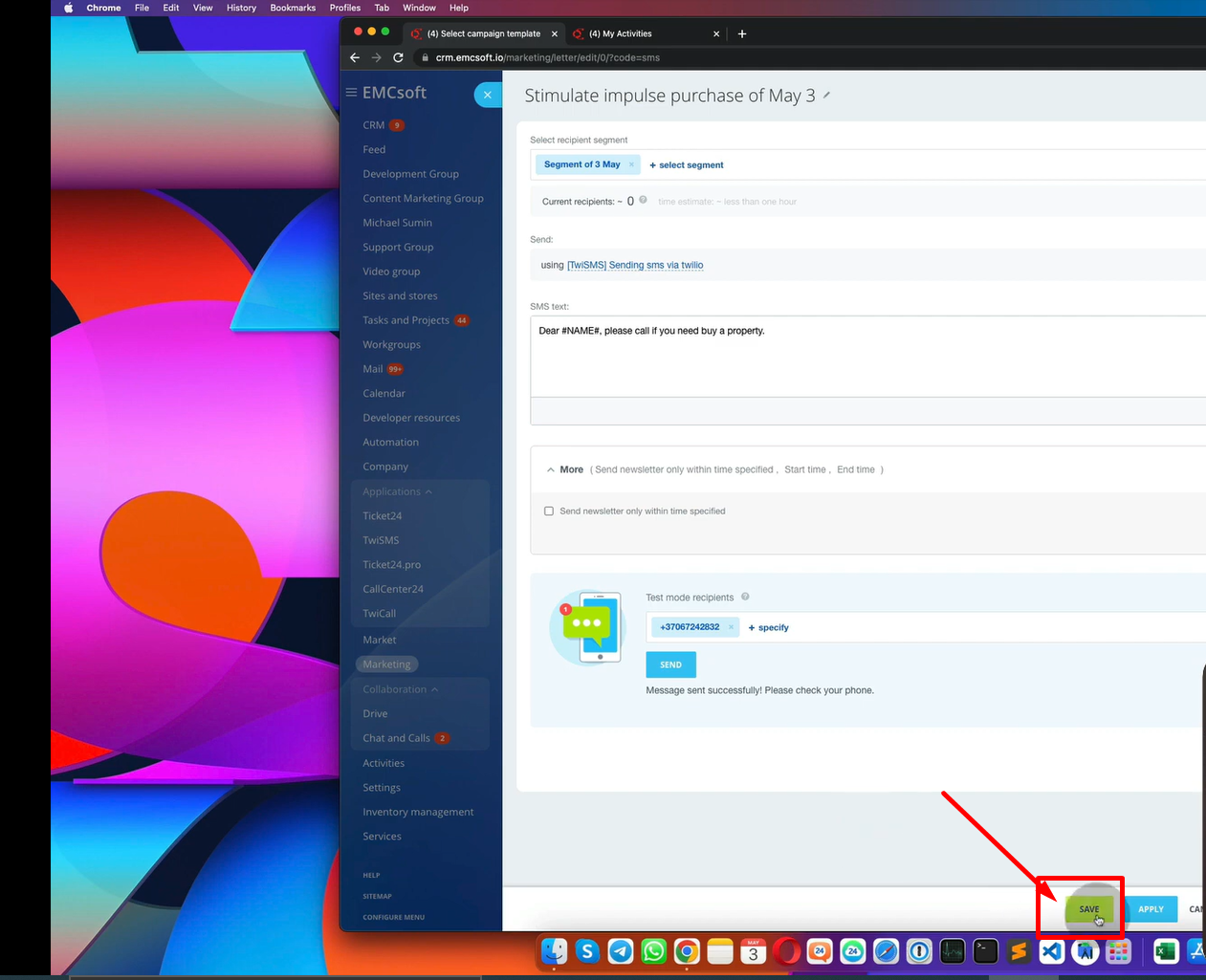
17. Click “Later, manually” then “Save”
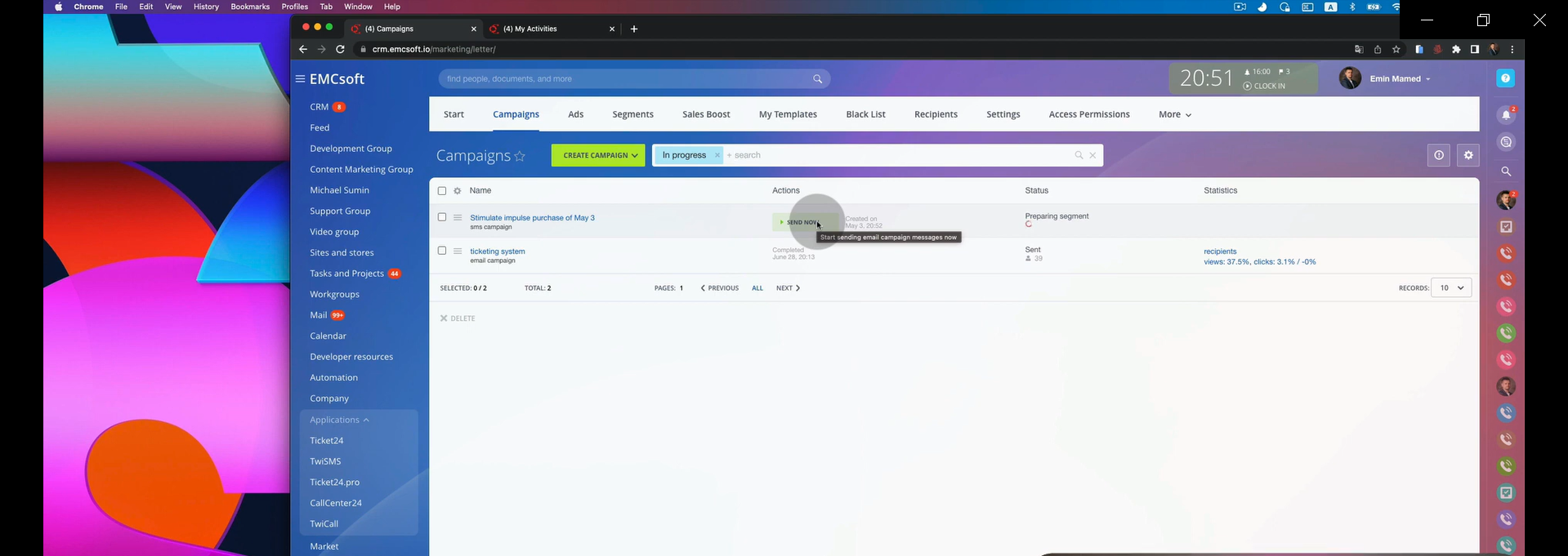
18. Go to “Campaigns”. To see all of your Campaigns.
SECOND OPTION
If you want to create a campaign based on some conditions using robots.
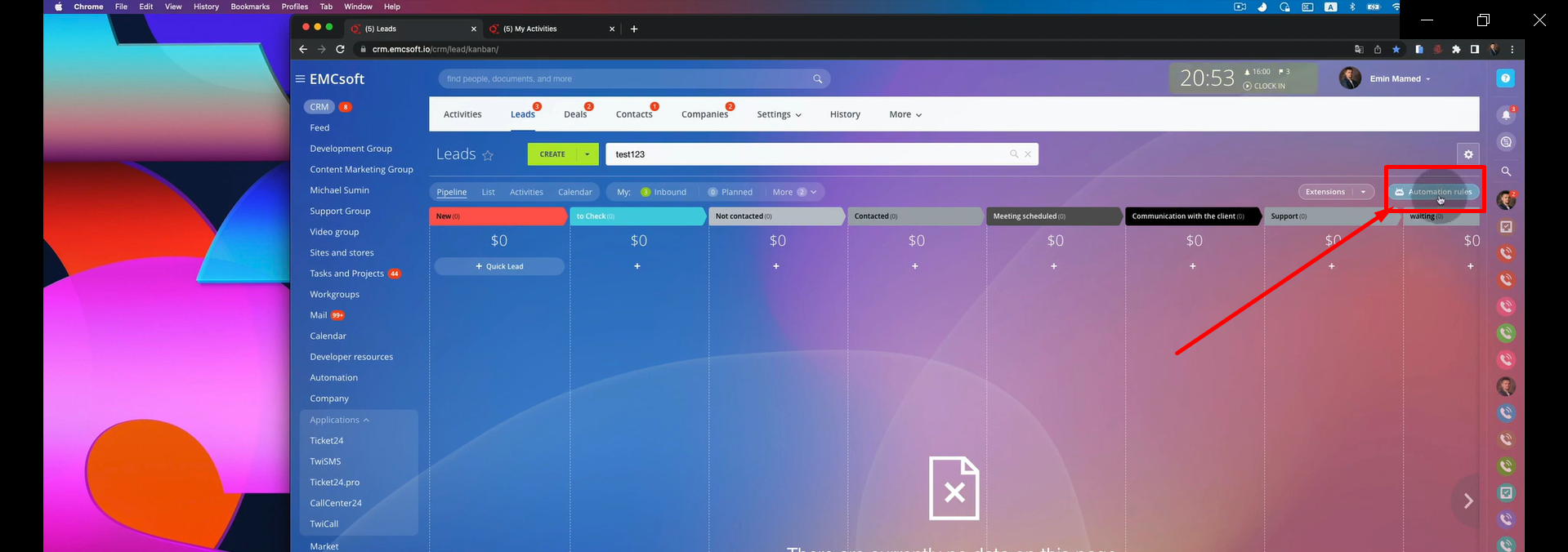
1. To test robots, go to “Leads” page.
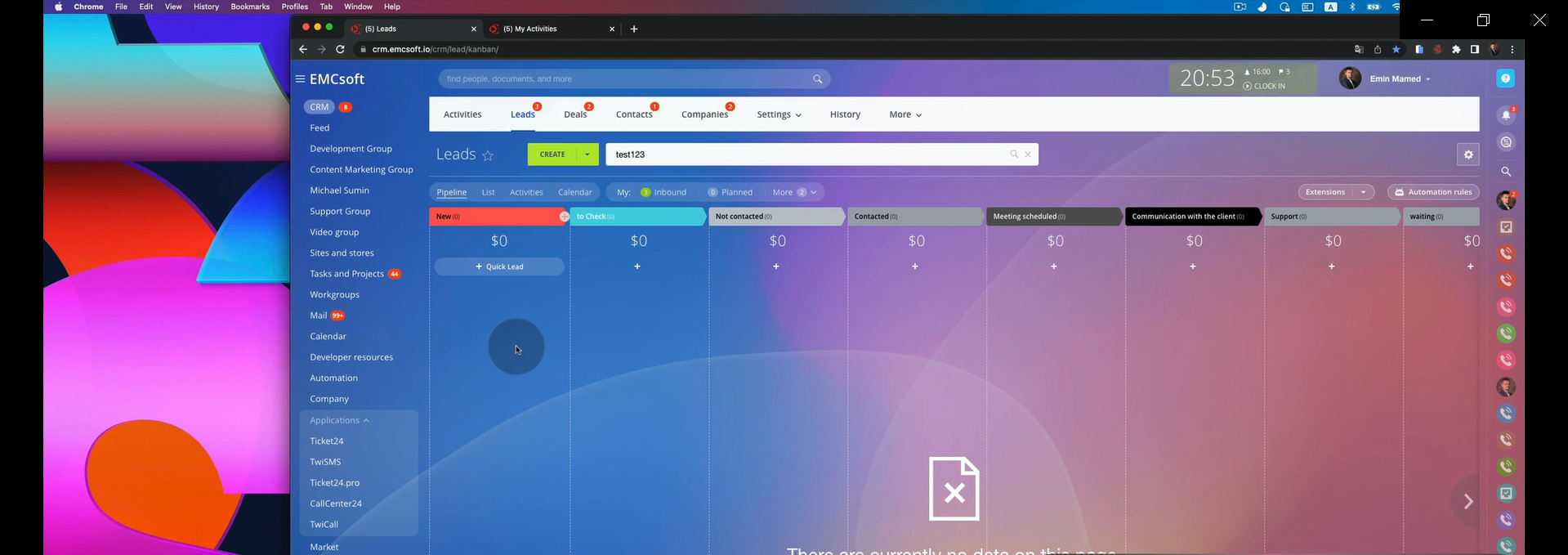
2. In the Leads Page, click “Automation rules”, which means Robots
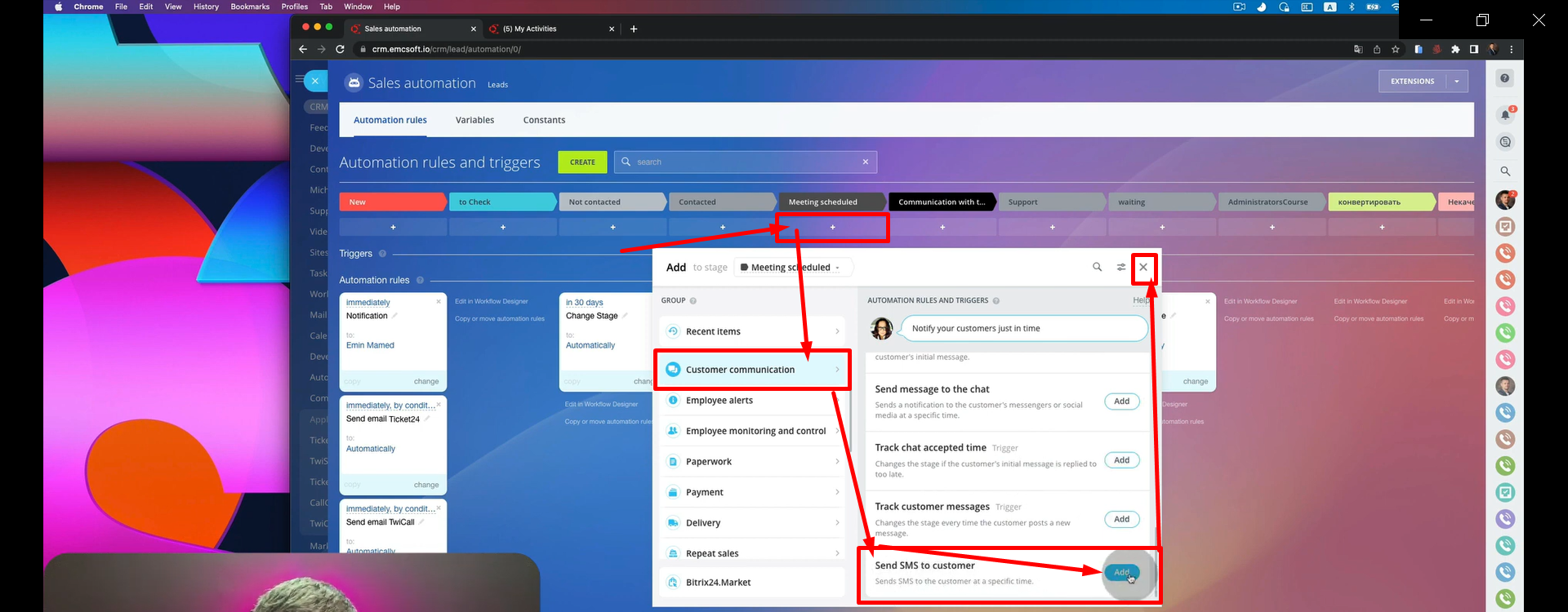
3. For example, you want to let the client know that you want a time that you’ll both agree. Click the “+” sign under “Meeting scheduled”, select “Customer communication” then click “Add” on the “Send SMS to customer” category, then click the “x” sign.
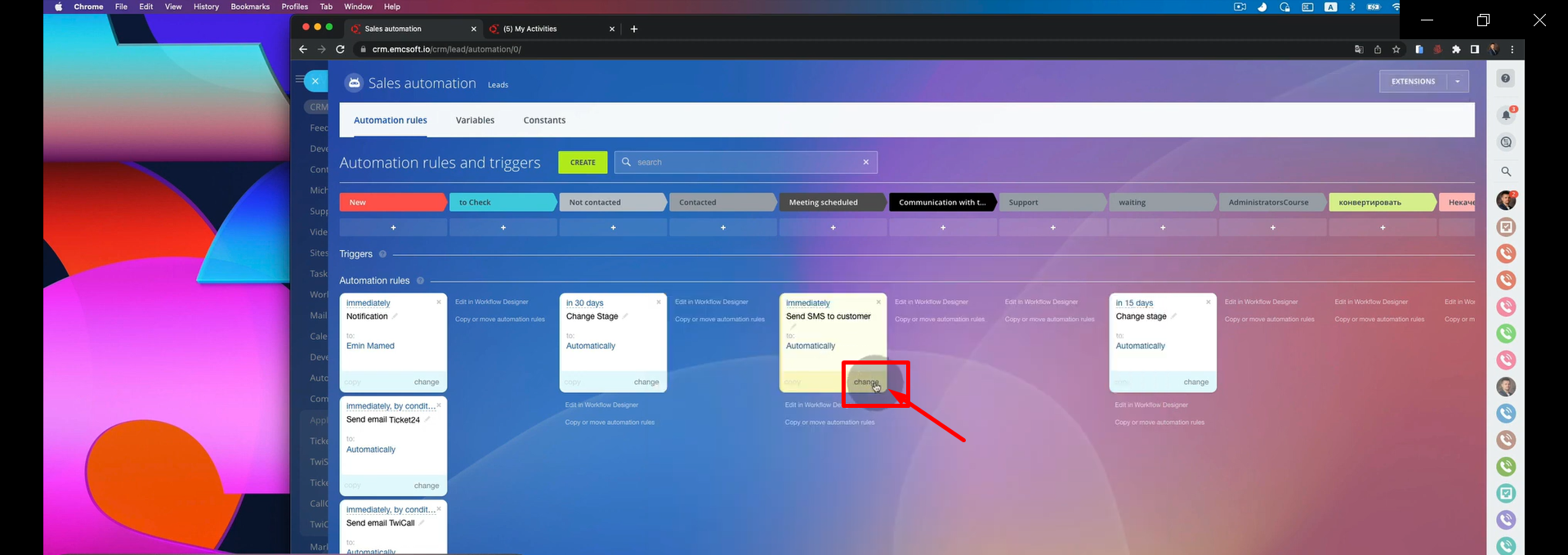
4. Click “Change”.
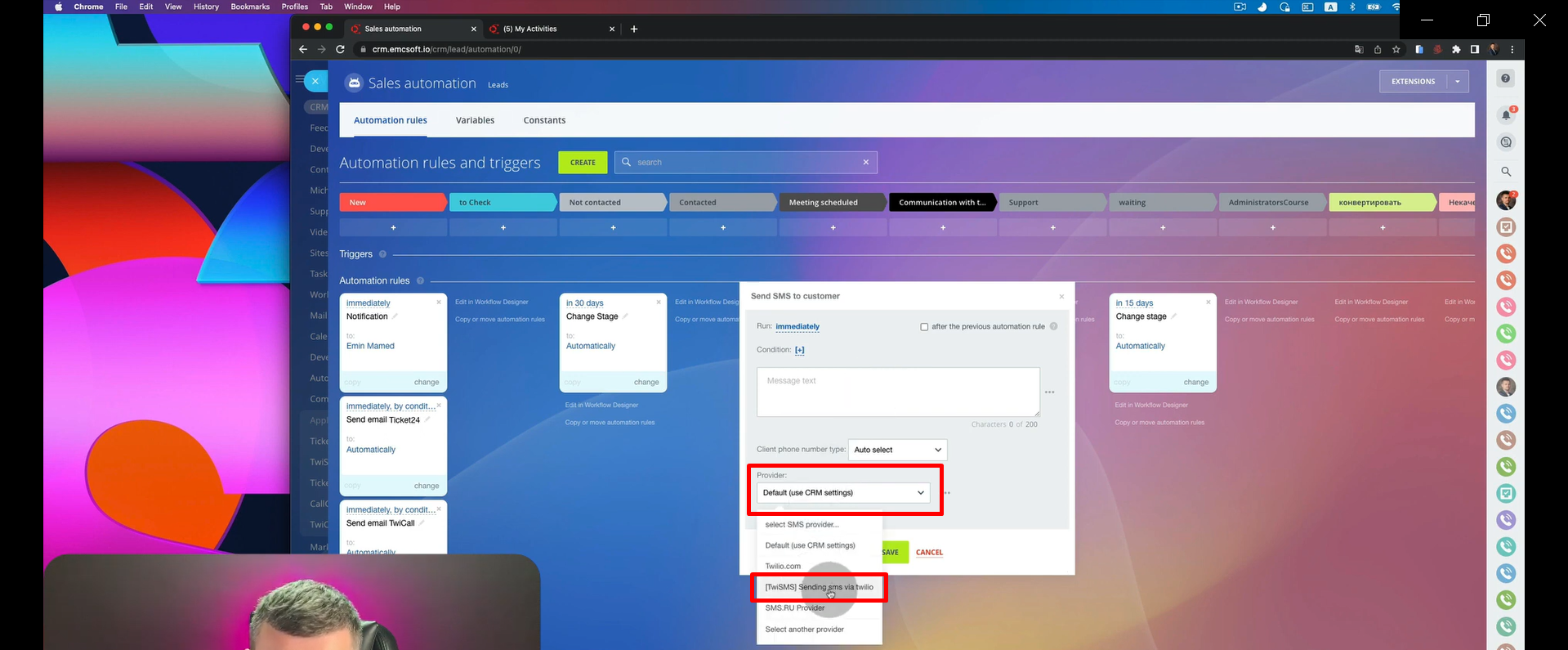
5. On the “Provider” drop down, select “[TwiSMS] Sending sms via twilio”
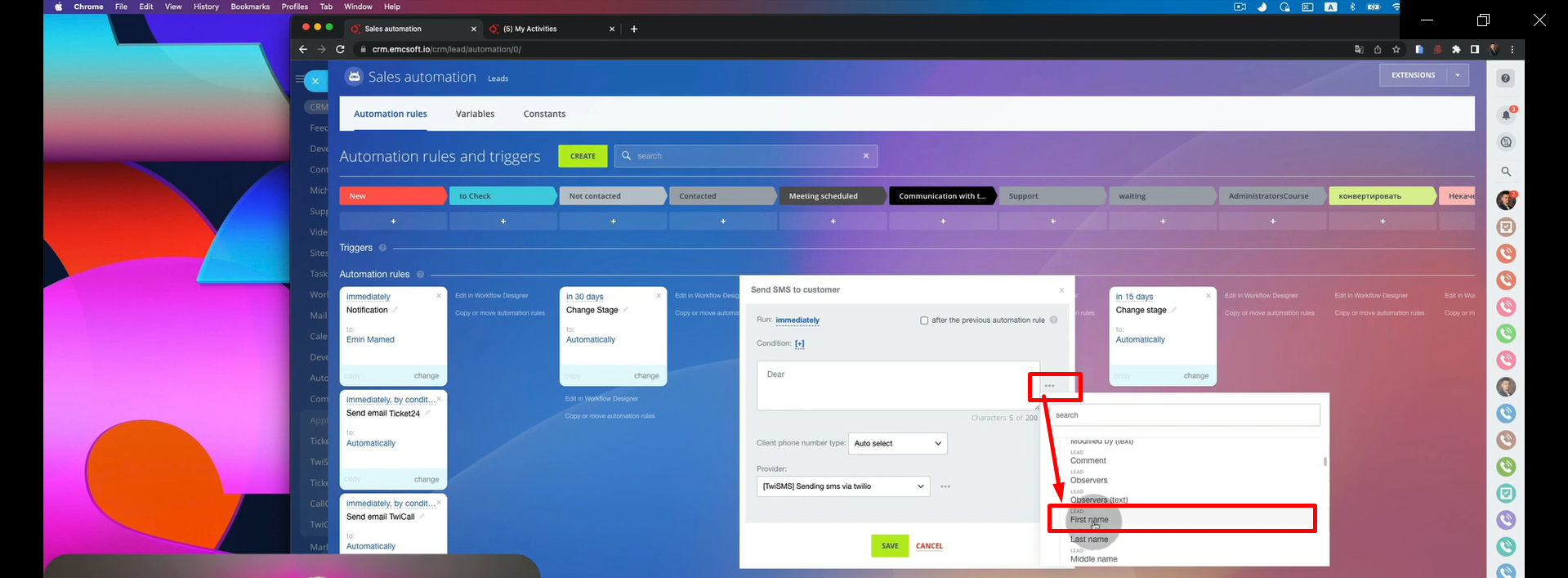
6. To personalize the message, click the three dots, inside the “Lead” dropdown, click the “First Name”.
7. Customize your message and click “Save”
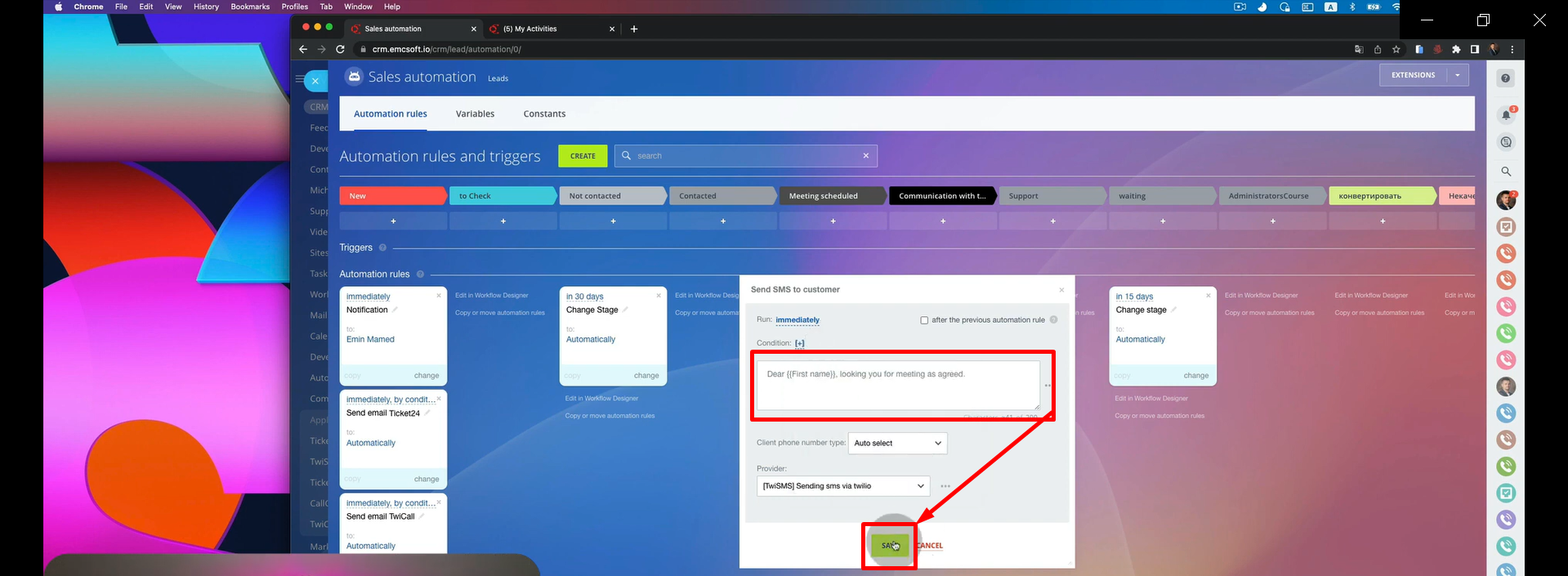
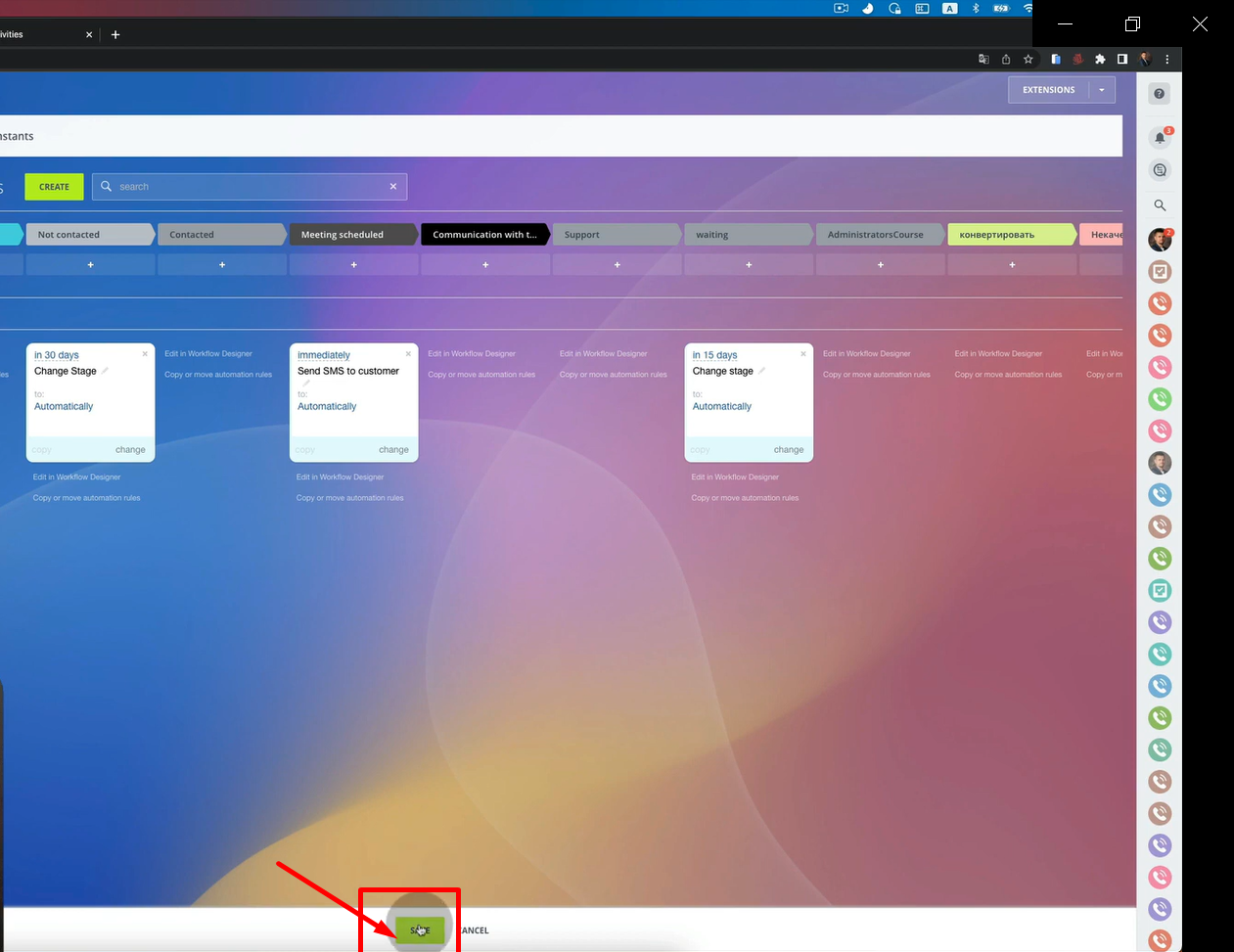
8. Click “Save” again.
THIRD OPTION
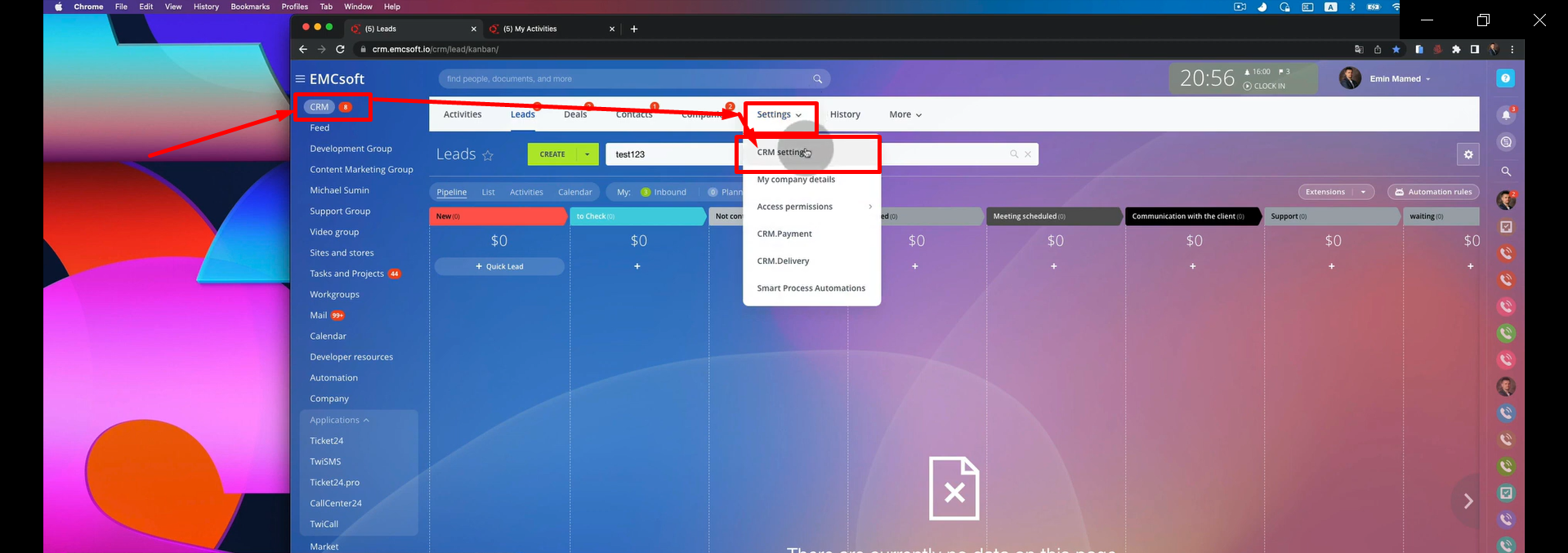
1. Go to “CRM”, then click “Settings” then select “CRM Settings”
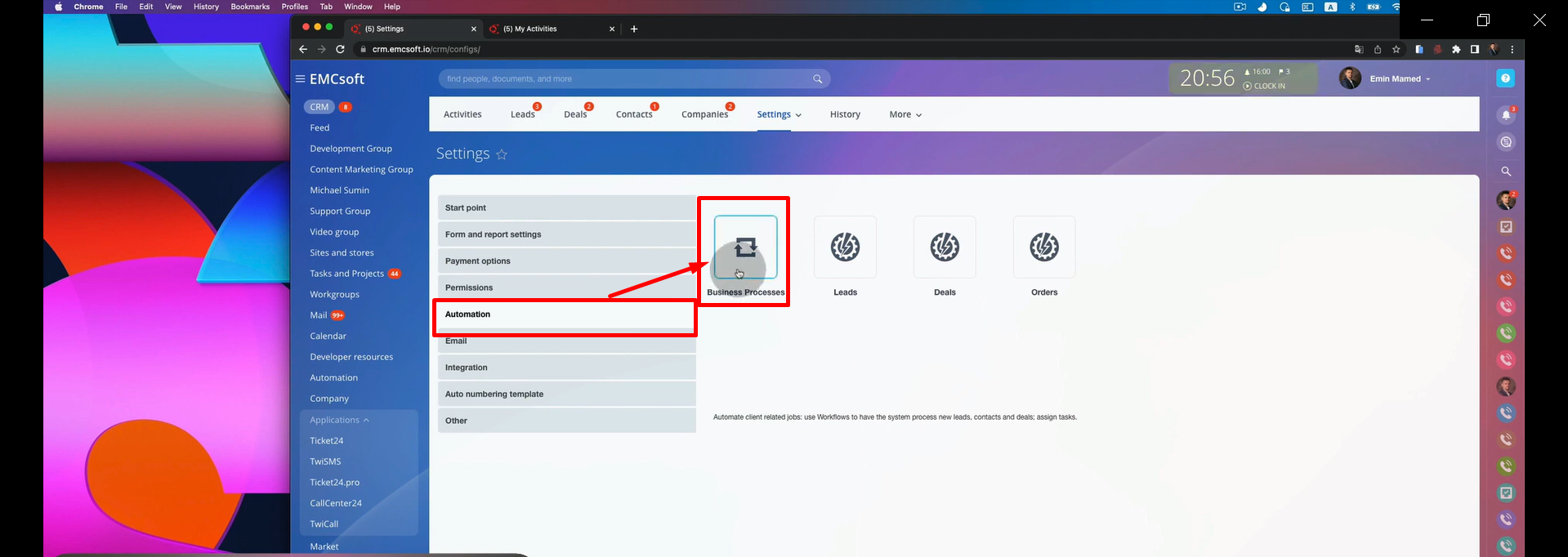
2. Select “Automation”, then select “Business Process”
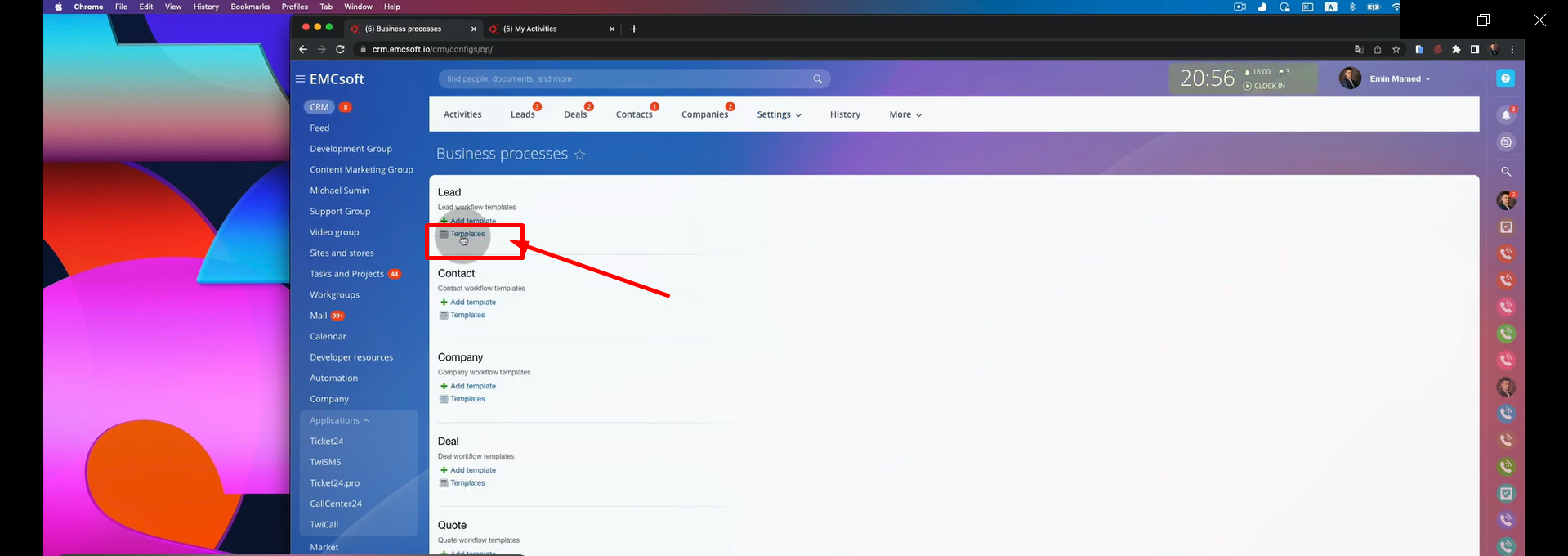
3. Click “Templates”
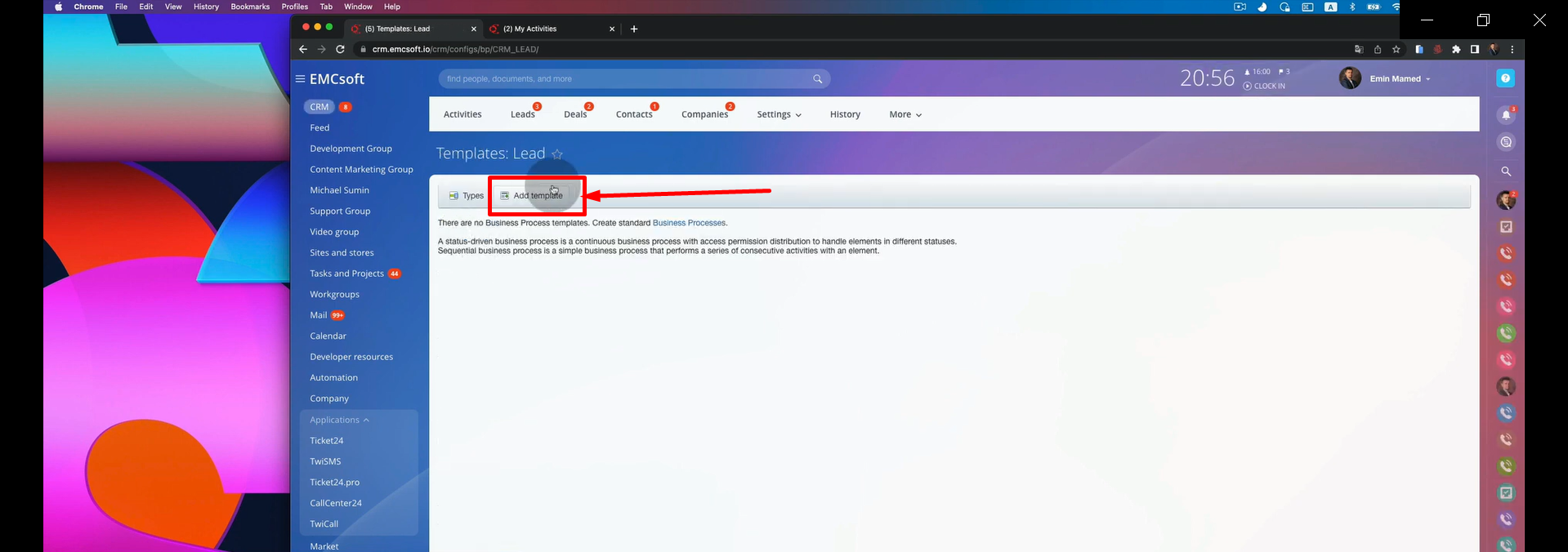
4. Click “Add Template”
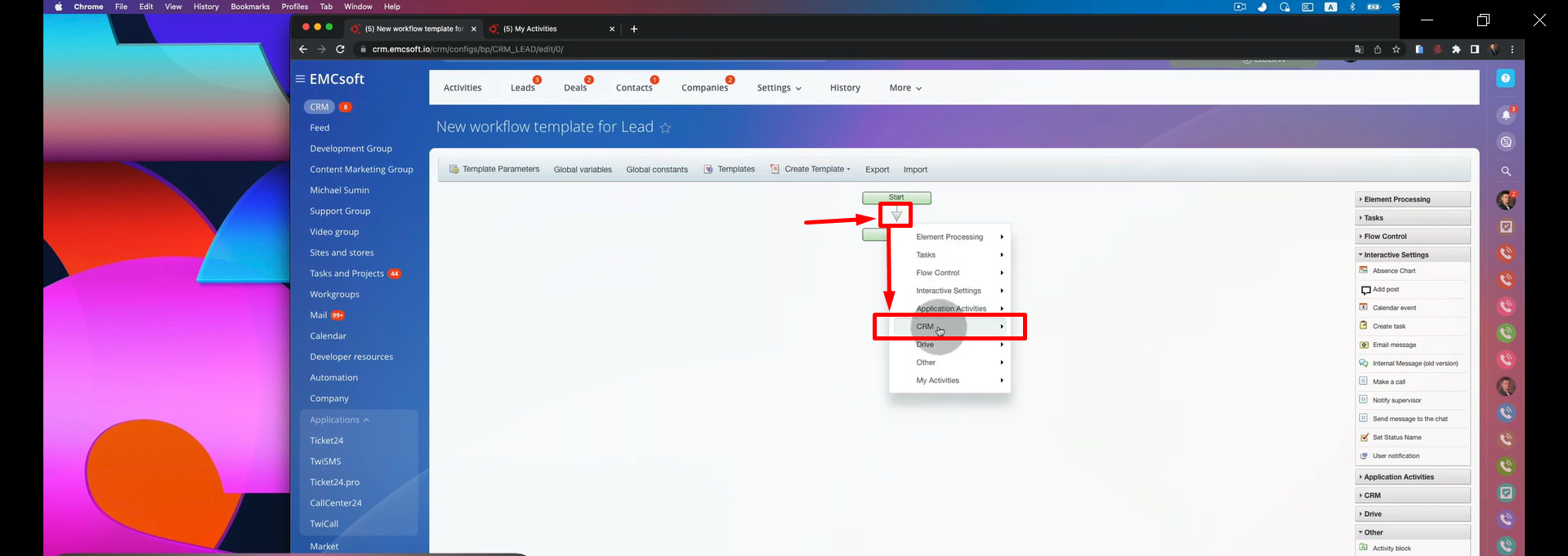
5. This is a business process where you can run different business conditions and business processes. Click the inverted triangle under “Start” then select ‘CRM”.
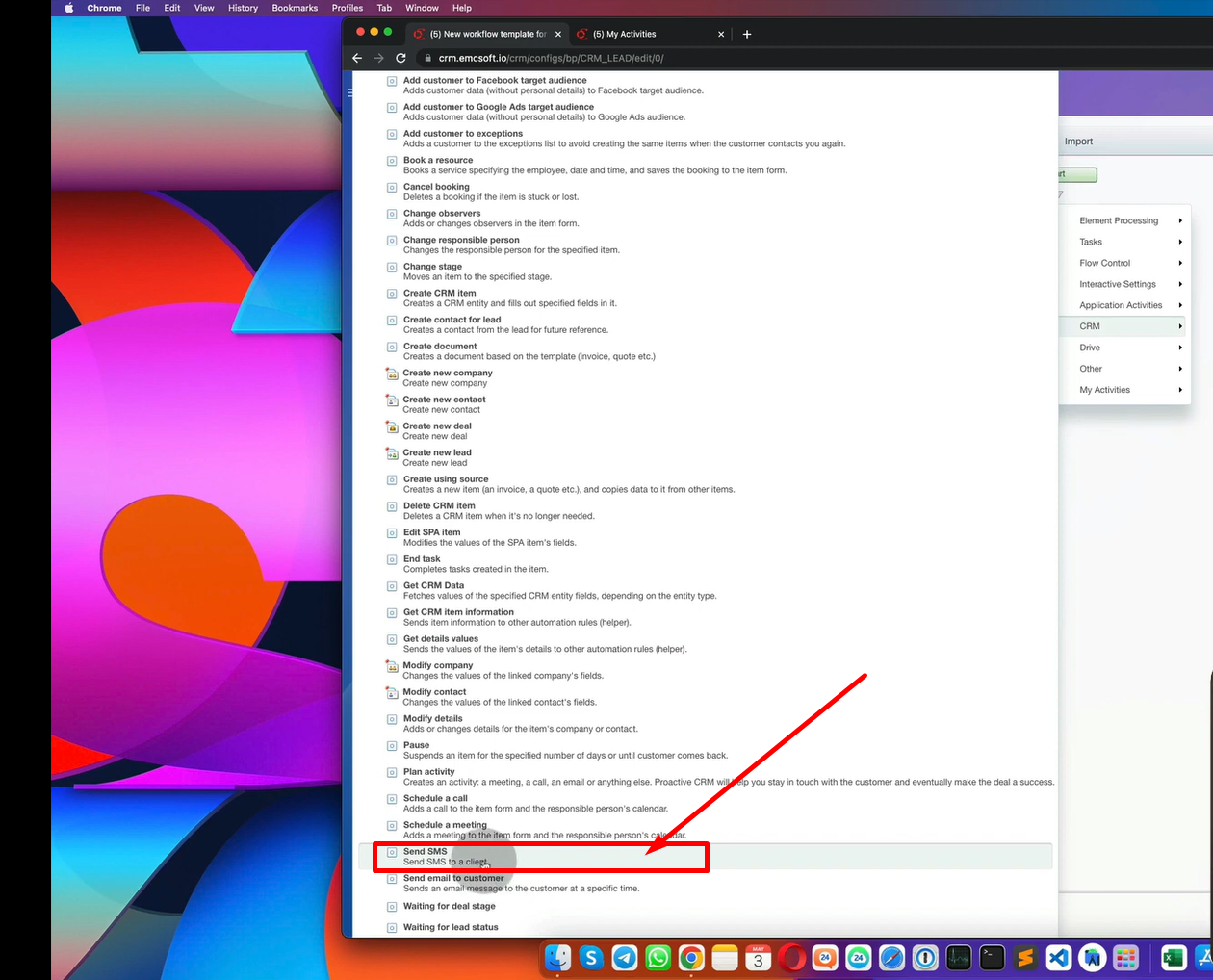
6. Look for “Send SMS” then click that.
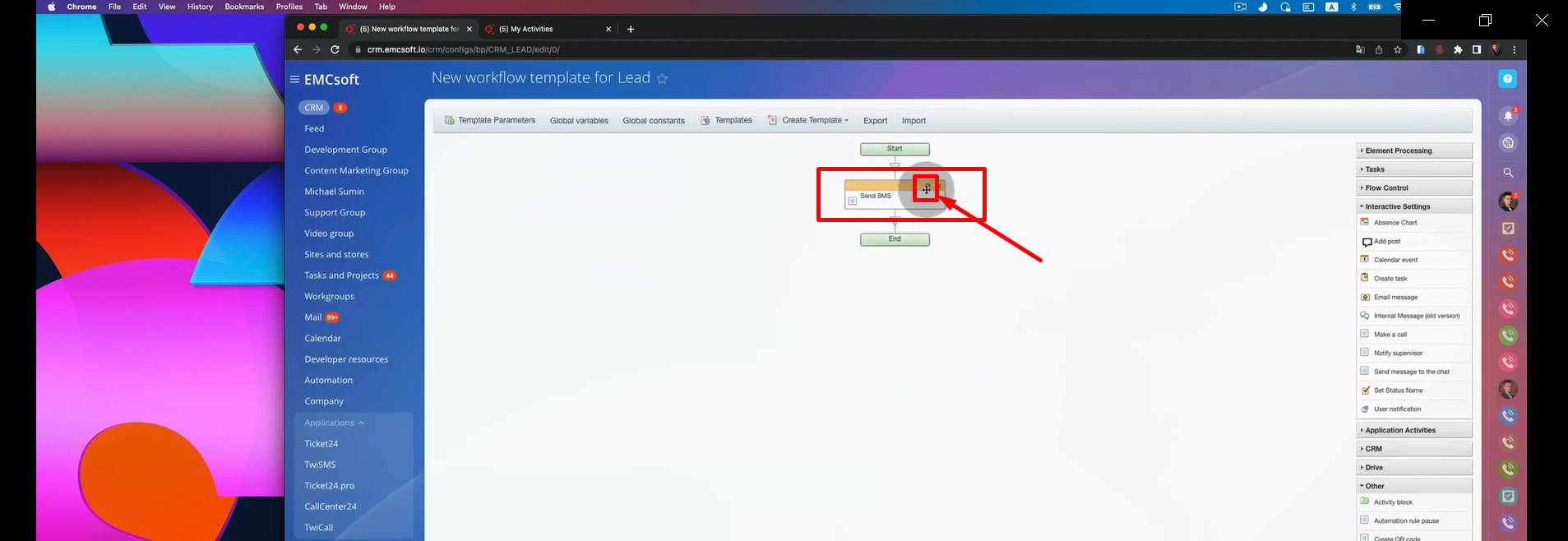
7. The click the gear button.
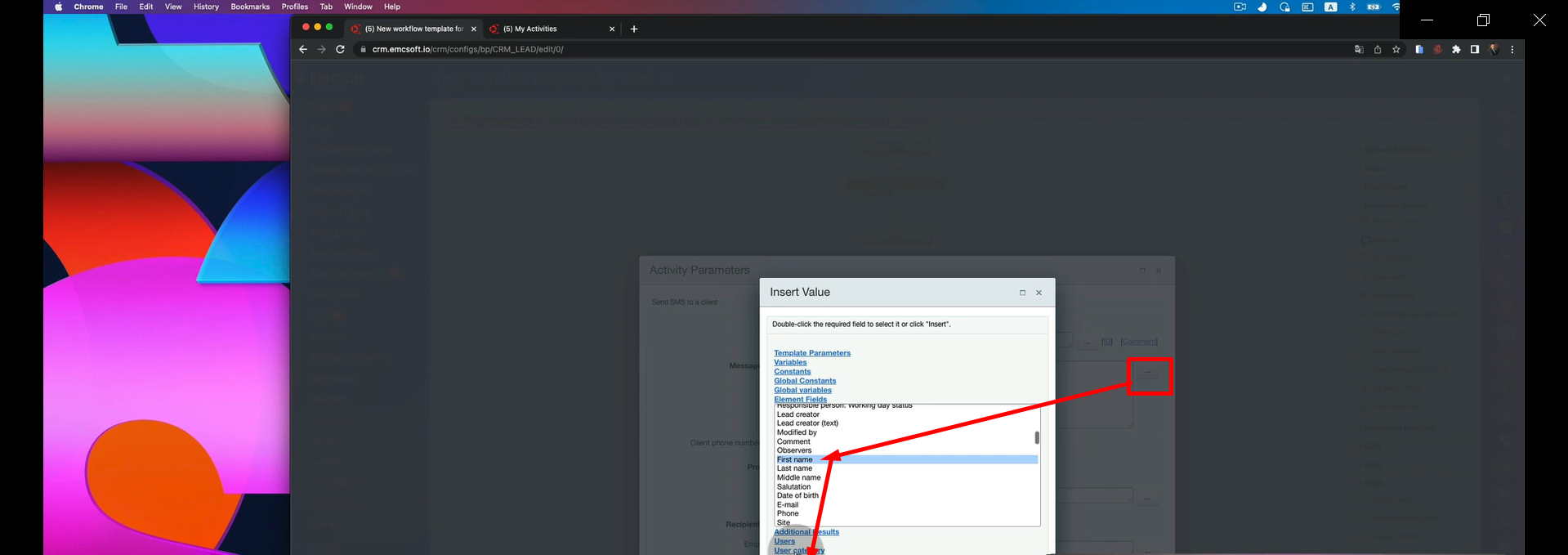
8. To customize the message, click the three dots, select “First Name” and then click “Insert”.
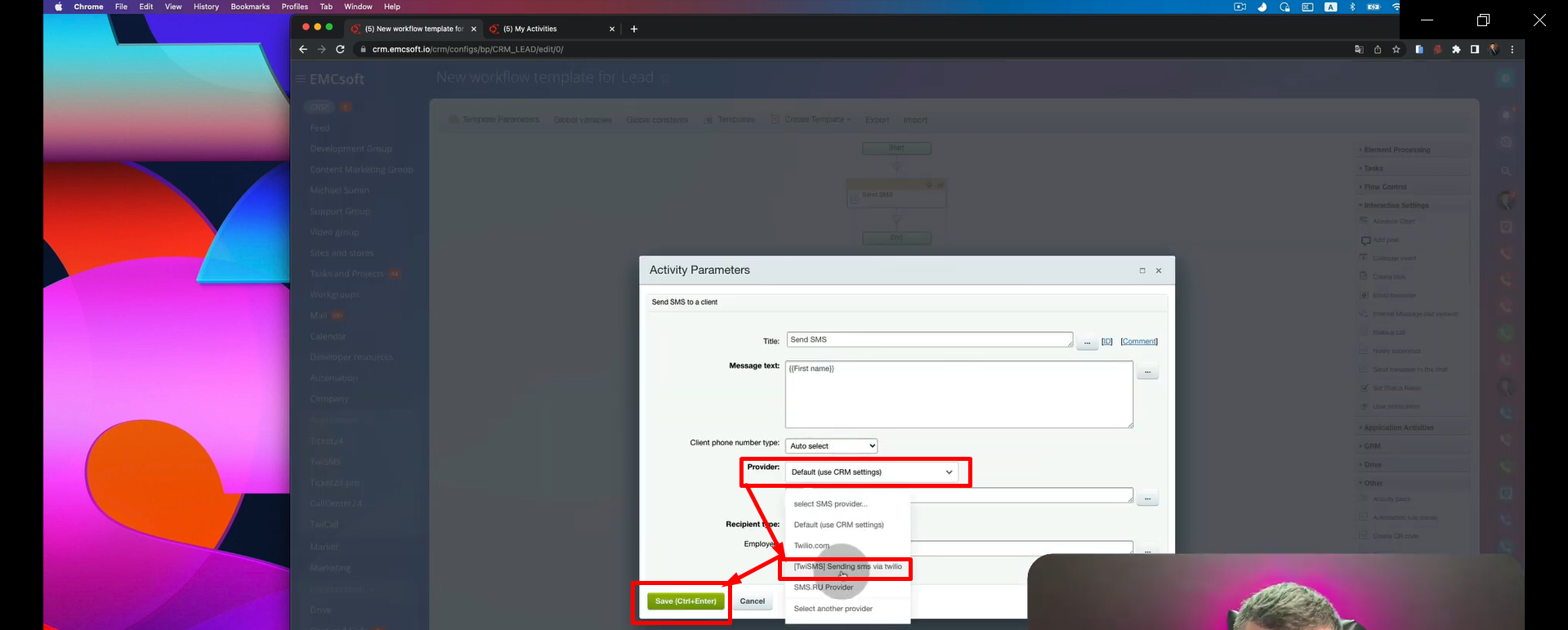
9. On the provider drop down, select the “[TwiSMS] Sending SMS via twilio” then hit “Save”.
“You can also watch this video on Youtube.”
Play video